6-2
Chapter 6: Thermal Transfer Printers
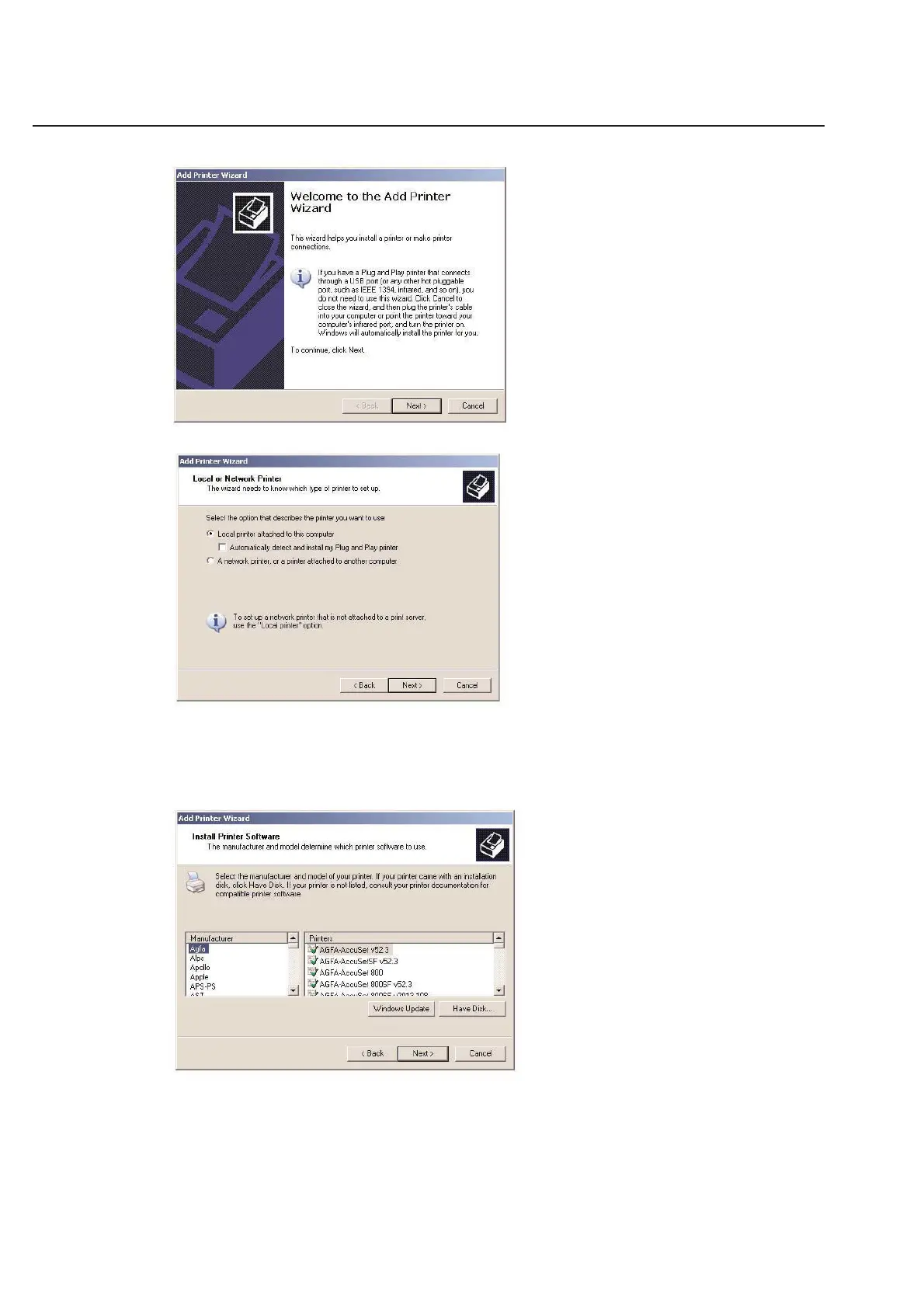
Click Next to start the installation process.
Unless you have purchased specific hardware to use your thermal transfer printer as a network printer, choose Local
printer and click Next. You will still be able to print through your network to the thermal transfer printer (as with
any other printer), but you will need to have the printer directly connected to a PC. In addition, the PC must be on.
Refer to your Microsoft Windows users’ guide on how to connect a printer so that you can print over a network.
The next screen will ask you for the type of printer that you have.
Since the HellermannTyton thermal transfer printers are specialized, they are not listed in this window. Instead, you
must click Have Disk.... Make sure you have your TagPrint Pro Installation CD in your computer’s CD drive.



 To Next Page