3-9
Chapter 3: Table
Column Types
TagPrint Pro allows you to define a column as Text, Copies, or Images. There is a specific use for each type of col-
umn. Please refer to the following explanations of the column types:
Text Column
Every column in the table is a text column by default. This is the type of column you will use most often. A text
column is used by the Label Design to read variable text for your label design.
Copies Column
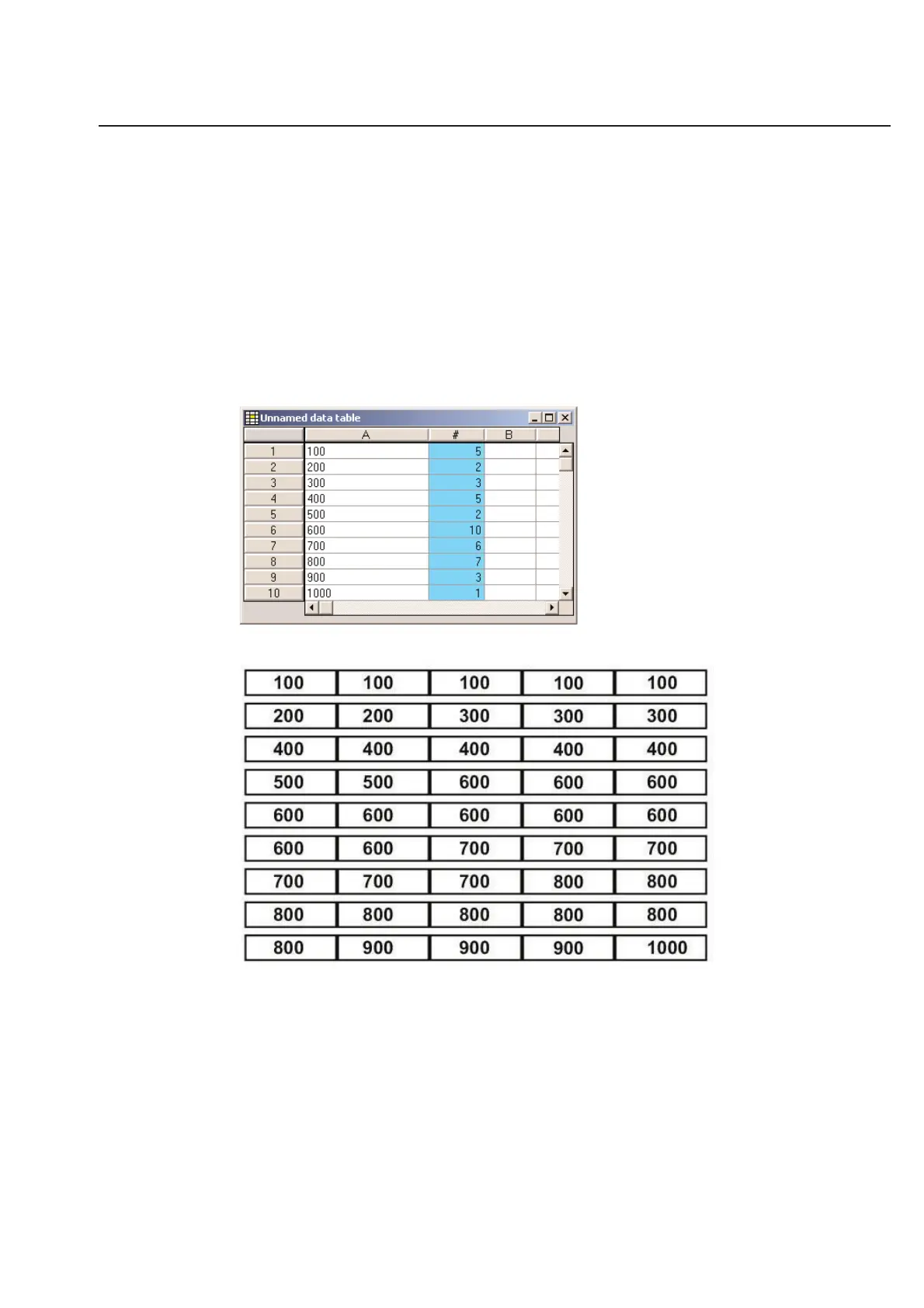
The copies column is used to set the number of times a particular variable label will print. For example, you want the
information that is located in row 1 of the table to print 5 times. You would then enter “5” in row 1 of the copies
column. Likewise, you can enter a value in every row of the copies column that corresponds with how many times
you want the information in that row to print. The copies column is designated by the “#” mark on the top of the
column and by its aqua-blue highlight color.
The table above would have the resulting print out:



 To Next Page