5-6
Chapter 5: Label Definitions
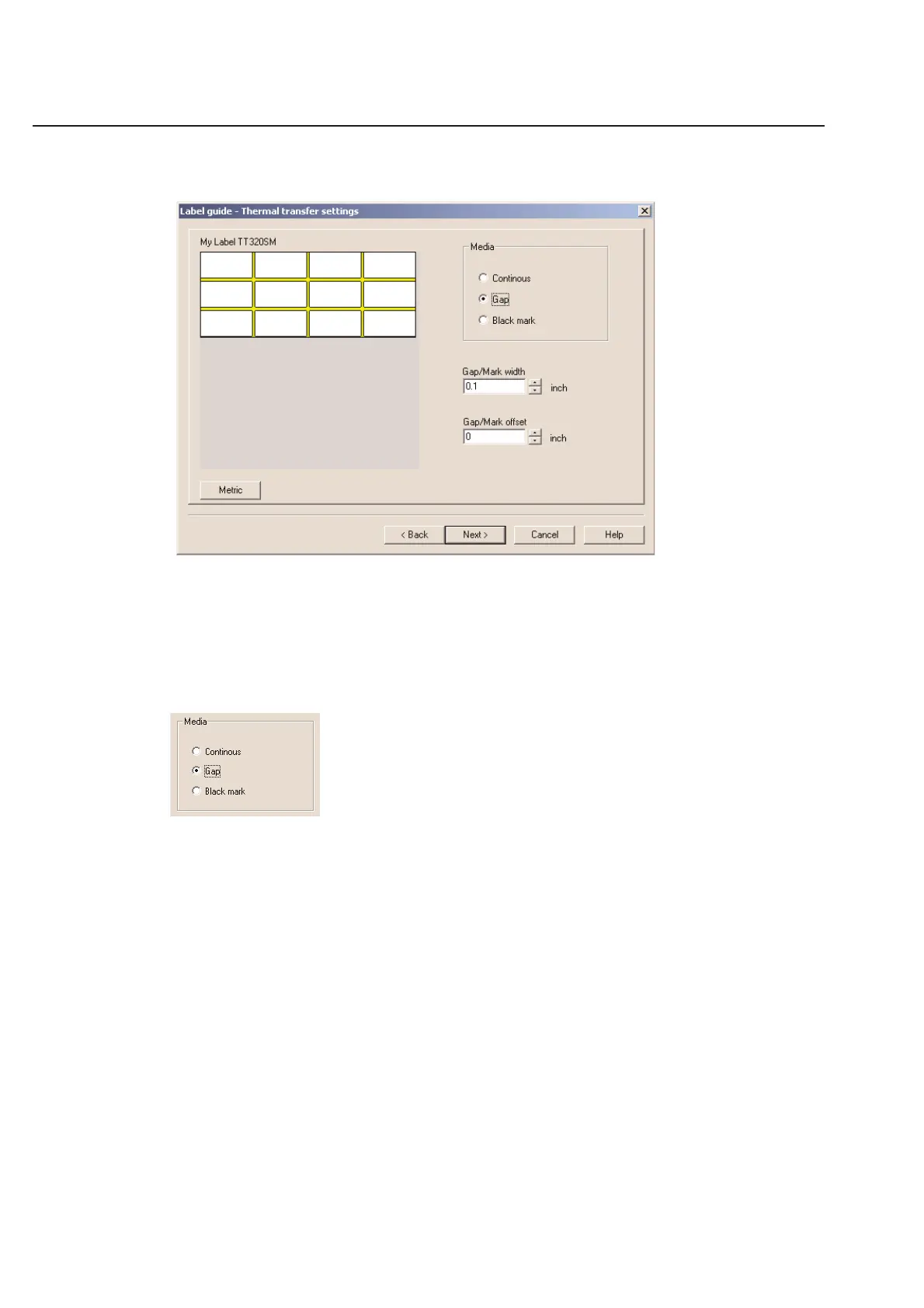
Label Guide - Thermal Transfer Settings
The thermal transfer settings dialog box will only appear if you checked TT printer type on the first dialog box of the
Label Design guide. If you do not see this screen in your software and you are using a HellermannTyton thermal
transfer printer, go back to the first screen and check the box next to TT printer type.
These settings tell your thermal transfer how to recognize where your label stops and how large the label is. It is
critical that these settings are correct when entering a custom label.
Media
The media setting tells the printer about the type of label you are using. Select the setting that best describes your
label.
Continuous - Continuous labels do not have separations between the labels. Usually labels of this type are
cut by hand or with an external cutter.
Note: See special instructions in Chapter 6 for printing continuous labels on a
HellermannTyton thermal transfer printer.
Gap - Gap labels have a gap between labels where you can see the underlying liner. The Gap is
usually at least 1/8” long. Other labels may have black printing on the back side of the liner
that exactly matches up with the length of the label. If your label fits this description, use the
Gap setting.
Black mark - Black mark labels have a thin black line printed on the back of the liner. The black line is
usually under 1/4” thick. The black line typically falls right under the gap between the labels.
If you label fits this description, use the Black mark setting.



 To Next Page