6-38
6.5 Faults that invoke no on-screen indications
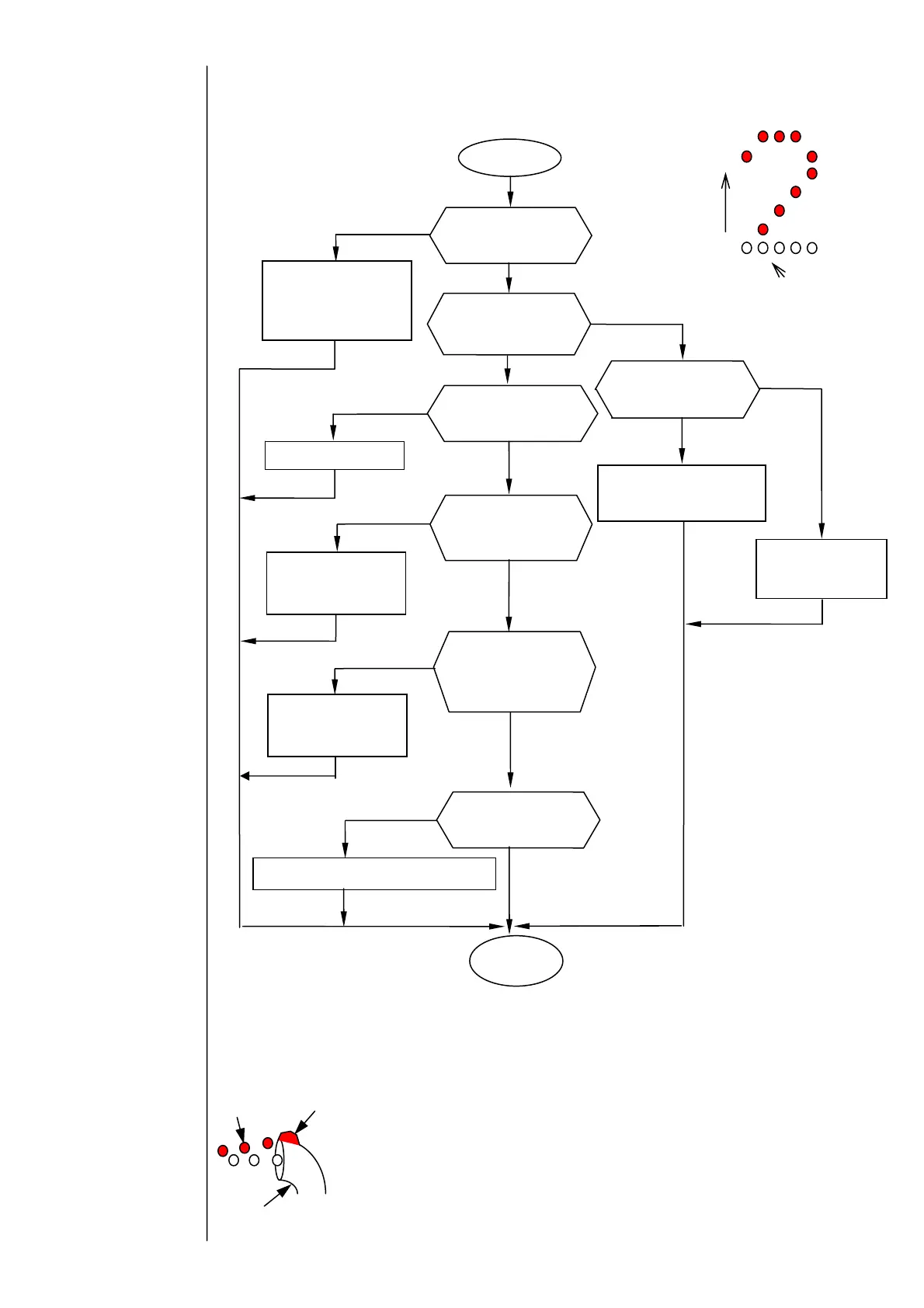
6.5.1 Chipped print (lower dots)
※CAUTION
1.
If the ink beam is not centered with respect to the gutter,
dots having a small amount of deflection (lower dots of
characters) may collide against the gutter and fail to jet out
of the nozzle head, thereby causing chipped prints.
Position the ink beam at the center of the gutter.
2.If the ink pressure rises, the ink beam flow rate increases
to decrease the amount of deflection, causing dots having a
small amount of deflection to collide against the gutter and
producing chipped prints. Ensure that the ink pressure
setting is within the specified limits.
Gutter
Ink/foreign
matter
Print
particle
Chipped print
Replace the ink.
Adjust the ink beam
position so that the ink
beam is centered with
respect to the gutter.
No
Is the ink beam
positioned at the
center of the gutter?
es
Is the ink pressure
higher that the
s
ecified limit?
No
es
Has the cumulative
ink use time exceeded
the life limit?
No
es
Resume the
operation.
Pour the makeup ink
over the gutter edge
section to clean it.
Is there ink or dirt
buildup on top of the
gutter edge section?
es
No
Replace the EZJ94 board / EZJ106 board.
es
Is the charged
voltage output
correctly?
No
Adjust the ink
pressure until it is
within the limits.
Can the ink pressure be
adjusted?
No
es
Provide pressure relief,
then replace the
pressure-reducing valve.
Direction of
deflection
Missing dots
Is the contact of
fastening tab in
high-voltage power
supply HV-OUT
Unplug the fastening
tab, and then plug it
in properly.
es
No



 To Next Page