4-15
4.9 Viscometer Replacement Procedure
4.9.1 In the case where an abnormality arises to the viscometer, the following action
is necessary.
Note: In the case where the viscometer is abnormal, it operates by a dot count
method.
①Viscometer variation abnormality
Cause : Foreign substance mixing
Treatment : (a) To replace the viscometer filter. If it does not recover, perform (b).
(b) To disassemble and clean the viscometer. If it does not recover,
perform (c).
(c) To replace the viscometer.
②Viscometer measured value abnormality
Cause : Ink retention inside the viscometer. Treatment: To disassemble and
clean the viscometer.
Cause : Proximity sensor failure. Treatment: To replace the proximity sensor.
Cause : High (low) viscosity of the ink. Treatment: To replace the ink.
If it does not recover by the above treatment, replace the viscometer.
③Viscometer temperature detection abnormality
Cause :Temperature thermistor failure.
Treatment: To replace the thermistor.
4.9.2 Replacement of viscometer
"Caution" Turn the power OFF before operation.
Otherwise, abnormalities occur.
①Drain the ink from the main ink tank.
(Ref. "Ink drainage" at "Circulation Control" screen)
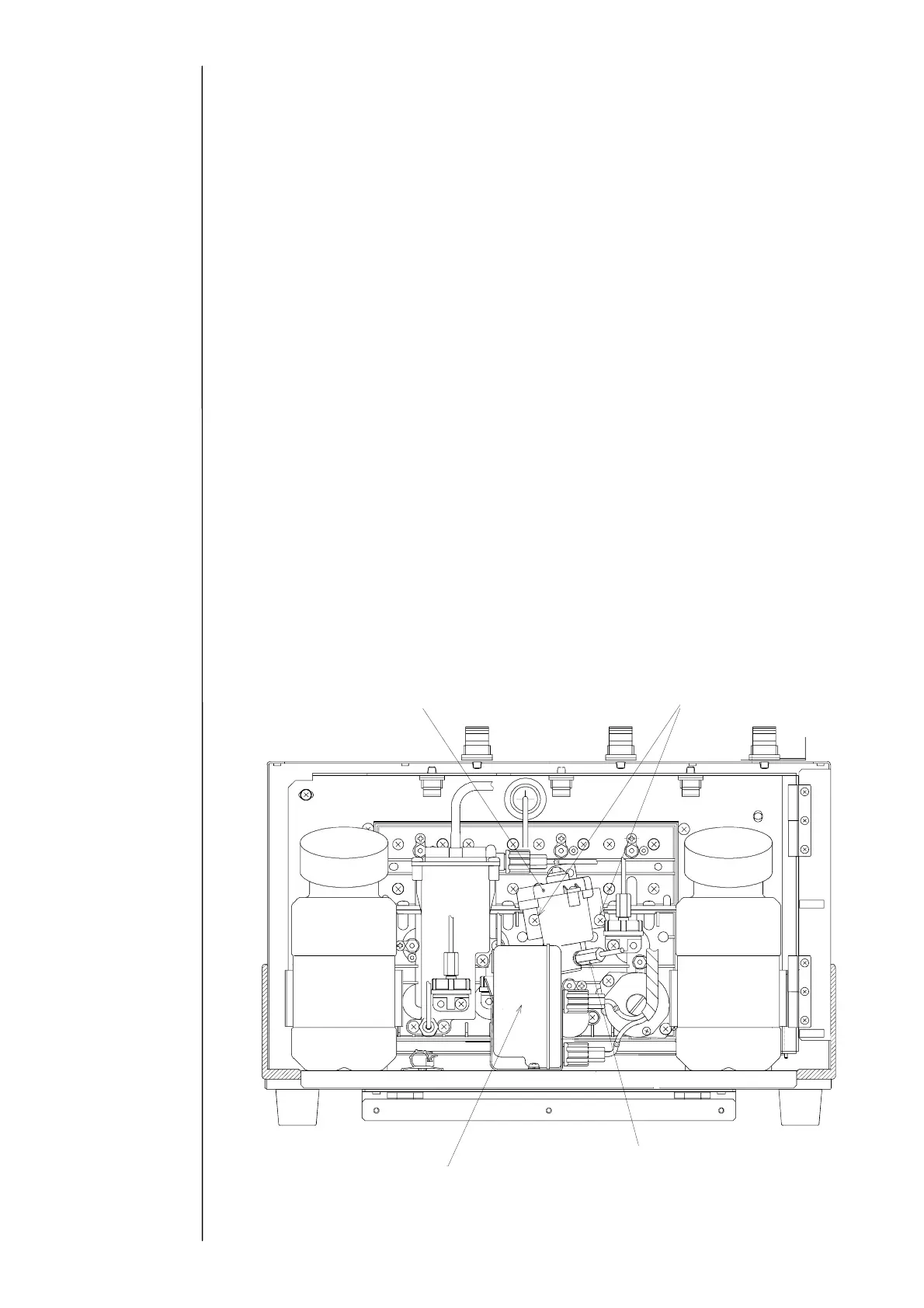
②Draw the ink filter so as to bring the viscometer into sight.
③Disconnect the connector of the respective lead wires of the proximity sensor (4 pins),
the thermistor (2 pins, No.2 is black) and the coil (2 pins, No.2 is blue) on the back
surface of the unit.
④Remove the viscometer IN side tube (mark G) by giving the tube block a turn to the
left.
iscometer
Two viscometer setscrews
Ink filter
Viscometer IN side tube (mark G)



 To Next Page