4-14
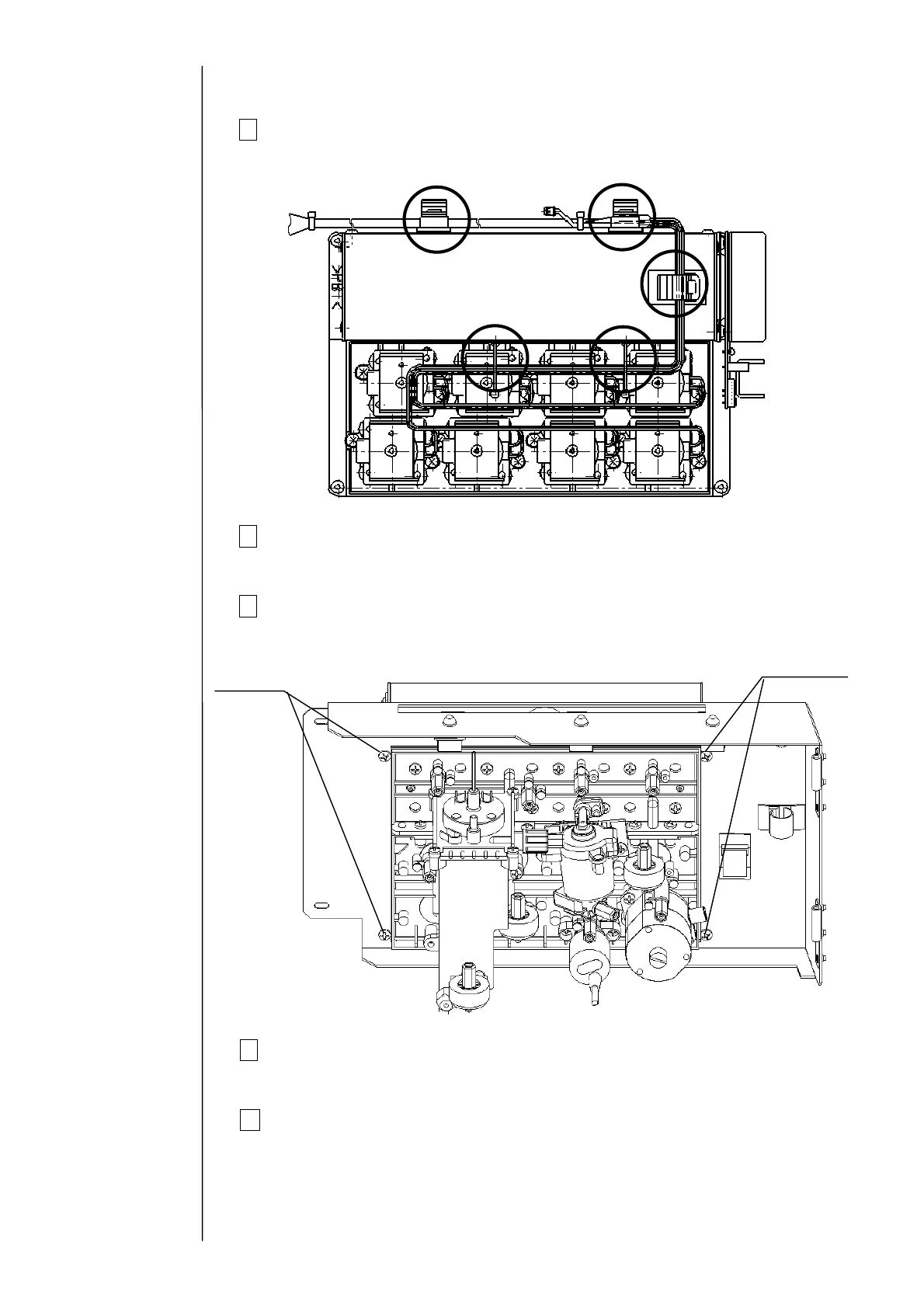
6 Remove the clamps (5 positions) that fix the wires.
7 Remove the connectors of the electric parts (motor, solenoid valves,
pressure sensor, and viscometer)
8 Remove the fixing screws at 4 positions that fix the circulation unit.
The circulation unit can be removed.
9
Clean the portion stained with ink and then install the main ink tank by
reversing the above procedure.
10 Perform “Makeup ink Replenishment” and then “Ink Replenishment”.
Make sure that any ink or makeup ink leak does not occur at each
connecting part.
6
78
9
10
Fixing screw
Fixing screw



 To Next Page