2-8
2.3.3 Phase margin test
●Perform the phase margin test of a nozzle.
●This test is performed for checking that
① whether or not the nozzle is in a printable state (whether or not clogging
is present) and
② whether or not ink is deteriorated.
●After the setting of a “standby” state, perform the work of this test as follows.
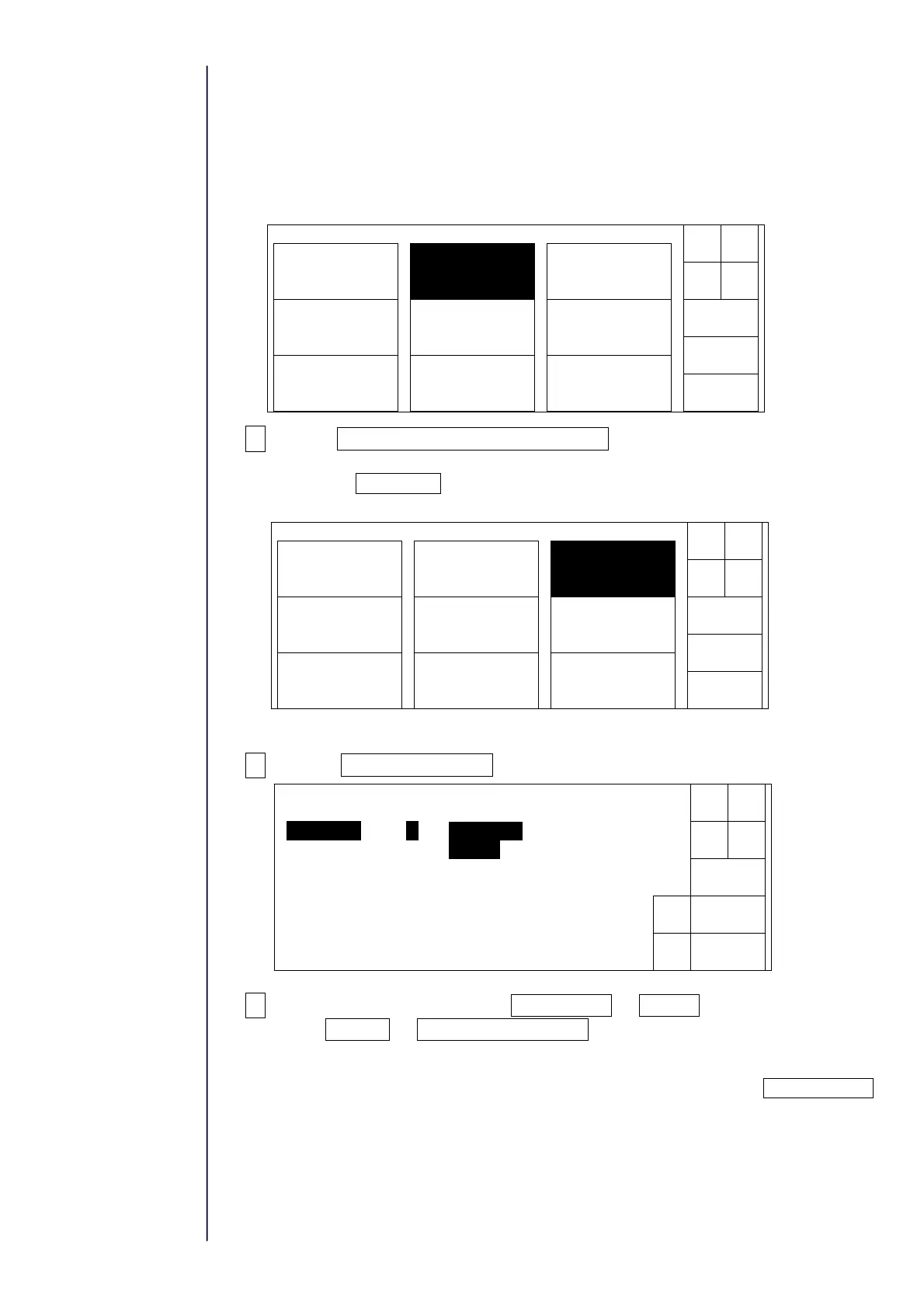
1Press Adjustment/operational checkout at the second page of the
service maintenance screen.
When the Next menu are not displayed in the maintenance work menu, set to
the service personnel maintenance mode by the password protection.
2Select Phase margin test.
3Select the print timing from Button input or Sensor and the print data
from For test or Data to be displayed on the screen, respectively.
・When the “key input” is selected, the following figure is displayed and the printing
phase is sequentially printed from 0 phase to 15(f) phase every time Start printing
is pressed. (16 printings in total form one cycle)
With respect to the
Password protection,
refer to " 2.1 setting of
service personnel
maintenance mode".
Solenoidvalve/
pumptest
Adjustment/
operationalcheckout
LanguagechangeUnitinformation
Systemreset
System
environmentsetup
Download
Next
menu
Back
Maintenancemenu
Manual
Shut
down
Status:XXXXX
Back
Adjust./oper.checkout
Chargevoltage
confirmation
Heatingunit
confirmation
Levelsensor
confirmation
Excitation
adjustment
Manual
Shut
down
Phasemargintest
Auto-phasegain
adjustment
Status:XXXXX
Back
Phasemargintest
Start
Printtiming[1](1:Buttoninput2:Sensor)
Decre-
ment
Incre-
ment
Printdata[1](1:Fortest2:Datatobedisplayed)
Status:XXXXX



 To Next Page