2-14
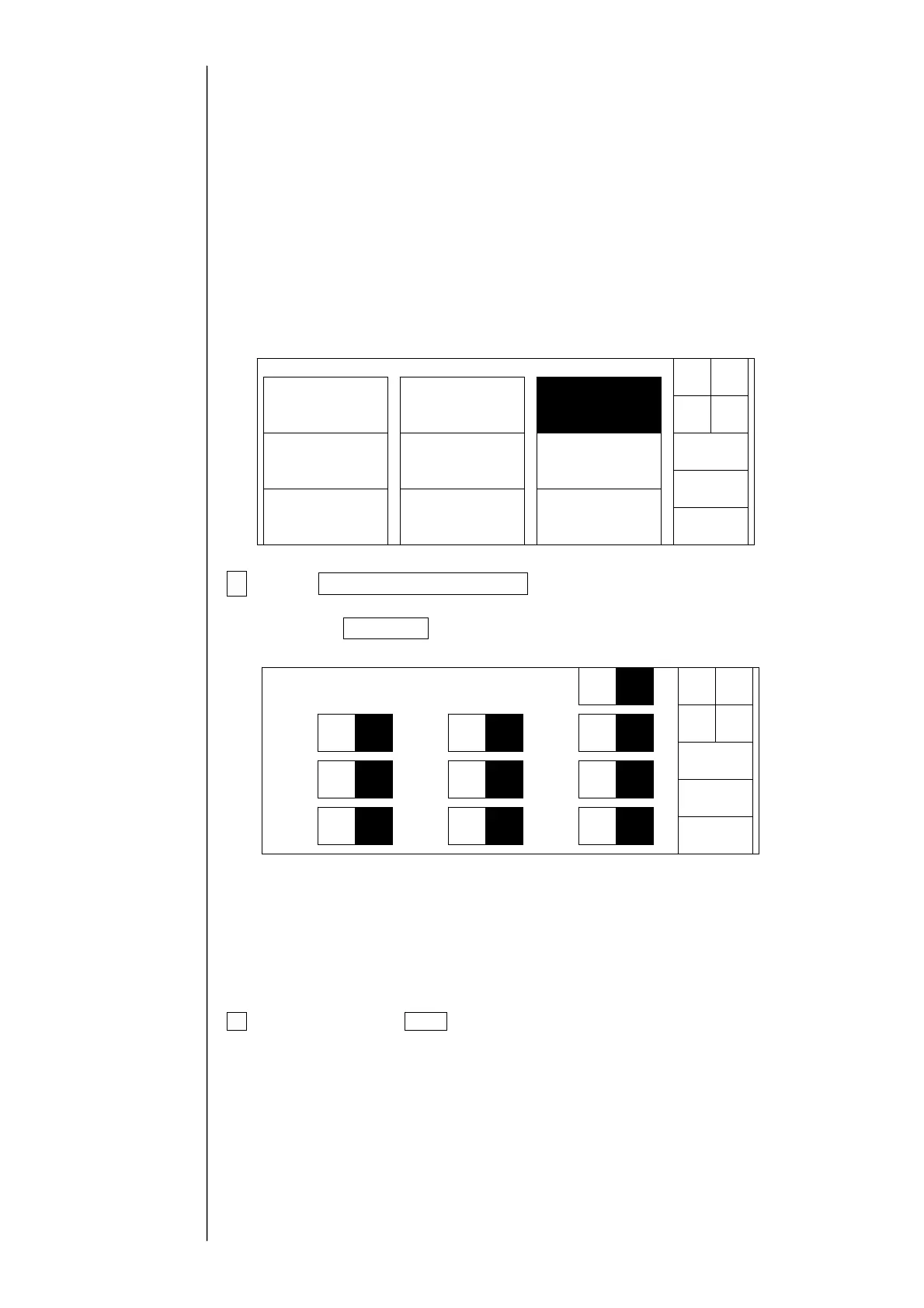
2.4 Test of solenoid valve/pump
●The operation confirmation of solenoid valve and pump is performed.
①Supply valve (MV1)
②Replenishment valve (MV2)
③Recovery valve (MV3)
④Agitation valve (MV4)
⑤Circulation valve (MV5)
⑥Pressure relief valve (MV6)
⑦Makeup ink valve (MV7)
⑧Cleaning valve (MV8)
⑨Shutoff valve (MV9)
⑩Pump
●Perform this test in a "Stop" state.
(In an operating state, only an operating state is displayed.)
1Press Solenoid valve/pump test at the second page of the service
maintenance screen.
When the Next menu are not displayed in the maintenance work menu, set to
the service personnel maintenance mode by the password protection.
The operating state of the solenoid valve and the pump is displayed.
(Confirm the operation by an operating sound.)
Open : The solenoid valve is opened.
Close : The solenoid valve is closed.
Operated : To operate the pump.
Stop : The pump is stopped.
2 When pressing Back, the screen returns to the maintenance menu
screen.
Caution:
The pump and solenoid valve can simultaneously be operated, but this operation is
different from the steady operation. Take great care when turning the solenoid valve on
while the pump is operating.
With respect to the
password protection,
refer to " 2.1 setting of
service personnel
maintenance mode"
Solenoidvalve/
pumptest
Adjustment/
operationalcheckout
LanguagechangeUnitinformation
Systemreset
System
environmentsetup
Download
ext
dis-
la
Back
Maintenancemenu
Manual
Shut
down
Status:XXXXX
MV1
Back
Solenoidv/ptest
Open Close
Oper-
ated
Stop
MV2
MV3
MV5
MV6
MV4 MV7
MV8
MV9
Pump
Open Close
Open Close Open Close
Open Close
Open Close Open Close
Open Close
Open Close
Status:XXXXX



 To Next Page