1-5
1.3 Installation
1.3.1 Wiring for power supply
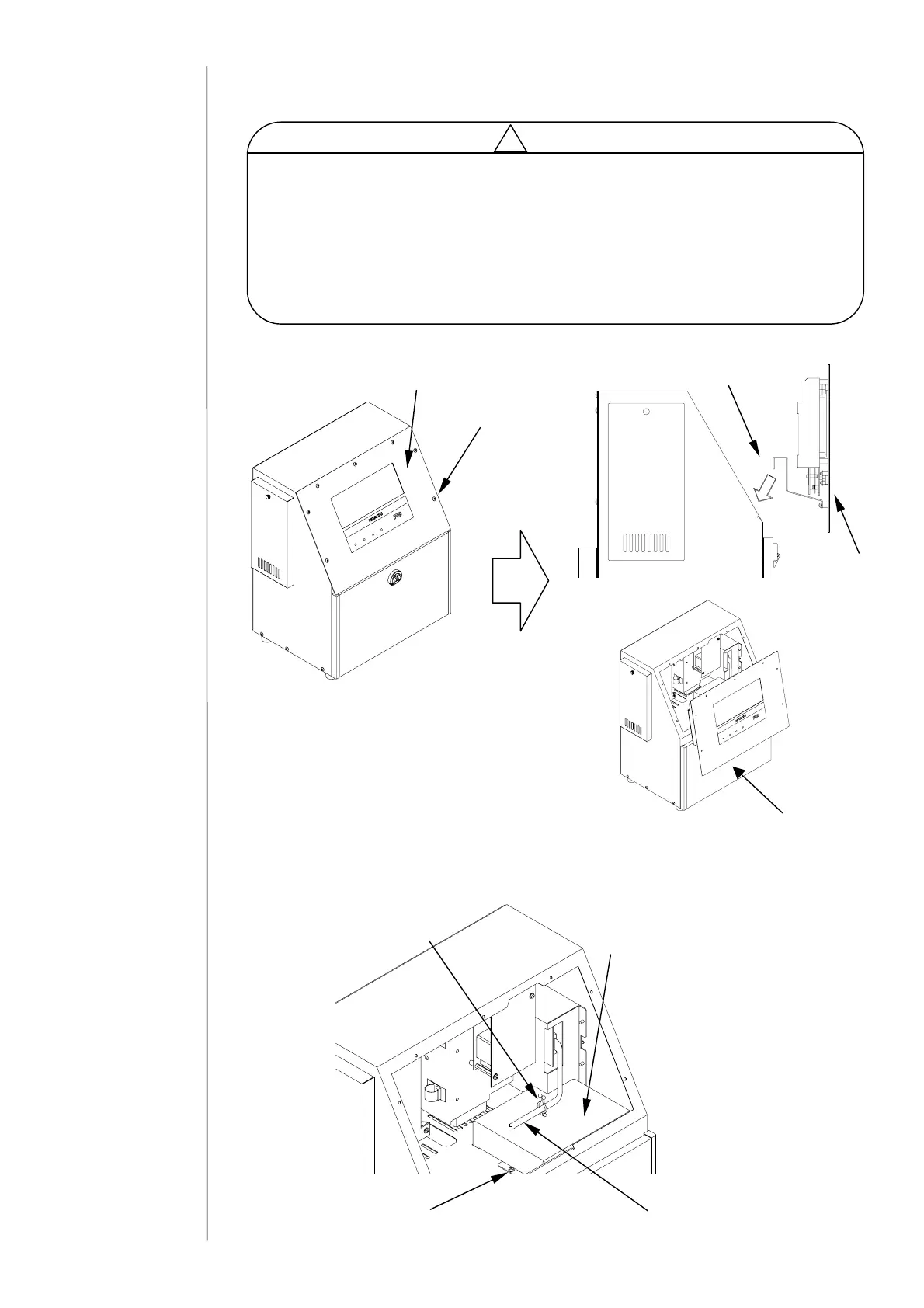
(1) Open the operation panel, and then hang the panel on the unit. (7 screws)
(2) Remove the terminal block cover. (1 screw)
(Release the wire harness from clamp)
Be sure to use an appropriate plug and connect a protective ground.
Install AC outlet near the unit so that it can be easily accessed and removed.
Use a power cable with an outside diameter within a designated range.
Securely tighten the nut that holds the service entrance.
Do not bundle a weak-current system cable and a power cable together
outside the unit: Make sure that noise from the power cable does not affect
the weak-current system signals (connection signal to a I/O board).
caution
!
Screw
Terminal block cover
Clamp
Wire harness
Caution:
Be careful that the wire harness does
not get caught on anything.
Do not hang the panel with the
maintenance cover open for a long time
(less than 10 minutes allowed): Leaving
it hanging more than 10 minutes could
deform the packing.
Operation panel
Screw
Hang
Operation
panel
Maintenance cover



 To Next Page