2-22
2.8 Data copy
●Perform this function in the service personnel maintenance mode.
●Copy the print data, user patterns and the data unique to machine, to memory card.
●Backup data can be copied on a IJ printer.
●Backup on a Memory card
Data to be copied
Mode Copy data
Print data, user patterns, Unit-specific data,
viscometer calibration value, serial number
Service personnel
maintenance mode
Text data of alarm records, text data of viscosity relevant
information, internal communication error analysis data, etc. (to
be stored in folder bak)
●At the
Service personnel maintenance mode, the copy data type can be select.
Data to be copied when copying from memory card to IJP
Data type Copy data
User pattern User patterns, alphanumeric patterns
Print data Print data, Substitution rules
User data Print data, User patterns
Unit-specific data
Unit-specific data
(Ink viscosity coefficient, APH gain, User environment setup, etc)
●If the customer uses the password to engage password protection for maintenance
work, release the protection once, and after completing the maintenance work, reset
the protection.
Copy from a Memory card onto an IJ printer
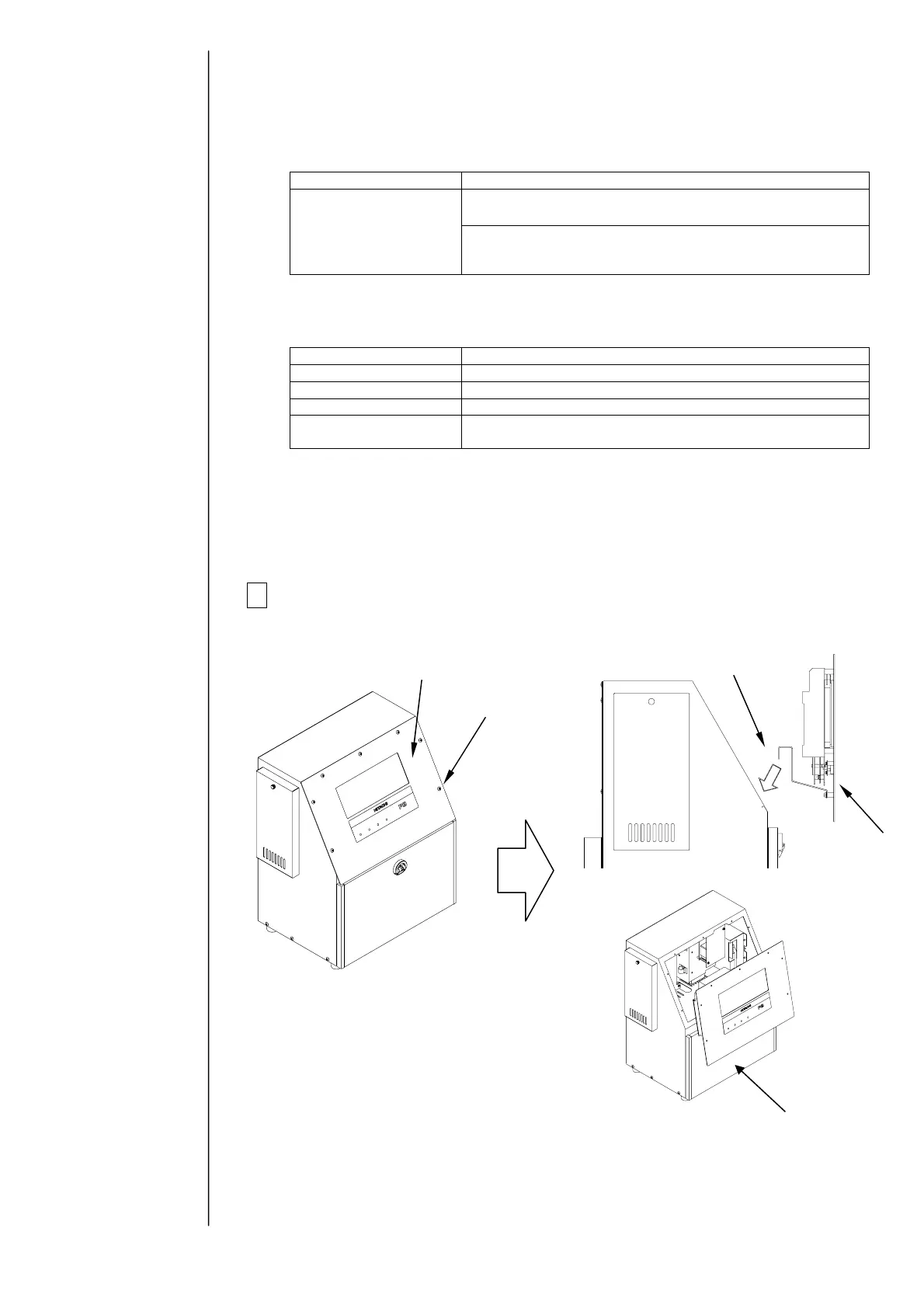
1 Turn power off, remove the operation panel, and then hang it on the
unit.
Caution:
Be careful that the wire harness does
not get caught on anything.
Do not hang the panel with the
maintenance cover open for a long time
(less than 10 minutes allowed): Leaving
it hanging more than 10 minutes could
deform the packing.
Operation panel
Screw
Hang
Operation panel
Maintenance cover



 To Next Page