2-23
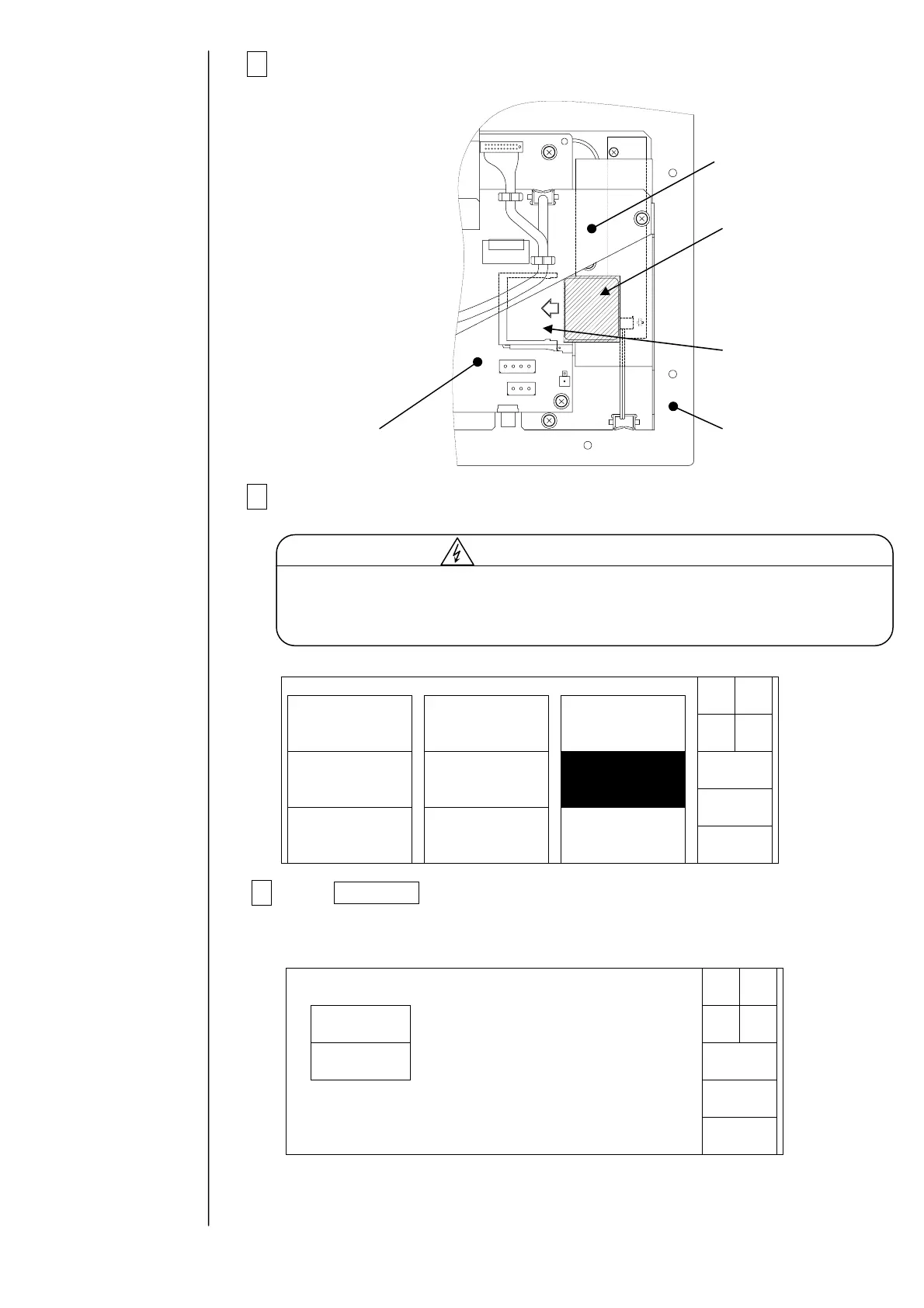
2Insert the memory card (CF card) into the slot.
3Turn power on.
4 Press Data copy in the aux function menu.
The data copy display will appear.
CF card
Slot
Inside of operation
panel viewed from
top
Cover
EZJ102 board
Operation
Back
Aux.functionmenu
Storedmessage
deletion
Datacopy
Touchscreencoordi-
natecalibration
Messagenumber
change
Manual
Shut
down
Messagenamechange
Userpattern
creation
Status:XXXXX
Cancel
StartCopy
Datacopy
Copydirection
SelectthecopydirectionandthenpressStartCopy.
IJP→
Memorycard
Memorycard→
IJP
Status:XXXXX
It is necessary to supply power with the operation panel open for this work.
During turning on, take great care of electric shock since a high voltage is
applied to some portions in this printer.
Cautionforelectricshock



 To Next Page