3-9
●
In the case where the EZJ93 board is replaced in a state allowing no backup,
perform setup and/or adjustment according to the following table.
No.
Item Reference manual
1 Systemreset "2.7Systemreset"
2 Download "2.5Download"
3
System environment setup “2.2 System environment setup”
4
Touch panel coordinate
correction
Instruction manual
“5.4 Touch panel coordinate correction"
5
Display environment setup
Instruction manual
“4.7 Set the display environment”
6
Excitation adjustment “2.3.1 Excitation adjustment”
7
Acquisition of auto phase gain
value
“2.3.4 Auto phase adjustment”
8
Viscometer adjustment “2.6 Calibration of viscometer”
9
Excitation voltage setting
Instruction manual
“7.13 Adjustment of excitation voltage”
10
Editing print data
Instruction manual
“3.Editing print data and printing”
11
Creating a User pattern
Instruction manual
“5.2 Creating a user pattern”
12
User environment setup
Instruction manual
“4.2 Setting the user environment”
13
Setting the Date and Time
Instruction manual
“4.3 Setting a Date and Time”
14
Operation management
information setup
Instruction manual “4.1 Manage the operation”
15
Operating time information
setup
Instruction manual
“7.2 Details of Circulation Control”
16
Password setup Instruction manual “4.4 Setting the password”
●Be sure to turn power off before the EZJ93 board.
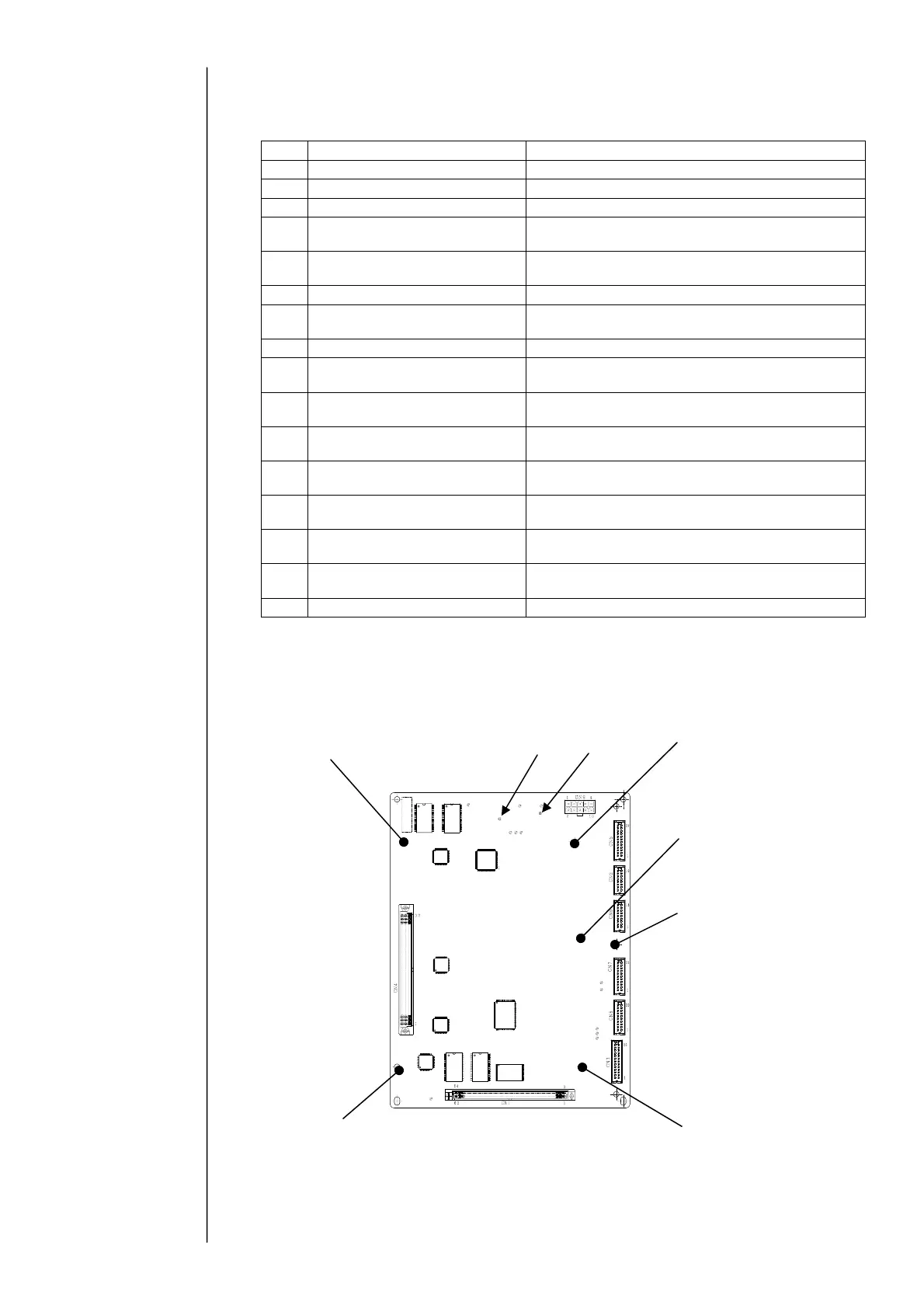
〔EZJ93 board external views〕
TP3
TP6
One setscrew
Five studs for fixing
EZJ94 / EZJ106
Five studs for fixing
EZJ94 / EZJ106
Five studs for fixing
EZJ94 / EZJ106
Five studs for fixing
EZJ94 / EZJ106
Five studs for fixing
EZJ94 / EZJ106



 To Next Page