Step 2 Clear the EPO alarm in the system.
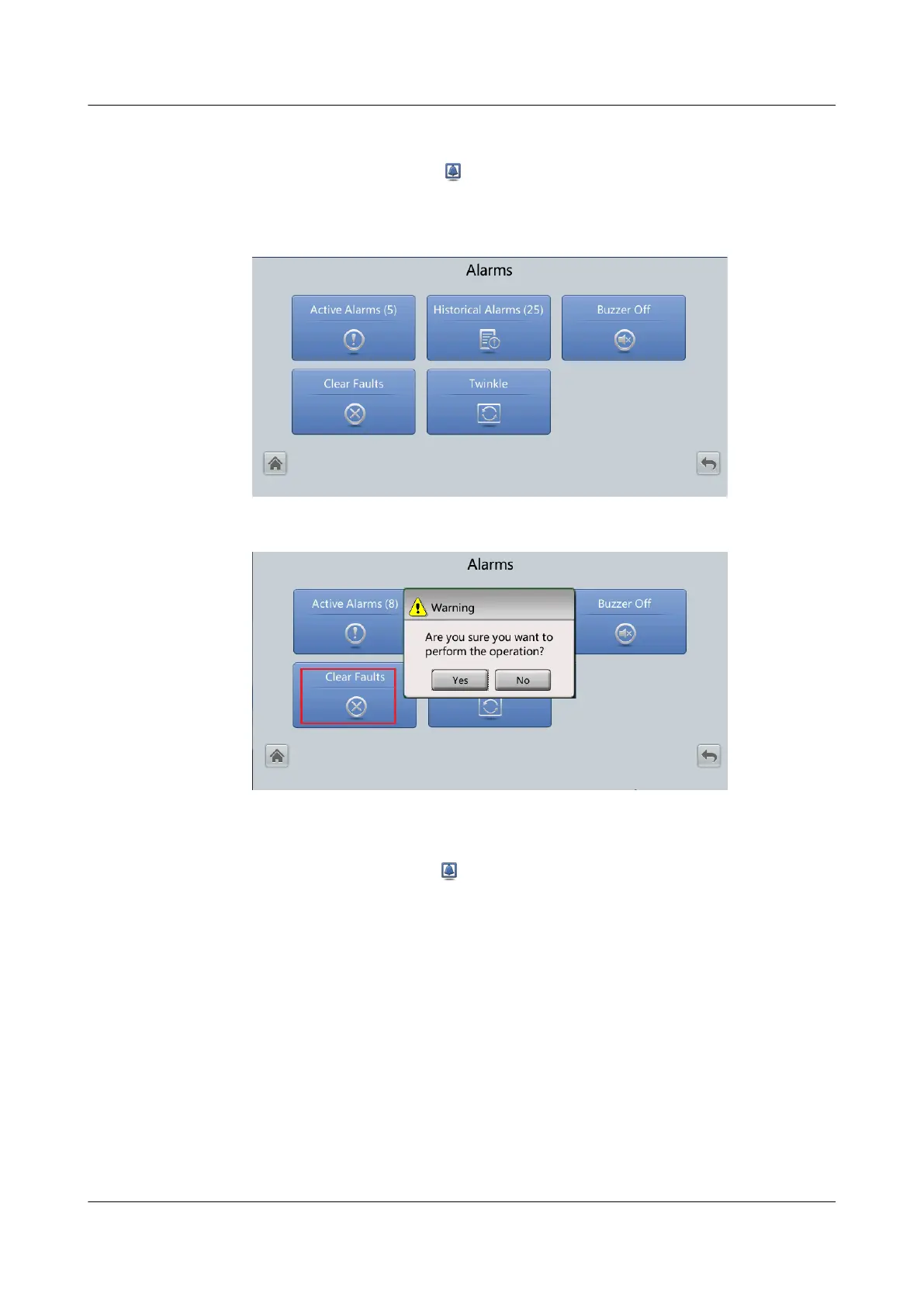
● Choose System Info, tap to enter the Alarms screen, and tap Clear Fault.
In the displayed dialog box, tap Yes to clear the EPO alarm.
Figure 5-14 Alarms screen
Figure 5-15 Clearing faults
Step 3 View active alarms and check that the EPO alarm is cleared. If the system bypass
input is normal, the UPS transfers to bypass mode.
Choose System Info and tap
to enter the Alarms screen. Tap Active Alarms
and check whether the EPO alarm is cleared.
Step 4 Start the inverter.
----End
UPS5000-E-(30 kVA–180 kVA)
User Manual (Integrated UPS) 5 Operations
Issue 02 (2022-12-30) Copyright © Huawei Digital Power Technologies Co., Ltd. 142












 To Next Page