Step 4 Use screws to secure the connecting kits in the connection positions on the rear
door in the same way.
Step 5 Repeat the procedure to combine other UPS cabinets.
When combining cabinets, ensure that the upper surfaces of all the cabinets are on the
same horizontal plane.
----End
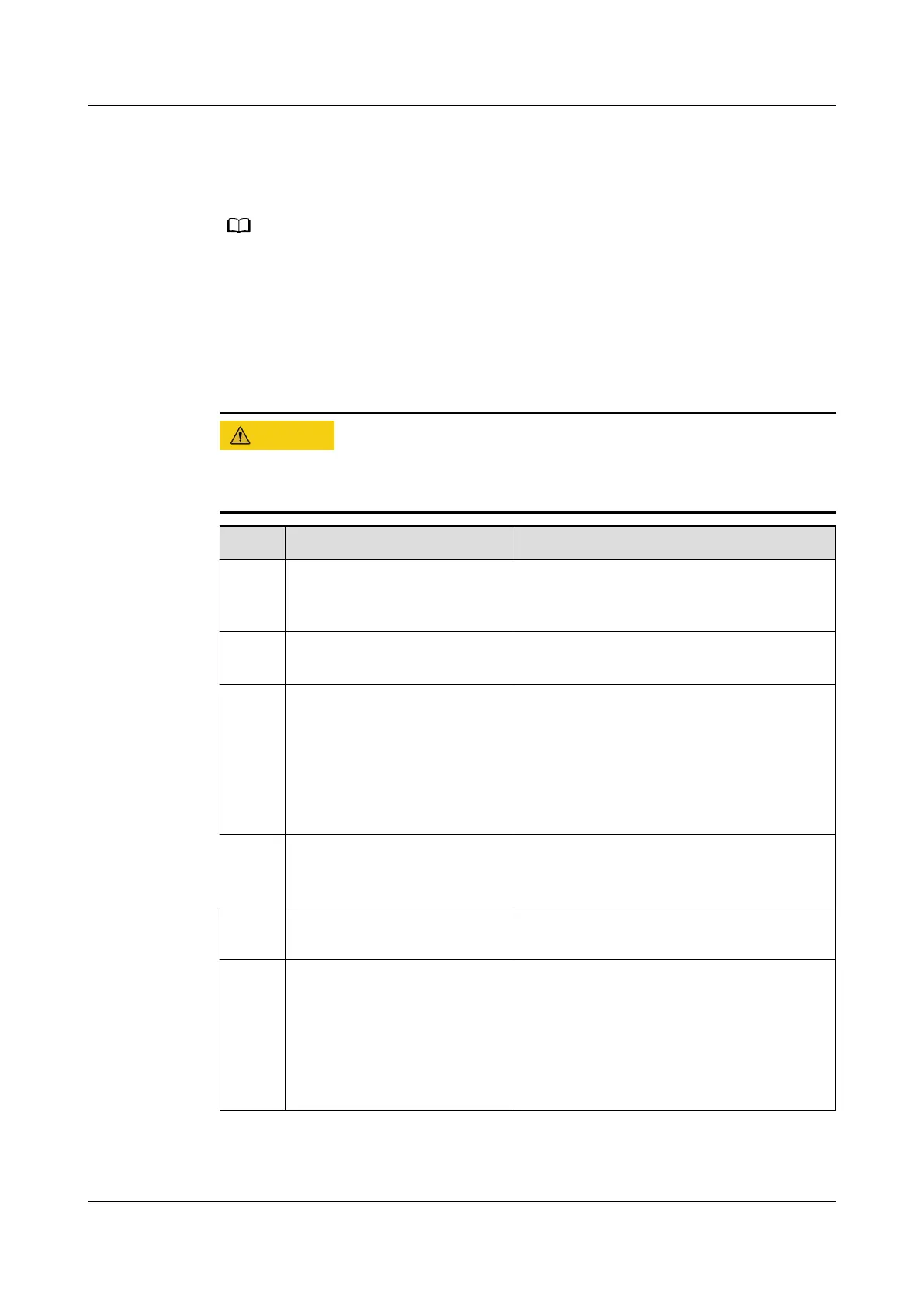
3.4 Verifying the Installation
Carefully check items 09 and 10 listed in the table. If the check results of these
two items do not meet the acceptance criteria, the UPS may be damaged.
No. Item Expected Result
01 Consistency between the
system conguration and
the product delivery
The system model and number of
modules conform to the contract.
02 Cable layout Cables are routed properly and meet
engineering requirements.
03 Secure cable connections The input cables, output cables, and
cables between batteries are securely
connected. For the cables secured by
screws, the spring washers are attened.
All cable connections are secure. No
open circuits or hidden risks exist on
cable connections.
04 Serial port connection
(security protection
mechanism supported)
Signal cables are connected properly and
securely.
05 Cable labels Both ends of each cable are labeled.
Labels are easy to understand.
06 Ground cable connections The UPS ground cable is securely
connected to the ground bar in the
equipment room. Use a multimeter to
measure the resistance between the UPS
ground cable and the equipment room
ground bar. The resistance must be less
than 0.1 ohm.
UPS5000-E-(30 kVA–180 kVA)
User Manual (Integrated UPS) 3 Installation
Issue 02 (2022-12-30) Copyright © Huawei Digital Power Technologies Co., Ltd. 76












 To Next Page