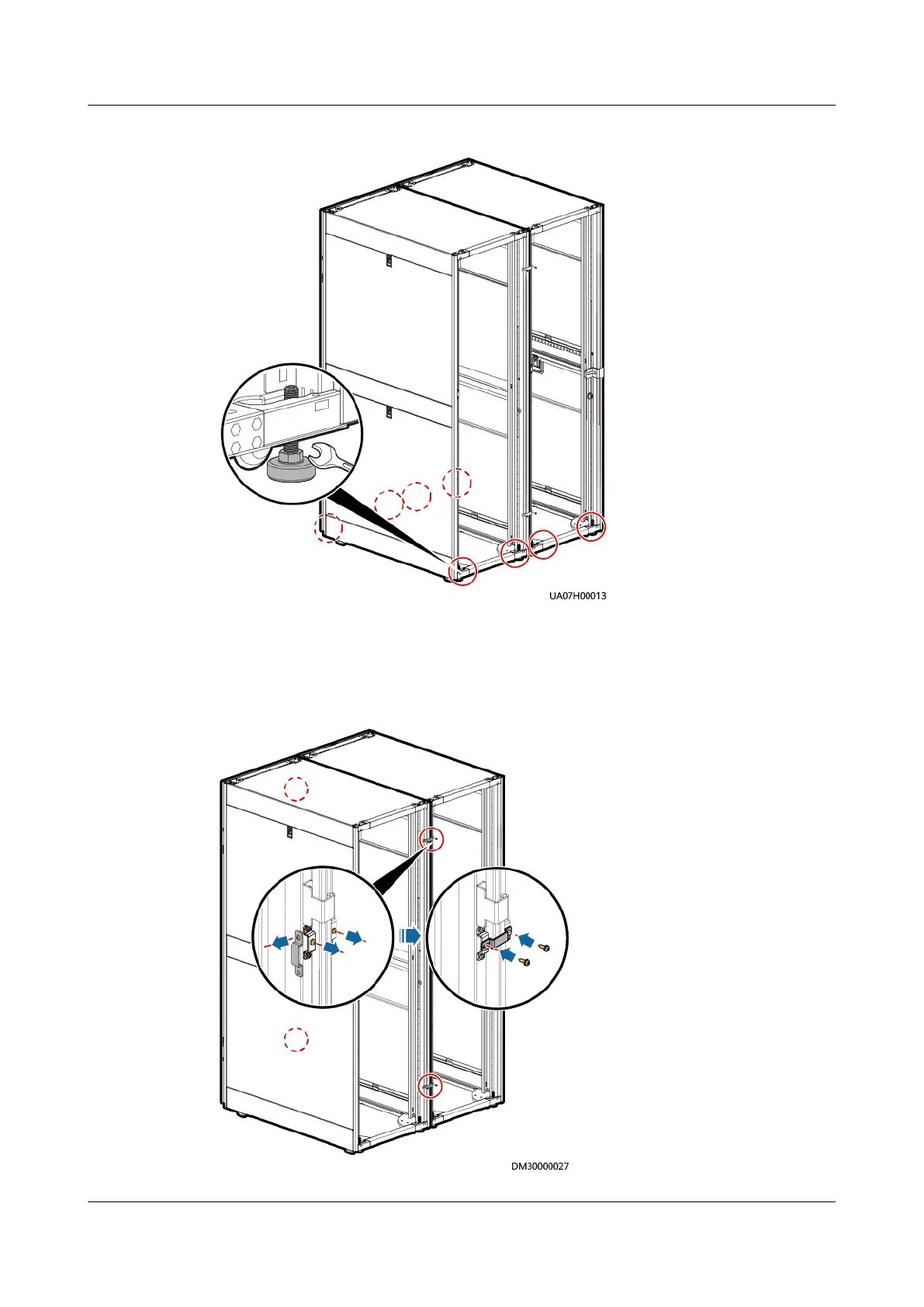
Figure 3-35 Leveling the feet
Step 2 Remove the UPS cabinet connecting kits from the rack, as shown in Figure 3-36.
Step 3 Secure the connecting kits in the connection positions on the front door using
screws, as shown in Figure 3-36.
Figure 3-36 Combining UPS cabinets
UPS5000-E-(30 kVA–180 kVA)
User Manual (Integrated UPS) 3 Installation
Issue 02 (2022-12-30) Copyright © Huawei Digital Power Technologies Co., Ltd. 75












 To Next Page