5.8 Downloading Data
Procedure
Step 1 Connect a USB storage device to the USB port on the MDU.
Step 2 On the LCD home screen, choose System Info. and tap to access the
Maintenance screen.
Step 3 Tap USB Operations > Fault Data, specify the download path, and download the
data.
----End
5.9 EPO
● After you turn on the EPO switch (congured by users), the UPS supplies no
power, and the loads shut down.
● If the UPS is in maintenance bypass mode, the UPS still supplies power after
you press the EPO switch.
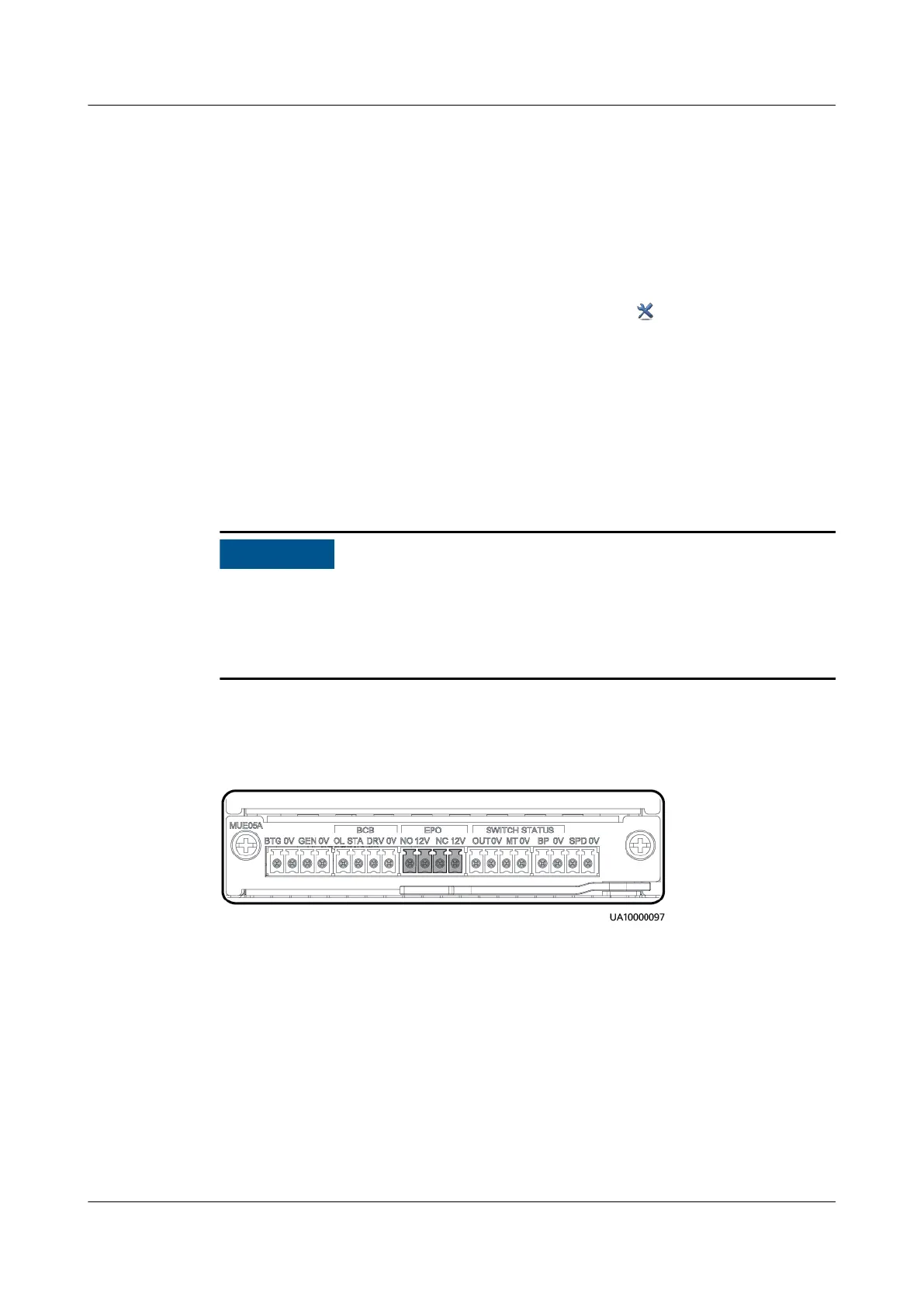
Press the external EPO switch that connects to the dry contact card or remove the
4-pin terminal on the EPO port of the dry contact card.
Figure 5-13 EPO port position
After you press the EPO button, the system reports the EPO and No power
supplied alarms.
5.10 Clearing the EPO State
Procedure
Step 1 Clear the EPO state of the system. Ensure that the EPO switch connected to the
dry contact card is not in the EPO state.
UPS5000-E-(30 kVA–180 kVA)
User Manual (Integrated UPS) 5 Operations
Issue 02 (2022-12-30) Copyright © Huawei Digital Power Technologies Co., Ltd. 141












 To Next Page