Installing Lead-Acid Batteries
Install a battery rack and batteries. For details, see the battery installation guide
delivered along with the batteries.
Installing Lithium Batteries
For details about how to install lithium batteries, see the
SmartLi 3.0 User Manual
(Long-Term Backup Power)
.
3.2.4 UPS Cable Connection Reference
Context
● When preparing cables, keep away from the cabinet to prevent cable scraps
from entering the cabinet. Cable scraps may cause sparks during power-on and
cause personal injury or device damage.
● After installing cables, clean the cabinet top, bottom, copper bar wiring
positions, and other positions. Ensure that there is no dust or scraps inside and
around the cabinet.
● Prepare terminals onsite. The length of the copper wire should be the same as
that of the part of the terminal that covers the conductor.
Procedure
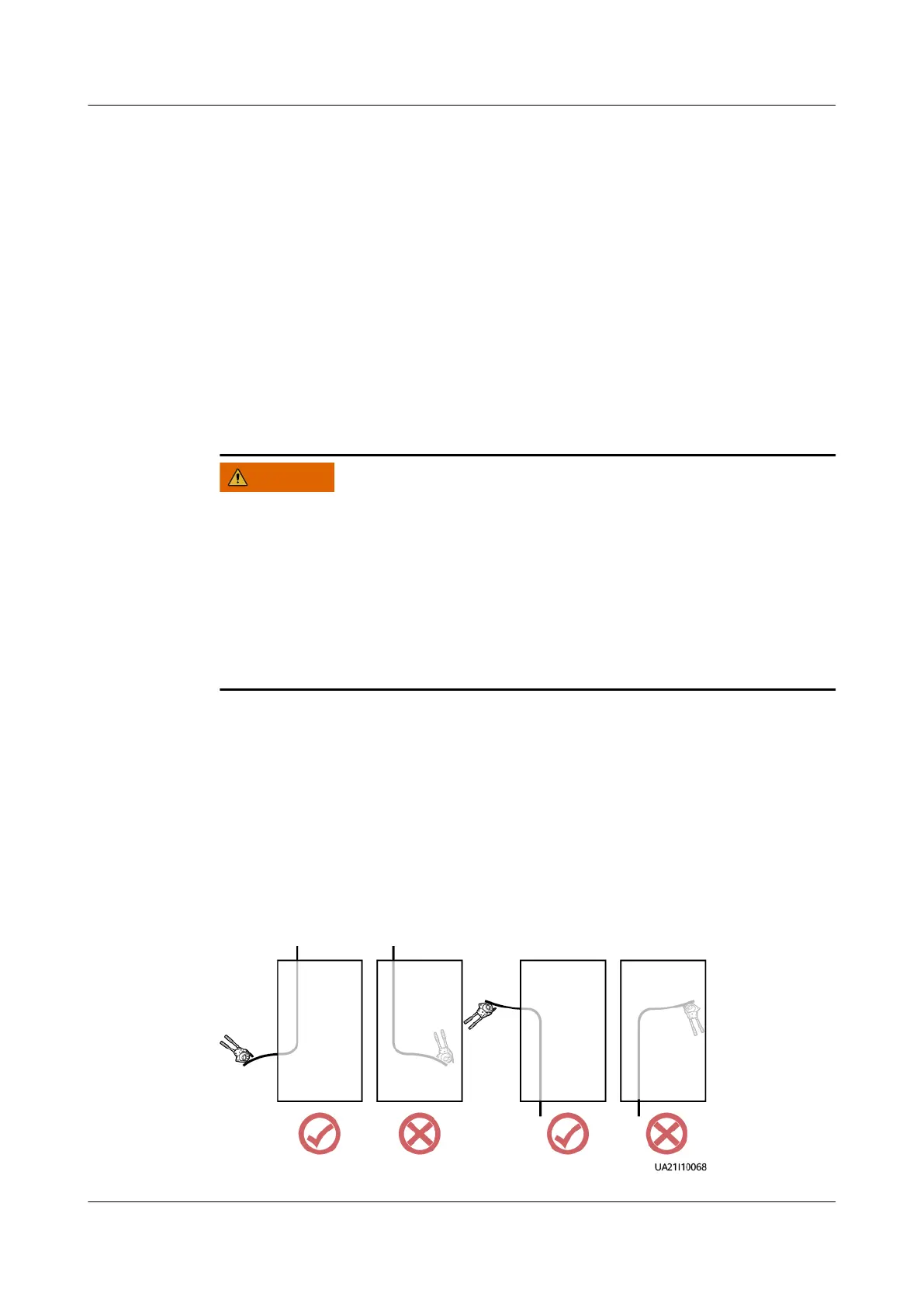
Step 1 Route a cable into the cabinet and bind it to a nearby beam.
Step 2 Pull the cable to the copper bar to which the cable is to be connected, determine
the cable length, and mark the cable at the position where the cable is to be cut.
Step 3 Pull the marked cable out of the cabinet, cut the cable from the marked position,
strip the cable, and crimp a terminal.
Figure 3-19 Preparing a cable terminal outside the cabinet
UPS5000-E-(30 kVA–180 kVA)
User Manual (Integrated UPS) 3 Installation
Issue 02 (2022-12-30) Copyright © Huawei Digital Power Technologies Co., Ltd. 66












 To Next Page