backfeed protection card or dry contact extended card can be inserted into this
subrack.
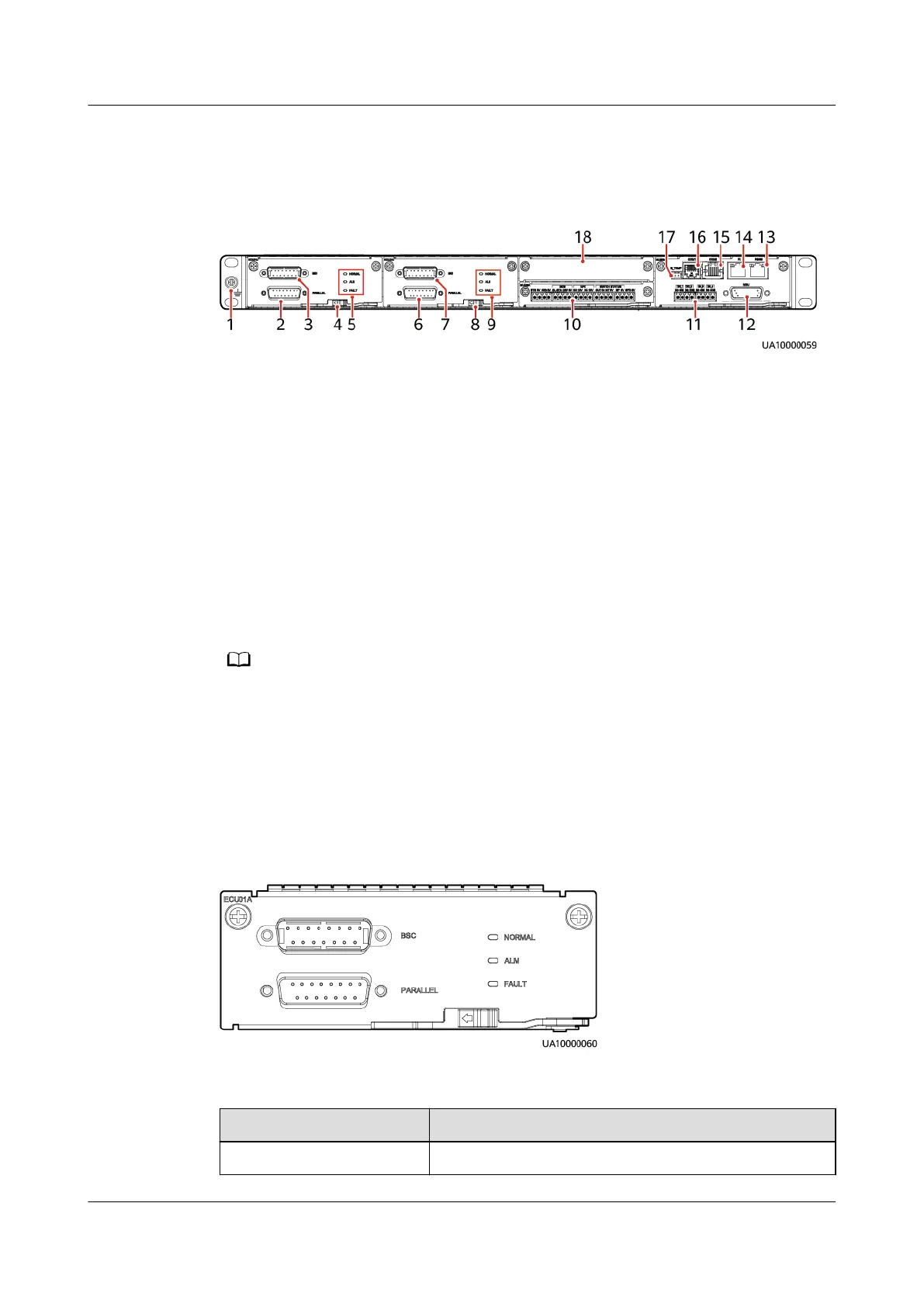
Figure 2-11 Signal panel on the control module
(1) Ground terminal (2) Parallel port 1 (3) BSC port 1 (4) Ready switch on
ECM 1
(5) Indicators for ECM
1
(6) Parallel port 2 (7) BSC port 2 (8) Ready switch on
ECM 2
(9) Indicators for ECM
2
(10) Dry contact card (11) Dry contacts (12) MDU port
(13) RS485 port (14) Fast Ethernet (FE)
port
(15) COM2 port (16) COM1 port
(17) Battery
temperature sensor
port
(18) Optional card
subrack cover
Ports are protected by a security mechanism.
2.3.4.2 ECM
The control module consists of two ECMs that work in active/standby mode. Each
card provides two ports, that is, a BSC port in the upper part and a reserved
parallel port in the lower part.
Figure 2-12 ECM
Table 2-4 Ports on the ECM
Silk Screen
Description
PARALLEL The PARALLEL port transmits parallel signals.
UPS5000-E-(30 kVA–180 kVA)
User Manual (Integrated UPS) 2 Product Overview
Issue 02 (2022-12-30) Copyright © Huawei Digital Power Technologies Co., Ltd. 36












 To Next Page