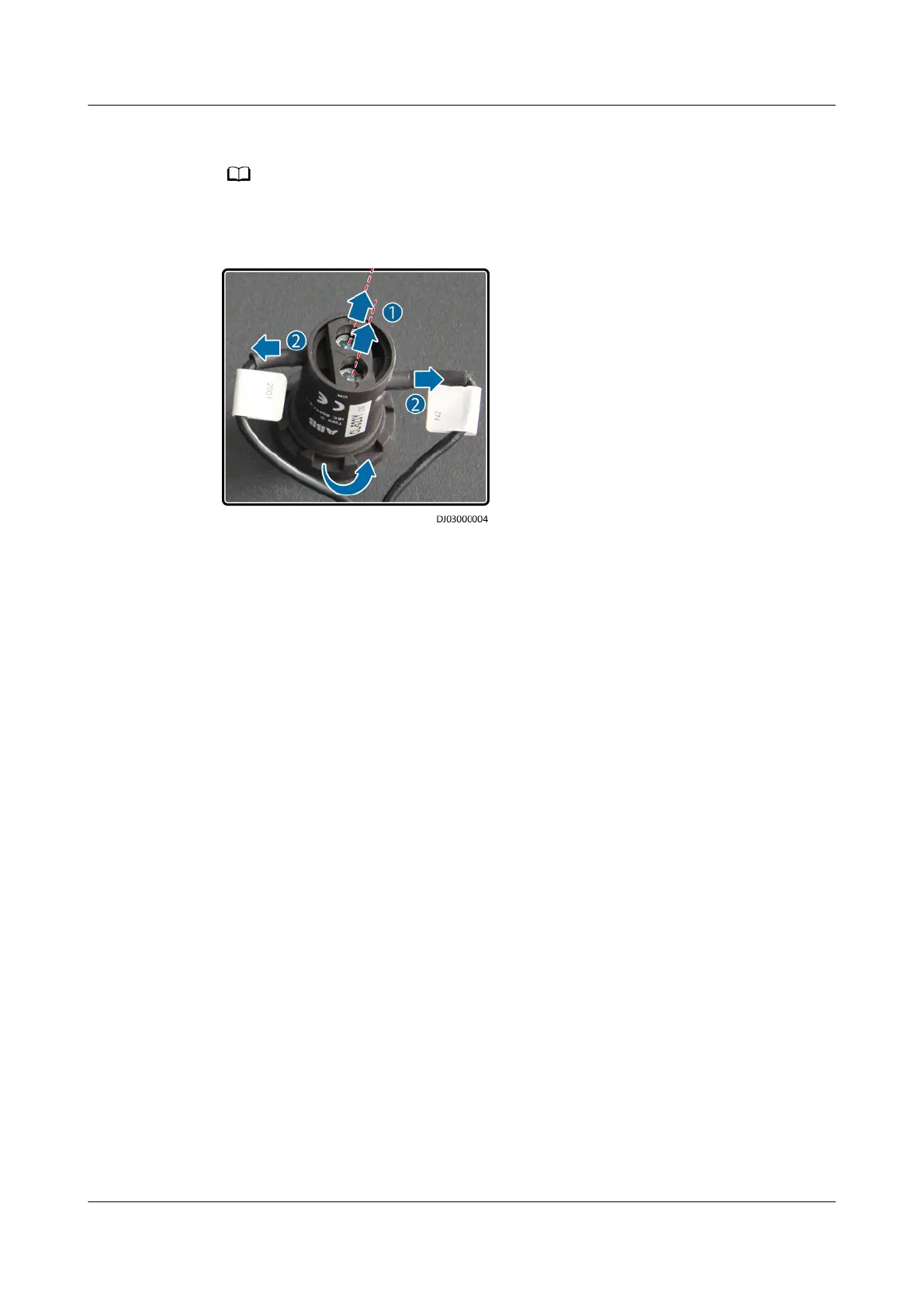
Step 5 Loosen the screw at the back of the indicator and remove the conducting wires.
While removing cables, label them with the corresponding terminal ports for later connection.
Figure 8-15 Replacing an indicator
Step 6 Remove the retaining ring from the indicator and remove the indicator from the
mounting hole.
Step 7 Install the new indicator in the mounting hole, secure the retaining ring, and
connect the conducting wires.
Step 8 Reinstall the indicator on the fastener, and reinstall the fastener in the cabinet.
Step 9 Reinstall the fuse to reconnect the circuit.
Step 10 Check that the new indicator works properly.
Step 11 Reinstall the protective panel.
----End
8.4 Replacing a Circuit Breaker
The UPS does not need to be powered
o because the circuit breakers are hot
swappable.
Procedure
Step 1 Switch
o the faulty circuit breaker and remove the circuit breaker protective
cover.
Step 2 Push open the handles on both sides of the circuit breaker and remove the circuit
breaker using an extracting unit.
UPS5000-E-(30 kVA–180 kVA)
User Manual (Integrated UPS) 8 Parts Replacement
Issue 02 (2022-12-30) Copyright © Huawei Digital Power Technologies Co., Ltd. 164












 To Next Page