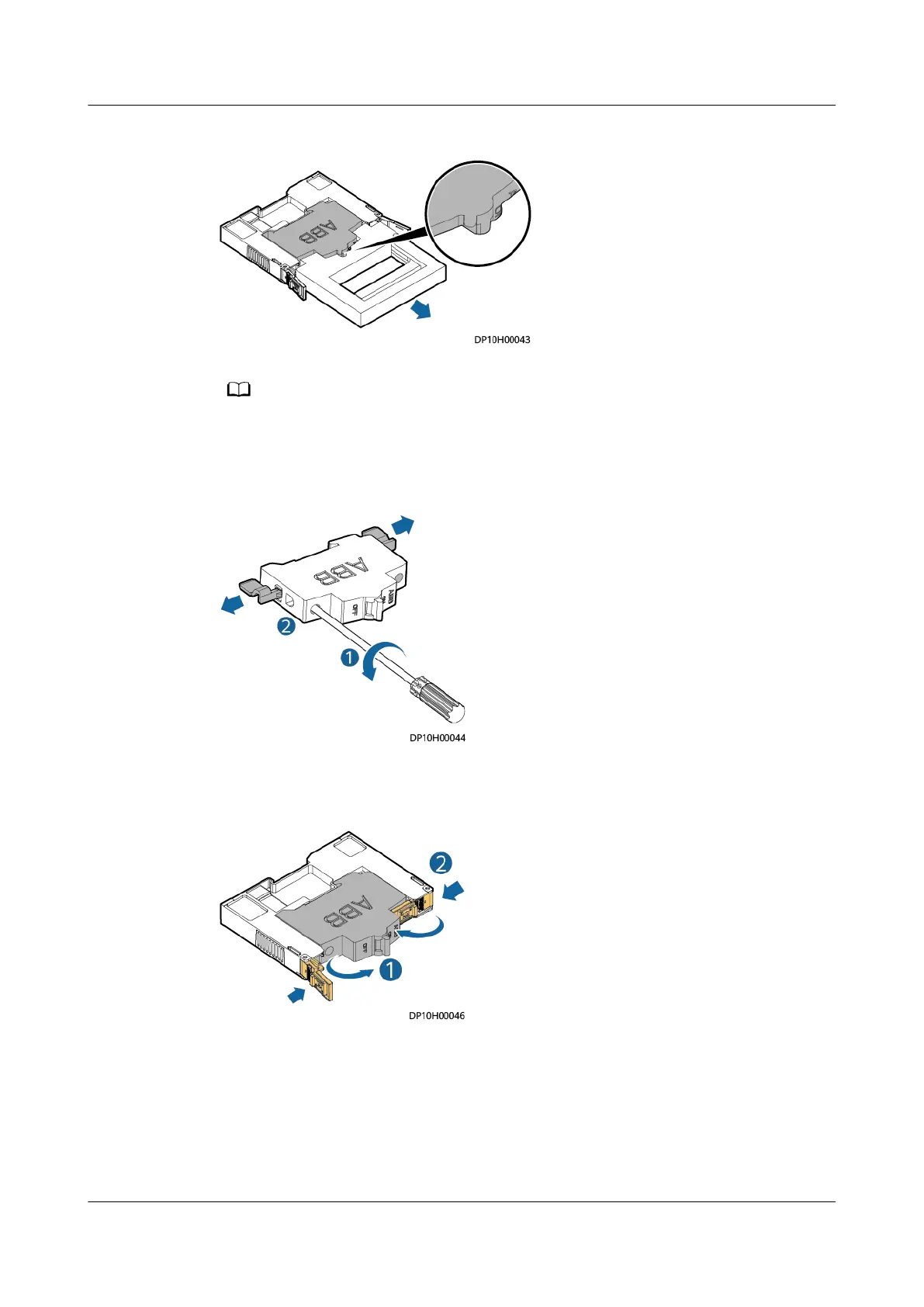
Figure 8-16 Removing a circuit breaker
Use a jig to remove and install the circuit breaker. Do not operate barehanded.
Step 3 Remove the copper bar and install it on the new circuit breaker.
Figure 8-17 Removing the copper bar
Step 4 Switch o the new circuit breaker, install it using a jig, and close the handle.
Figure 8-18 Fastening the handle
Step 5 Reinstall the circuit breaker protective cover, switch on the circuit breaker, and
check that the load works properly.
----End
UPS5000-E-(30 kVA–180 kVA)
User Manual (Integrated UPS) 8 Parts Replacement
Issue 02 (2022-12-30) Copyright © Huawei Digital Power Technologies Co., Ltd. 165












 To Next Page