Procedure
Step 1 Manually transfer the UPS to bypass mode.
Step 2 Loosen the screws using a Phillips screwdriver, remove the bae plate from the
maintenance bypass circuit breaker, and switch on the circuit breaker.
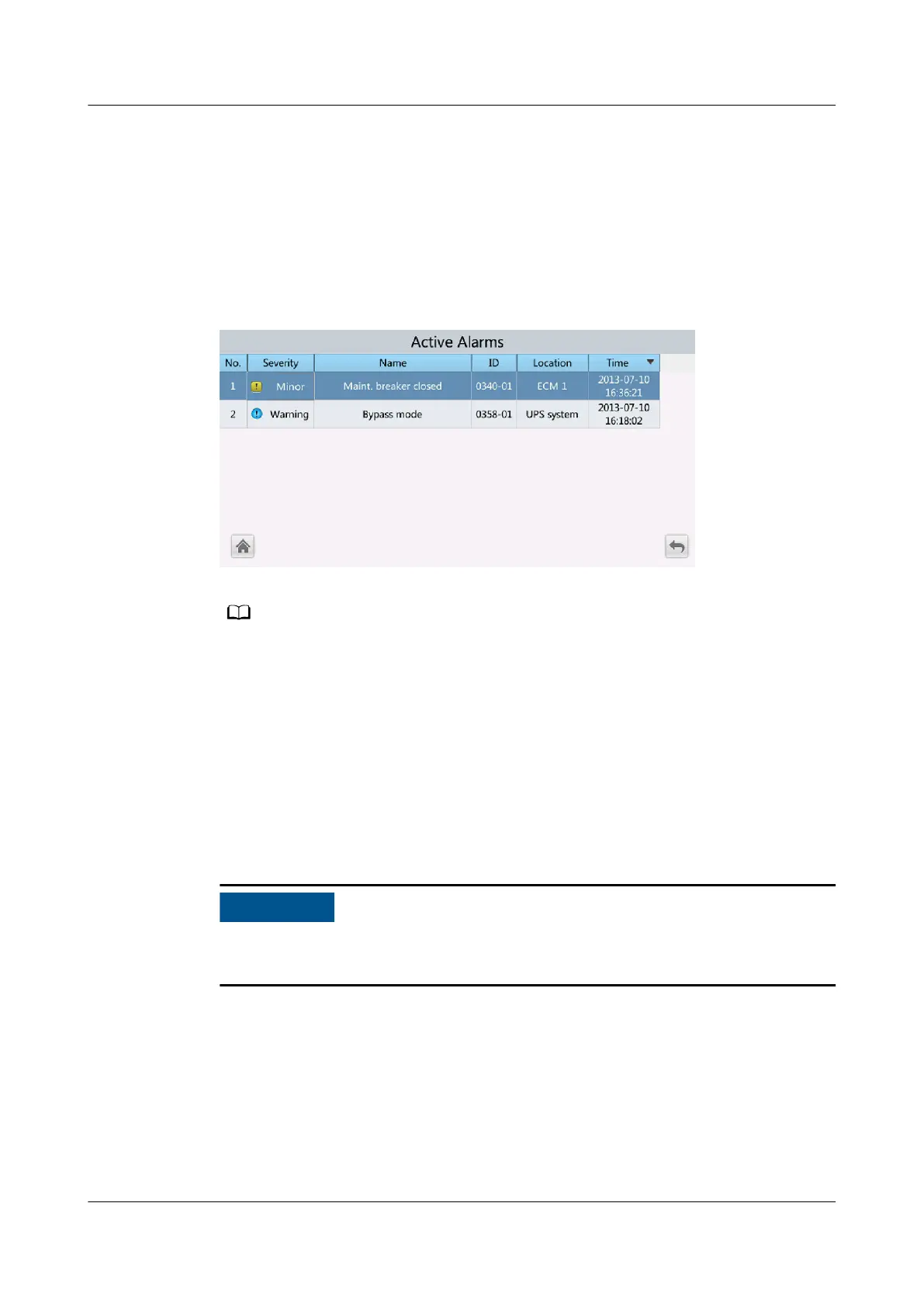
The Maint. breaker closed alarm is displayed in the alarm list on the LCD.
Figure 5-16 Maint. breaker closed alarm
After the UPS transfers to maintenance bypass mode, the Maint. breaker closed and
Bypass mode alarms are displayed on the MDU.
----End
5.13 Transferring from Maintenance Bypass Mode to
Normal Mode
Context
Before you transfer the UPS from maintenance bypass mode to normal mode,
ensure that the bypass input and output are normal.
Procedure
Step 1 Turn o the maintenance bypass switch.
Press down the maintenance bypass switch to turn it o.
The Maint. Breaker closed alarm disappears from the alarm list. Check whether
the UPS works in bypass mode by viewing the system running diagram on the
LCD.
UPS5000-E-(30 kVA–180 kVA)
User Manual (Integrated UPS) 5 Operations
Issue 02 (2022-12-30) Copyright © Huawei Digital Power Technologies Co., Ltd. 144












 To Next Page