Choose an appropriate cabling route based on the actual situation. The gure is for reference
only.
Step 4 Connect the cable with a crimped terminal to the corresponding copper bar.
Step 5 Clean foreign matter inside the cabinet.
----End
3.2.5 Routing Power Cables
Context
● Install cables for the UPS from inside out and from bottom up.
● When connecting mains input power cables, cut corrugated pipes into a proper
length based on the stripping length of the outer protective layer of the ve-
core
cable. Use a corrugated pipe to cover each cable, and use insulation tape
to secure both ends of the corrugated pipe to prevent it from sliding.
Procedure
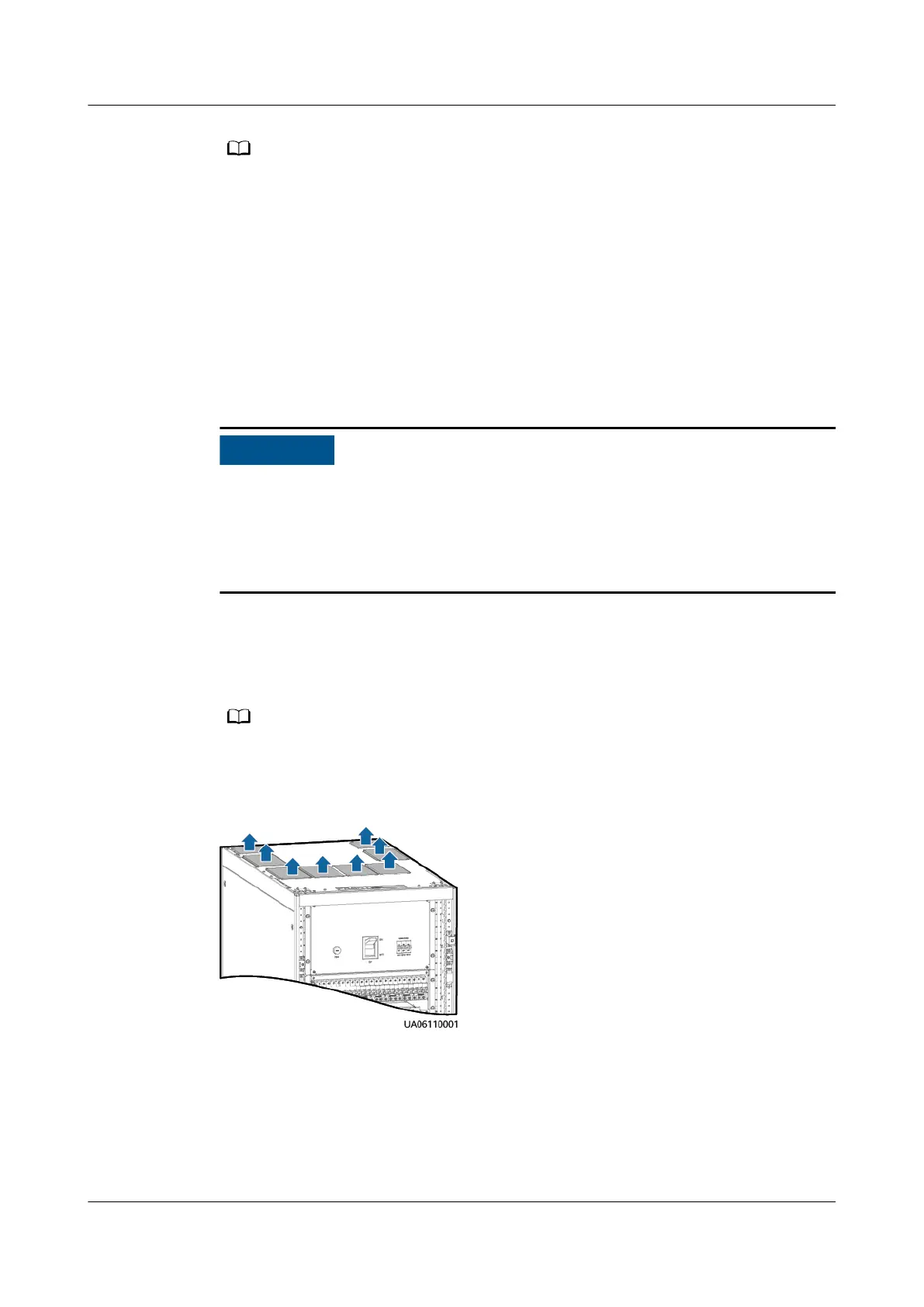
Step 1 Remove the six rodent-proof meshes and cable hole protection panels from the
top of the cabinet.
You can drill holes into the removed covers as required before reinstalling them on the
cabinet.
Figure 3-20 Removing rodent-proof meshes
UPS5000-E-(30 kVA–180 kVA)
User Manual (Integrated UPS) 3 Installation
Issue 02 (2022-12-30) Copyright © Huawei Digital Power Technologies Co., Ltd. 67












 To Next Page