4 LCD Interface
4.1 Main Menu
User interfaces provided in this document correspond to the MDU version
V100R022C00B483 and are for reference only.
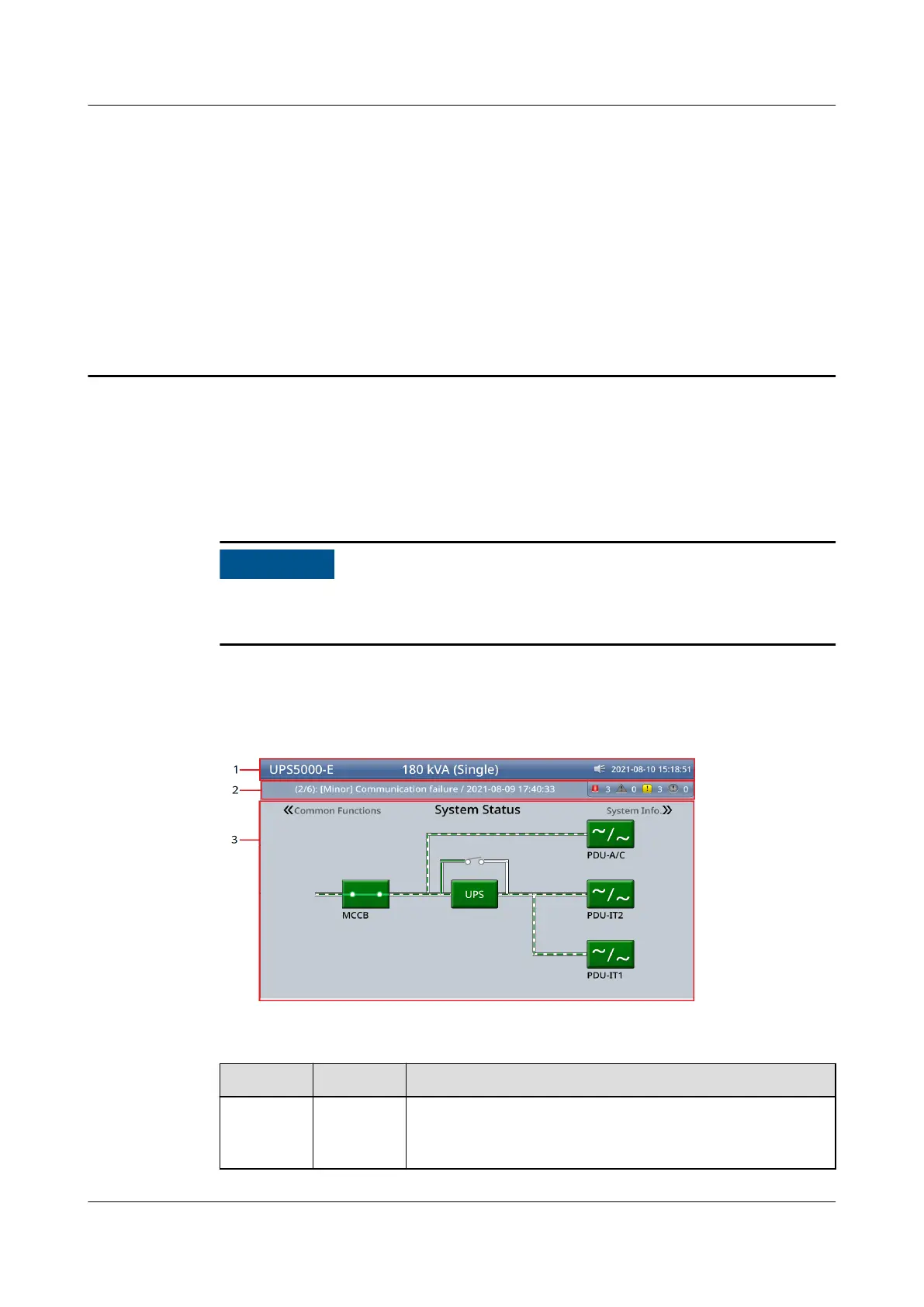
The LCD screen is divided into three parts: status bar, alarm bar, and information
area.
Figure 4-1 Main menu
Table 4-1 Main menu screen description
No.
Area Description
1 Status bar Provides the system model, capacity, conguration,
current date and time, USB ash drive status, and
buzzer status.
UPS5000-E-(30 kVA–180 kVA)
User Manual (Integrated UPS) 4 LCD Interface
Issue 02 (2022-12-30) Copyright © Huawei Digital Power Technologies Co., Ltd. 80












 To Next Page