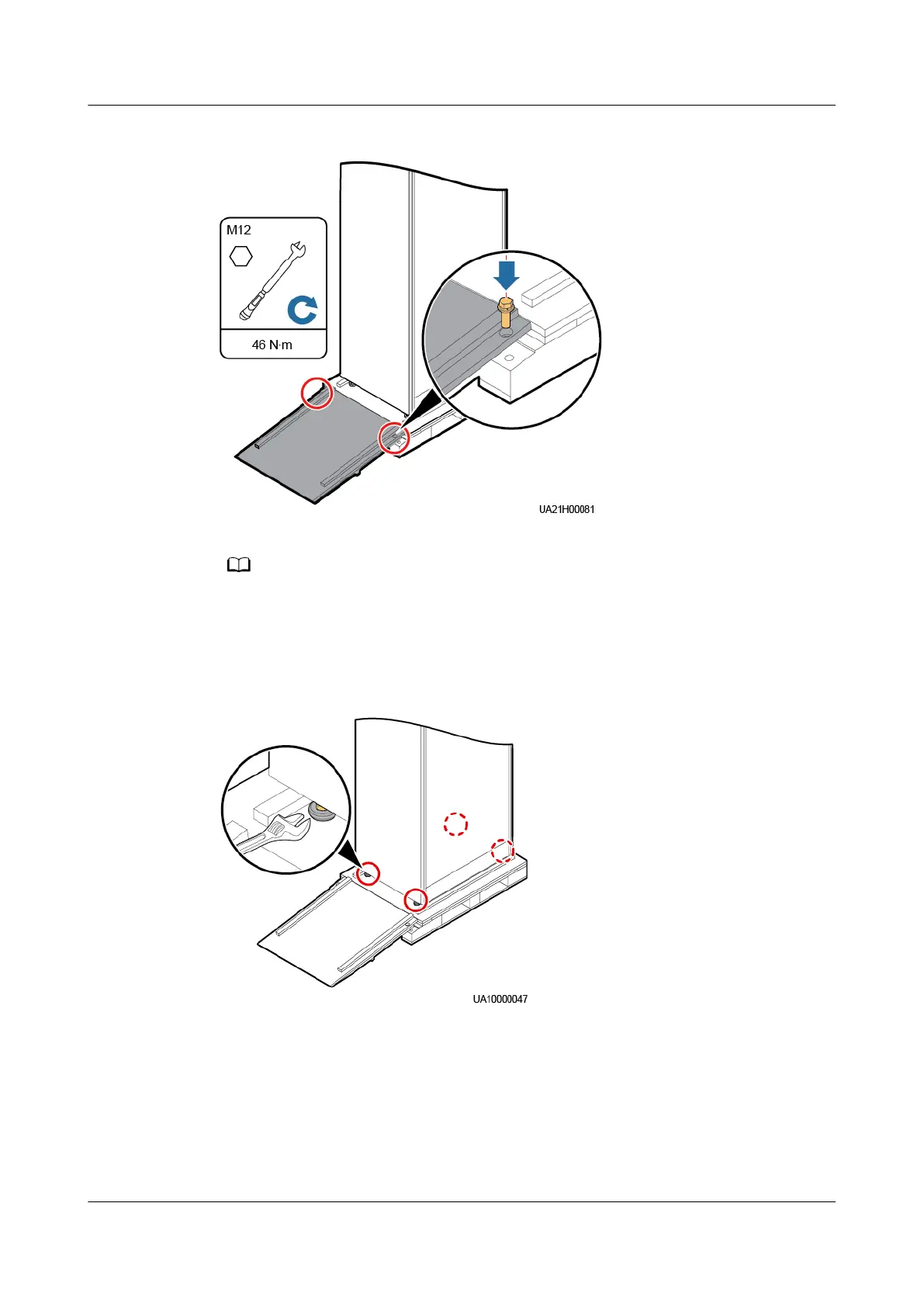
Figure 3-4 Securing the sliding plate to the pallet
Ensure that the two screws on the sliding plate are tightened. Otherwise, the sliding plate
may move when you remove the UPS.
Step 5 Raise the four anchor bolts to the highest position using an adjustable wrench
Figure 3-5 Raising the anchor bolts to the highest position
Step 6 Slowly move the cabinet over its castors to the installation position.
----End
3.2 Installing a Single UPS
UPS5000-E-(30 kVA–180 kVA)
User Manual (Integrated UPS) 3 Installation
Issue 02 (2022-12-30) Copyright © Huawei Digital Power Technologies Co., Ltd. 55












 To Next Page