Procedure
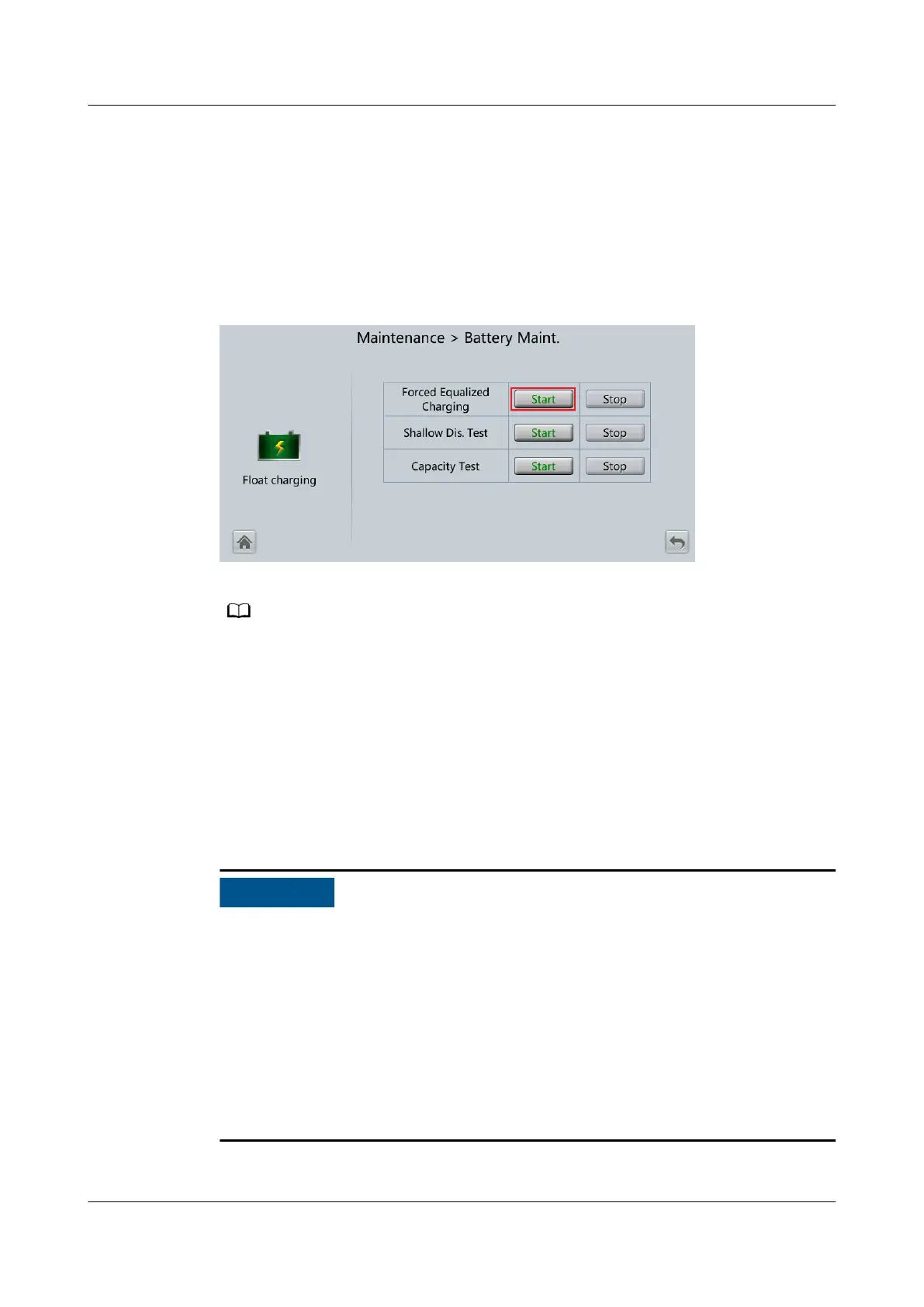
Step 1 On the home screen of the LCD, choose System Info > Maintenance > Battery
Maint.
Step 2 Tap Start next to Forced Equalized Charging to start a forced equalized charging
test.
Figure 5-8 Starting a forced equalized charging test
The forced equalized charging test automatically stops in any of the following cases:
● The test duration reaches the forced equalized charging protection time (12–24 h, 18 h
by default).
● A battery overtemperature, overvoltage, or overcurrent alarm is generated.
● A fault alarm is generated.
----End
5.7.1.2 Shallow Discharge Test
Before performing a shallow discharge test, ensure that:
● If the battery has been replaced, choose System Info > Settings > Battery
Settings on the LCD and verify that the value of Installation time has been
changed based on the actual situation before testing the battery.
● The UPS works in normal mode with a load rate
uctuation less than 10%.
● The UPS generates no battery overtemperature, overvoltage, or overcurrent
alarm. No generator is connected to the UPS.
● The mains, batteries, charger, and discharger are normal. No overload alarm is
generated.
UPS5000-E-(30 kVA–180 kVA)
User Manual (Integrated UPS) 5 Operations
Issue 02 (2022-12-30) Copyright © Huawei Digital Power Technologies Co., Ltd. 135












 To Next Page