Part 2 - Conguration
93
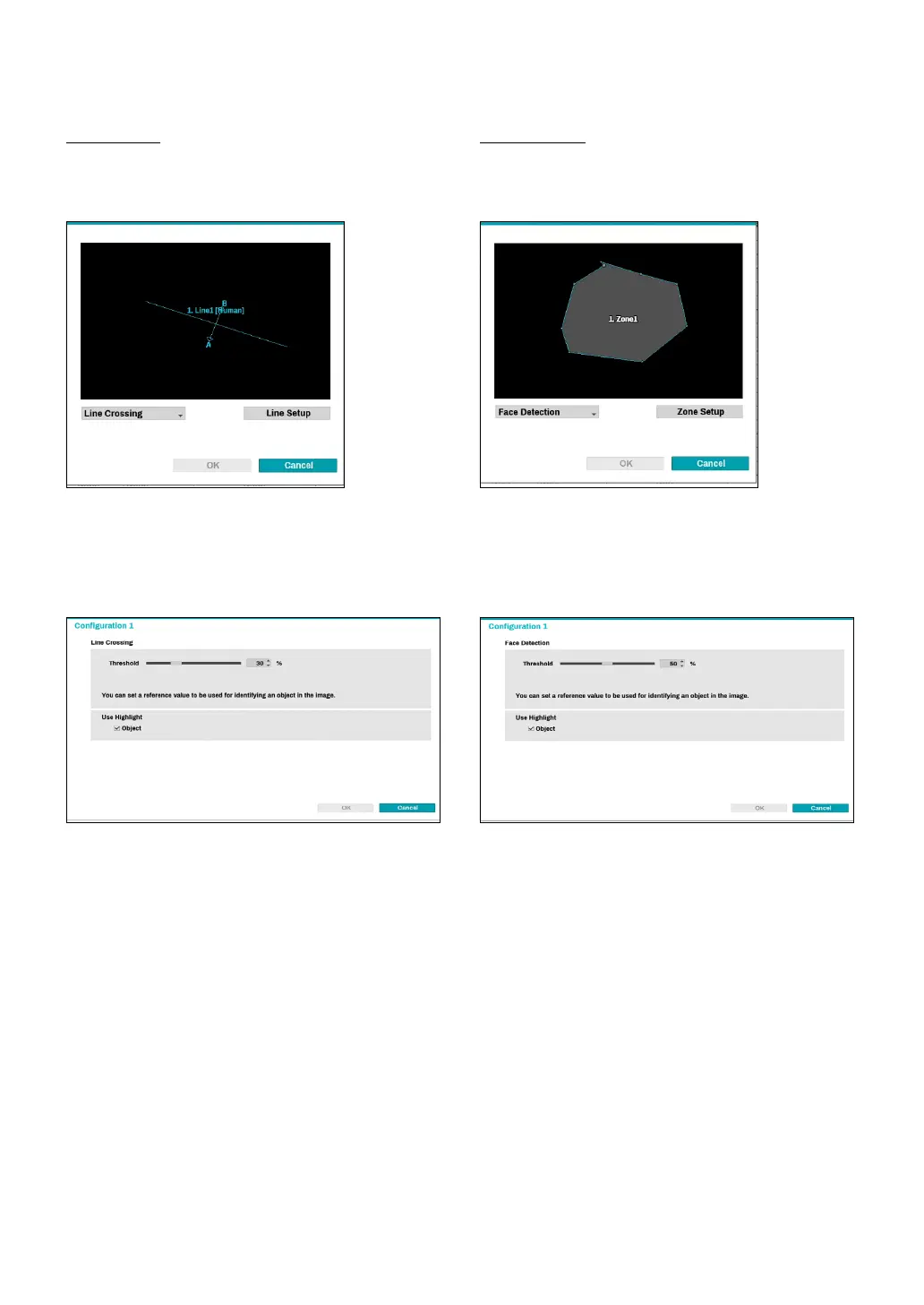
Line Crossing
Set direction options (In, Out, In/Out) to detect an object
(human, cars, bikes) which crosses a pre-dended line.
Click on the left mouse button to reset the line.
Right-click on the line setup screen to bring up the
Line Crossing Menu.
● Conguration : Set the environment of
Line Crossing
.
Select
Line Crossing
as the video analysis type, and
then select Settings.
● Threshold : Set a reference value that can be
recognized as an object in the image.
● Use Highlight: In the line setup screen, values are
highlighted in color.
Face Detection
Face Detection technology analyzes faces in an image.
Drag and drop the vertex to modify a previously set
zone or click on the left mouse button to reset the zone
Right-click on the zone setup screen to bring up the
Face Detection Menu.
● Conguration : Set the environment of
Face
Detection
. Select
Face Detection
as the video analysis
type, and then select Settings.
● Threshold : Set a reference value that can be
recognized as an object in the image.
● Use Highlight: In the zone setup screen, values are
highlighted in color.



 To Next Page