Part 2 - Conguration
92
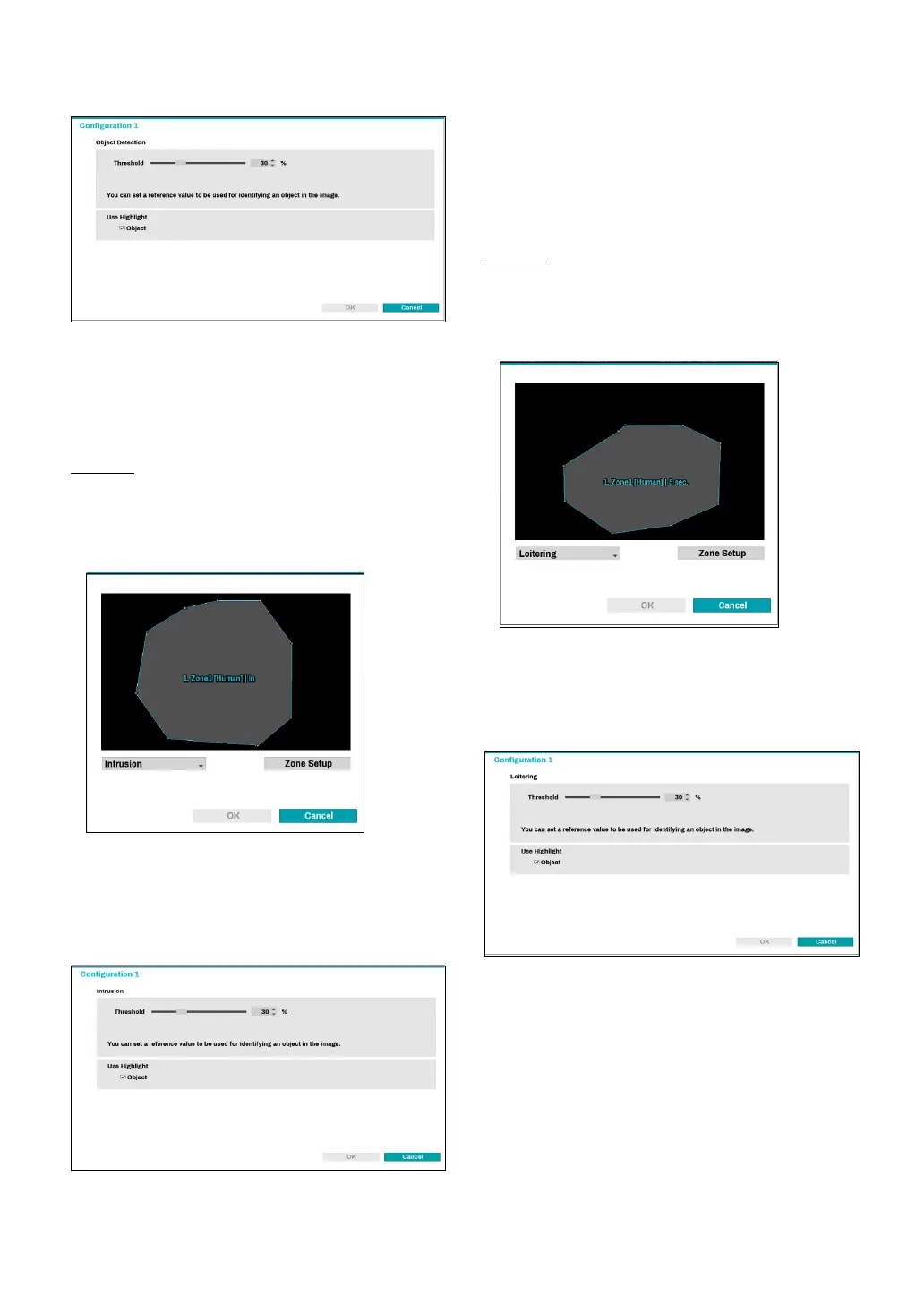
● Threshold : Set a reference value that can be
recognized as an object in the image.
● Use Highlight: In the zone setup screen, values are
highlighted in color.
Intrusion
Set direction options (In, Out, In/Out) to detect an object
(human, cars, bikes) entering or leaving the zone.
Drag and drop the vertex to modify a previously set
zone or click on the left mouse button to reset the zone.
Right-click on the zone setup screen to bring up the
Intrusion Menu.
● Conguration : Set the environment of
Intrusion
.
Select
Intrusion
as the video analysis type, and then
select Settings.
● Threshold : Set a reference value that can be
recognized as an object in the image.
● Use Highlight: In the zone setup screen, values are
highlighted in color.
Loitering
Loitering detection technology detects an object
(human, cars, bikes) that stays longer than the set time.
Drag and drop the vertex to modify a previously set
zone or click on the left mouse button to reset the zone.
Right-click on the zone setup screen to bring up the
Loitering Menu.
● Conguration : Set the environment of Loitering .
Select Loitering as the video analysis type, and then
select Settings.
● Threshold : Set a reference value that can be
recognized as an object in the image.
● Use Highlight: In the zone setup screen, values are
highlighted in color.



 To Next Page