160 - Inepro Back Office Suite
Configuration
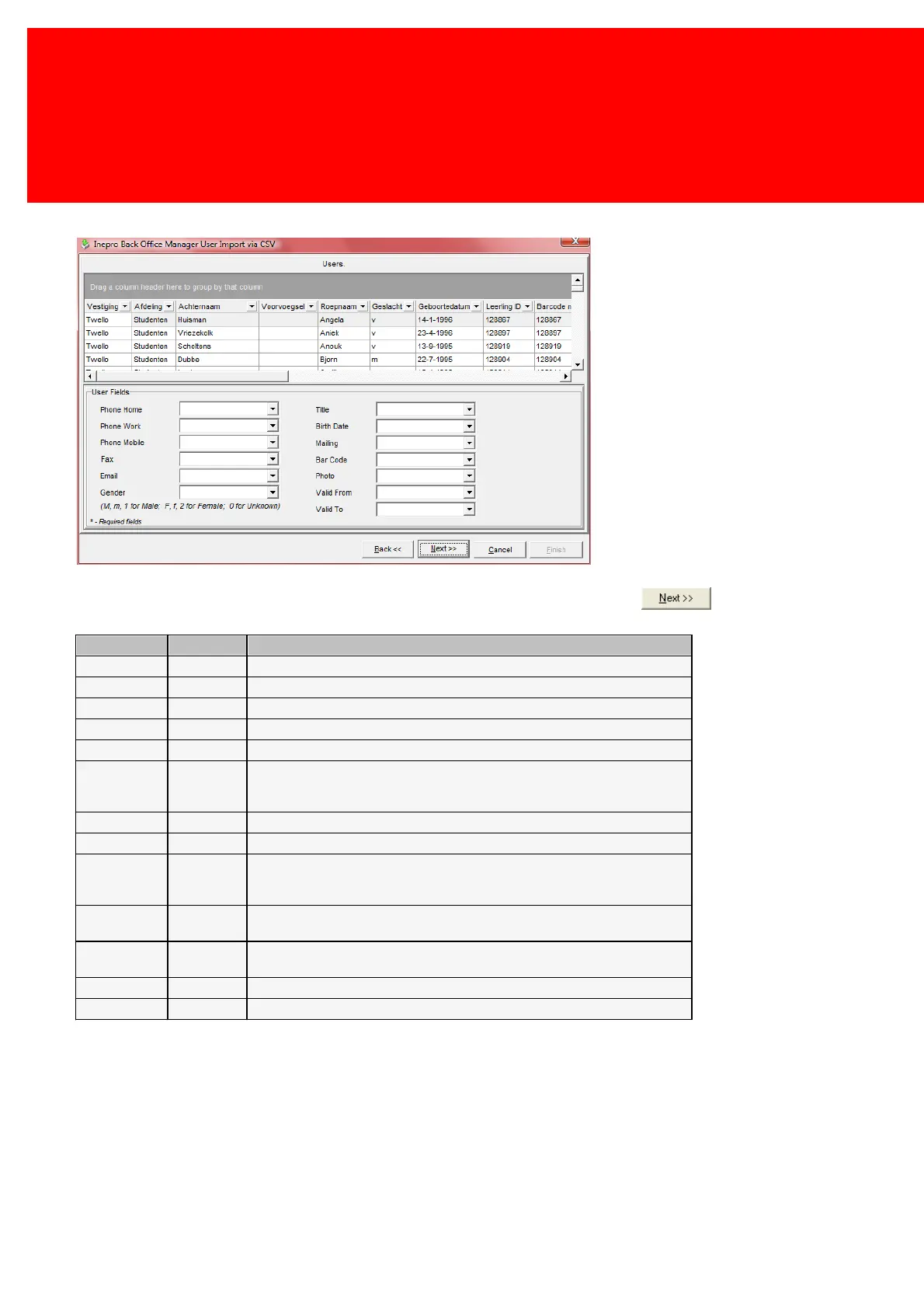
This window will link even more data about the user. If the fields are linked up, click .
'M', 'm' or '1' for male
'F', 'f' or '2' for female
'0' or empty for unknown
A Users title (like 'Mister', 'Ms.', 'Sir')
Does this user would like to be emailed? Set to 'Yes' if he or she does, to 'No' if
he or she doesn't. Usually used by companies in combination with our
Marketing module.
The bar code, an alphanumeric code that can be printed as a bar code on a
card, using the Card Layout.
The path + filename of a photo. This parameter can also be set in the 'Tools -
> System Settings -> Back Office Manager -> Customer photo base path'.
From which date can this user use the system.
Until which date can this user use the system.


 To Next Page