159
Import Data
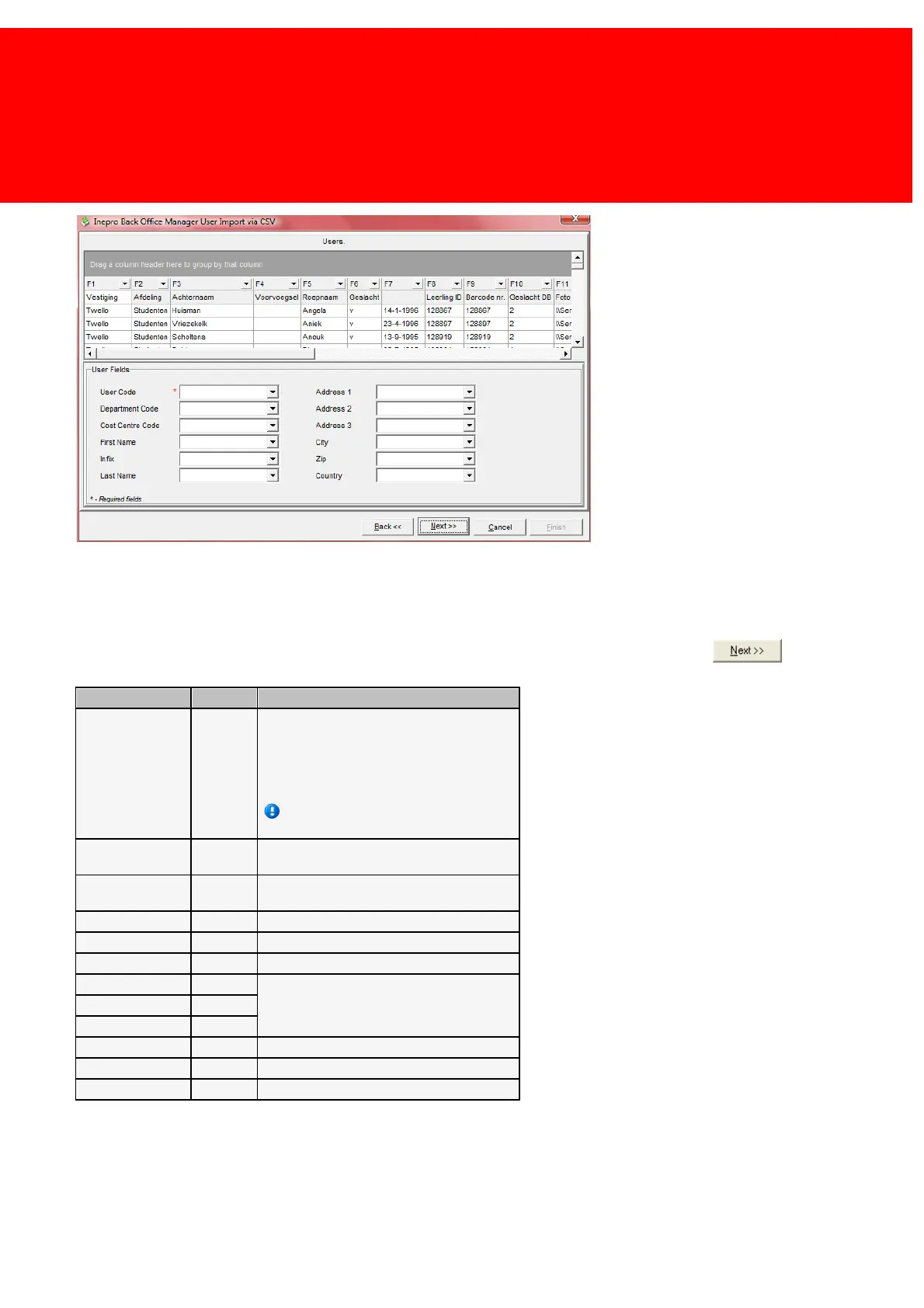
For each table a screen like this will be shown.
It must be defined which field in the file links to which field in the table in the database. Unless column headers are used,
the columns in the file are represented by 'F1, F2, F3, etc.' The fields in the database are listed below on the panel 'User
Fields'. Link all the fields in the file (for example the field 'F1') with all the fields in the database. The table below will
explain the different fields in the database that can be linked to. If the fields are linked up, click .
If the 'User Code' field is left blank, no user
data will be imported. Leave this field
intentionally blank, if the card or tag data
needs to be impotered, and will link the users
later.
It's recommended to link the data with
the import right away.
This is linked to the Department Code field
('Advanced -> Department' menu).
This is linked to the Cost Centre Code field
('Advanced -> Cost Centre' menu).
The address fields, aside from the users
address, they can be, and are often, used
for other data that has no appropriate field.


 To Next Page