Home Food Library Power/Backlight
7
Checking Your Blood Glucose
74
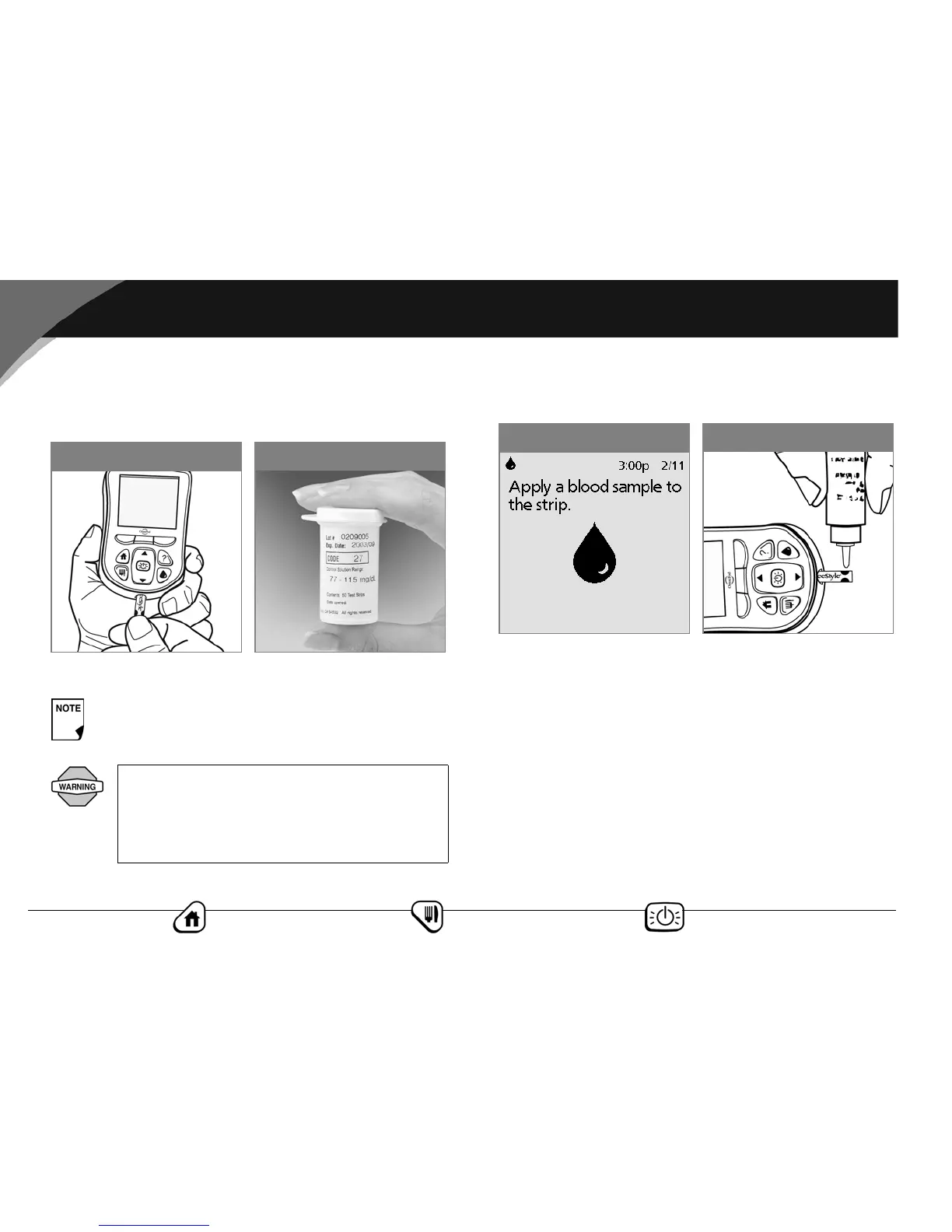
2. Insert the top of the test strip into the test strip port (Figure
7-4) until it stops. This turns on the PDM and displays the
code number on the screen.
3. Wait for the PDM to display “Apply a blood sample to the
strip” on the screen (Figure 7-6).
4. Gently touch only ONE EDGE of the test strip to the control
solution. Specifically, apply the control solution to the test
strip edge next to one of the dark-colored half-circles (Figure
7-7). If BG sound is set to On, the PDM beeps when the test
strip is full.
Be ready to adjust the code on the PDM to match the
code number on the test strip vial.
The code number on the screen should match
the code number on the side of your test strip
vial (Figure 7-5). They must always match, or your
results will be inaccurate. (See “Set the blood glu-
cose test strip code” later in this chapter.)
Figure 7-5
Figure 7-4
Figure 7-7
Figure 7-6



 To Next Page