Up/Down Controller User Info/Support Blood Glucose Records
Checking Your Blood Glucose
7
75
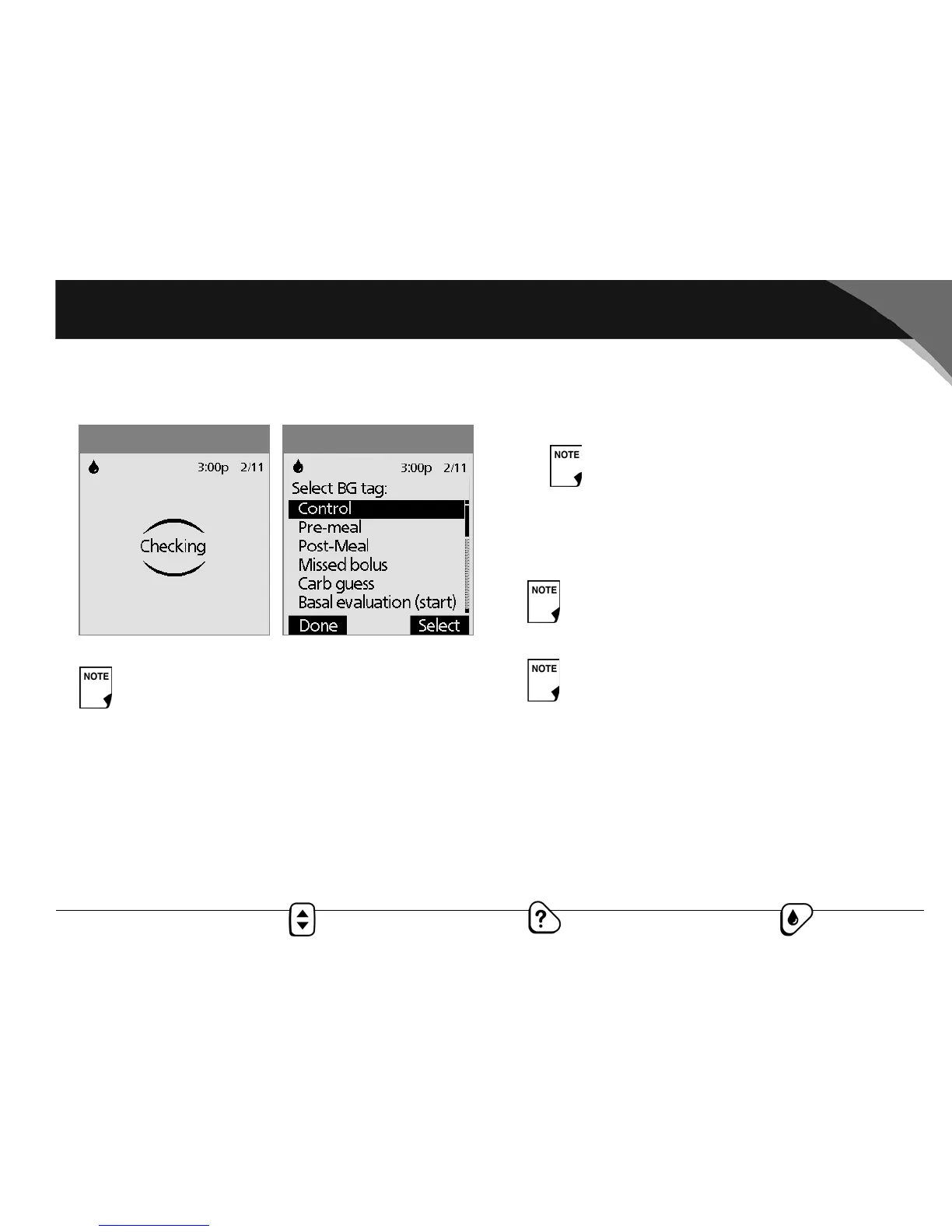
The “Checking” screen appears while the sample is process-
ing (Figure 7-8).
If BG sound is set to On, the PDM beeps twice. The result
appears on the screen in about 7 seconds, on average.
5. To mark the result as a control solution result rather than a
blood glucose test:
a. Press Tag.
b. Use the Up/Down Controller button to select Control
(Figure 7-9), then press Select. You can select a second tag
for the test result in the same way.
c. Press Done.
6. If you do not want to mark the test as a control solution test,
press Next instead of Tag.
7. Compare the control solution test result to the range printed
on the test strip vial label. If the result does not fall within the
range, repeat the test. If the result still does not fall within
the range, call Customer Support, 800-591-3455, 24 hours/
7 days (from outside the United States, 781-457-5098).
Do not apply control solution to both edges.
Figure 7-9Figure 7-8
You can select a maximum of 2 tags.
If the suggested bolus calculator feature is turned Off,
the Next soft key does not appear. Instead, press
Status or wait for the System to time-out.
If you mark a test as a control solution test by mistake,
you can unmark it: Press Tag, select Control, then
press Clear.



 To Next Page