Chapter 10 — Adjustments
EasyCoder PF4i User’s Guide (IPL Version) 101
Adjusting the Label Stop Sensor
The label stop sensor (LSS) is a photoelectric sensor that controls
the printer’s media feed by detecting gaps between labels or slots
or black marks in continuous stock, depending on the printer’s
setup in regard of media type. The LSS should be aligned with
the gaps, slots, or black marks. If using irregularly shaped labels,
align the LSS with the front tips of the labels.
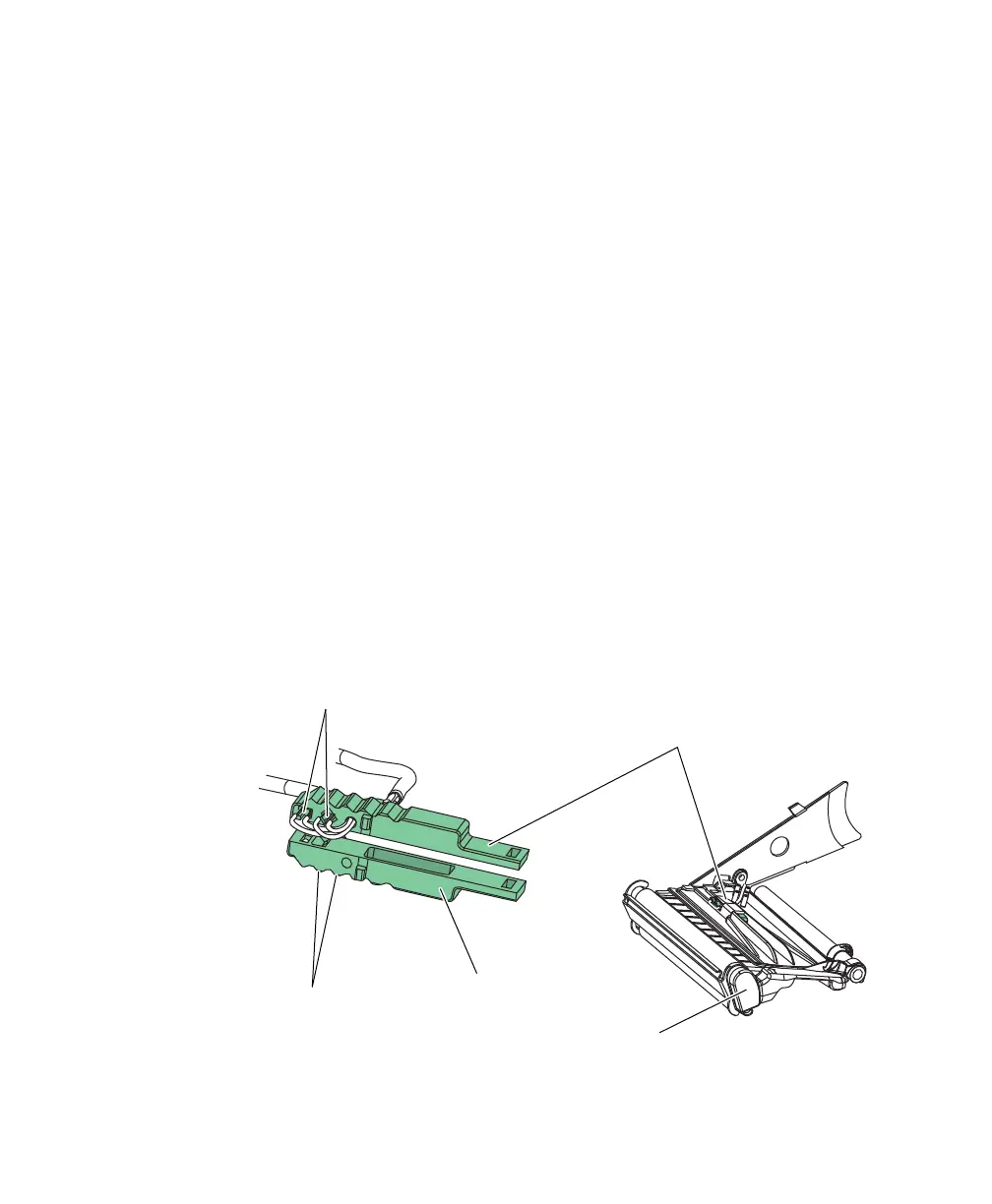
The LSS can be moved laterally between 5 fi xed positions. There
is one part of the sensor on top of the upper media guide and
another part underneath the lower guide. These must be adjusted
individually to the same position. Using a small screwdriver, push
them inwards as far as they go and then pull them out one at the
time while counting the clicks from the snap-locks. A hole in the
bottom plate facilitates adjustment of the lower sensor package.
The various detection points of the sensor in relation to the inner
edge of the media are as follows:
One click out 3 mm / 0.118 inch
Two clicks out 8 mm / 0.315 inch
Three clicks out 12 mm / 0.472 inch
Four clicks out 16 mm / 0.639 inch
Five clicks out 20 mm / 0.787 inch
Label Stop Sensor Parts and Location
One diode +
One sensor
One diode +
One sensor
Lower part of LSS
Upper part of LSS
Print mechanism

















 To Next Page