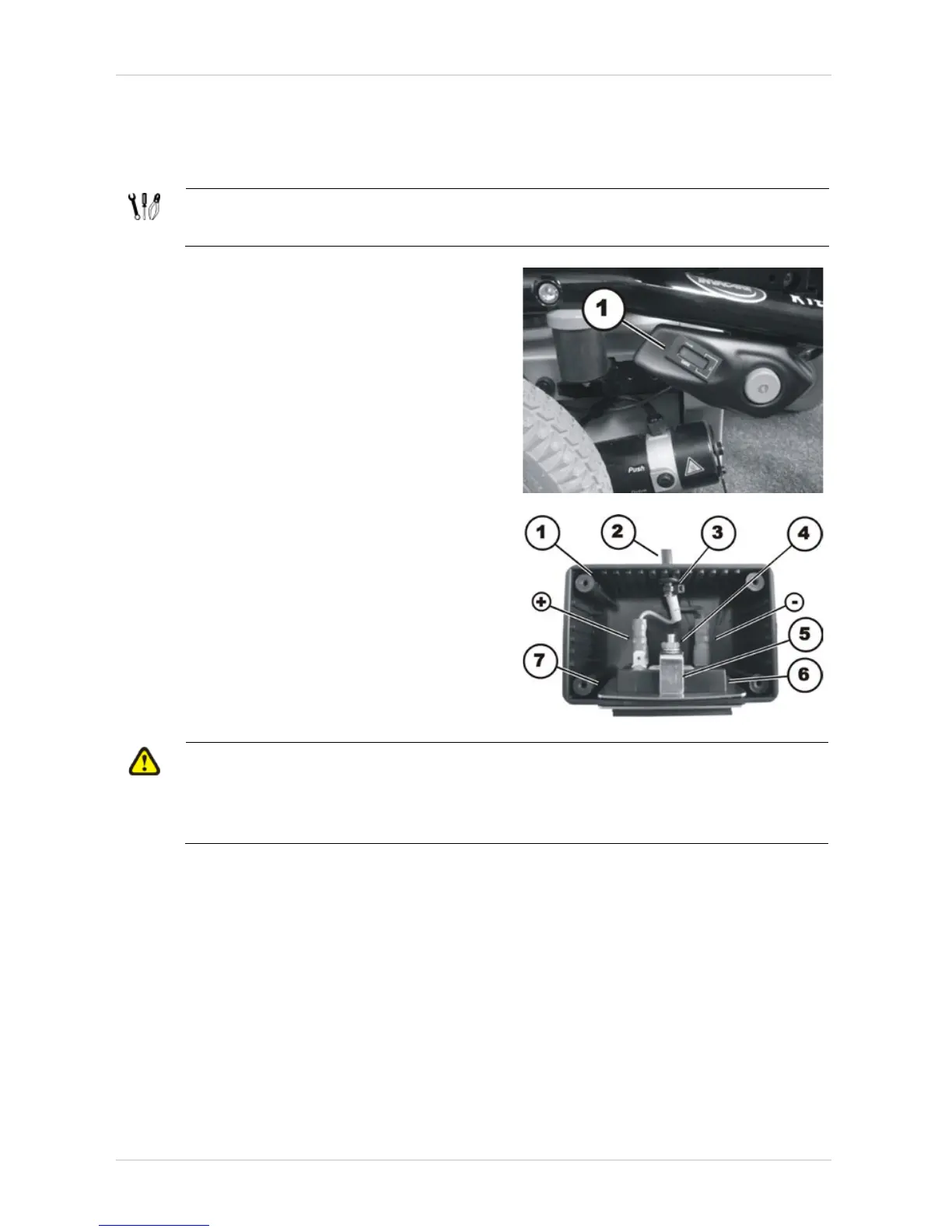
9.3 Operating hours counter
9.3.1 Replacing the operating hours counter
Requirements:
• Philipps screwdriver, size 2
The operating hours counter is located in the side
cover.
• Disconnect the plug-in connection of the
operating hours counter from the drive
motor.
• Remove the side cover, as described in
chapter 8.1.3.
• Detach the operating hours counter from the
side cover.
• Disconnect the plugs (+) & (-).
• Remove the nut (4) including the locking
washer.
• Pull the operating hours counter (6) forwards
out of the casing (1). Pay attention to the
mounting bracket (5) and the retaining frame
(7).
• Replace the operating hours counter.
CAUTION!
Property damage can result if the counter is wrongly connected. If the plus and minus
wires are connected the wrong way, it will damage the electronic components of the
operating hours counter.
• Make sure the cable is connected correctly.






 To Next Page