9.3.2 Replacing the connecting cable of the operating hours counter
Requirements:
• Philipps screwdriver, size 2
• Side cutters
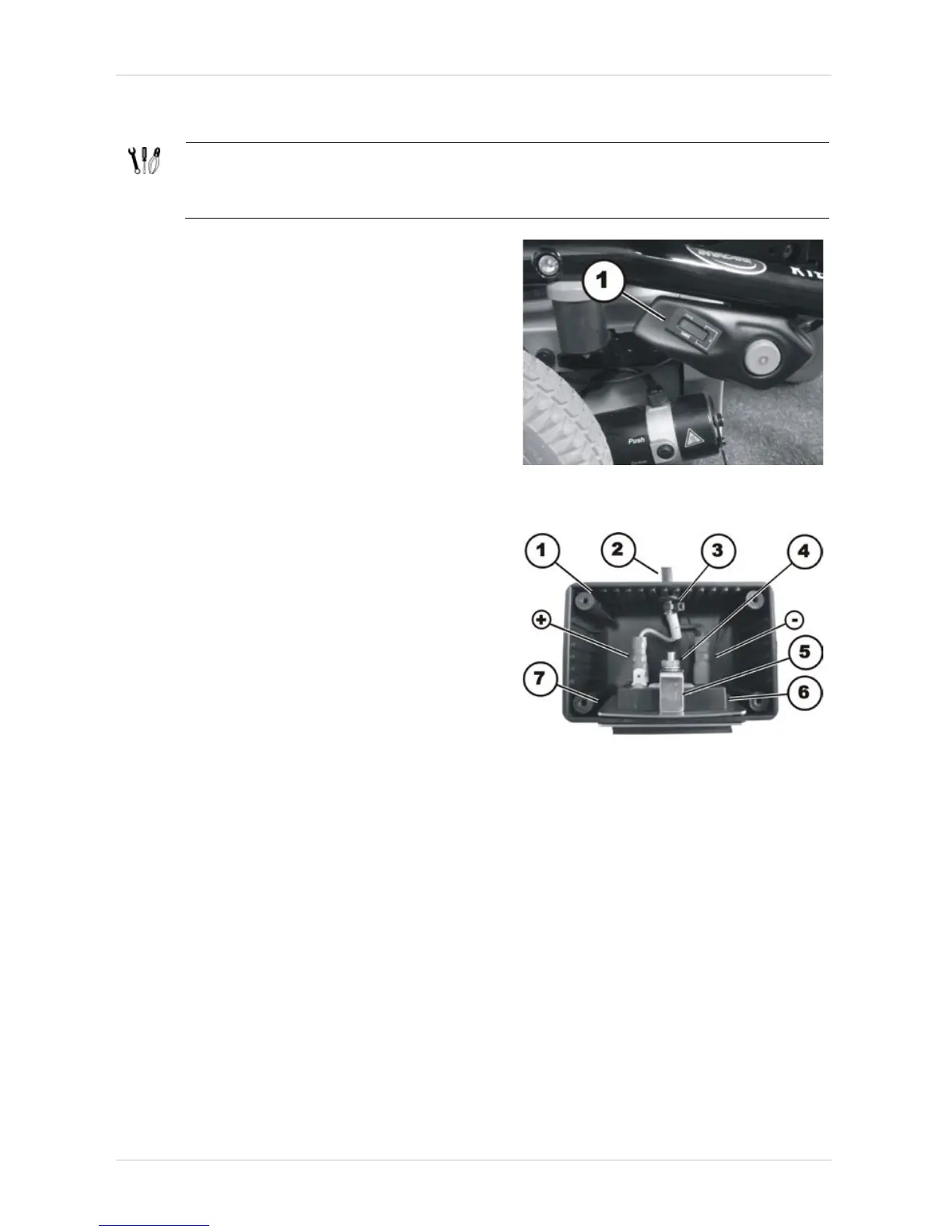
• The operating hours counter is located in the
side cover.
• Disconnect the plug-in connection of the
operating hours counter from the drive
motor.
• Remove the side cover, as described in
chapter 8.1.3.
• Detach the operating hours counter from the
side cover.
• Turn the operating hours counter around.
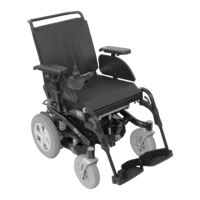
• Loosen and remove the four Phillips screws
of the housing.
• Disconnect the plugs (+) & (-).
• Remove the cable ties (4).
• Carefully pull the connecting cable (2) of the
operating hours counter out of the casing
(1).
• Replace the cable of the operating hours
counter.






 To Next Page