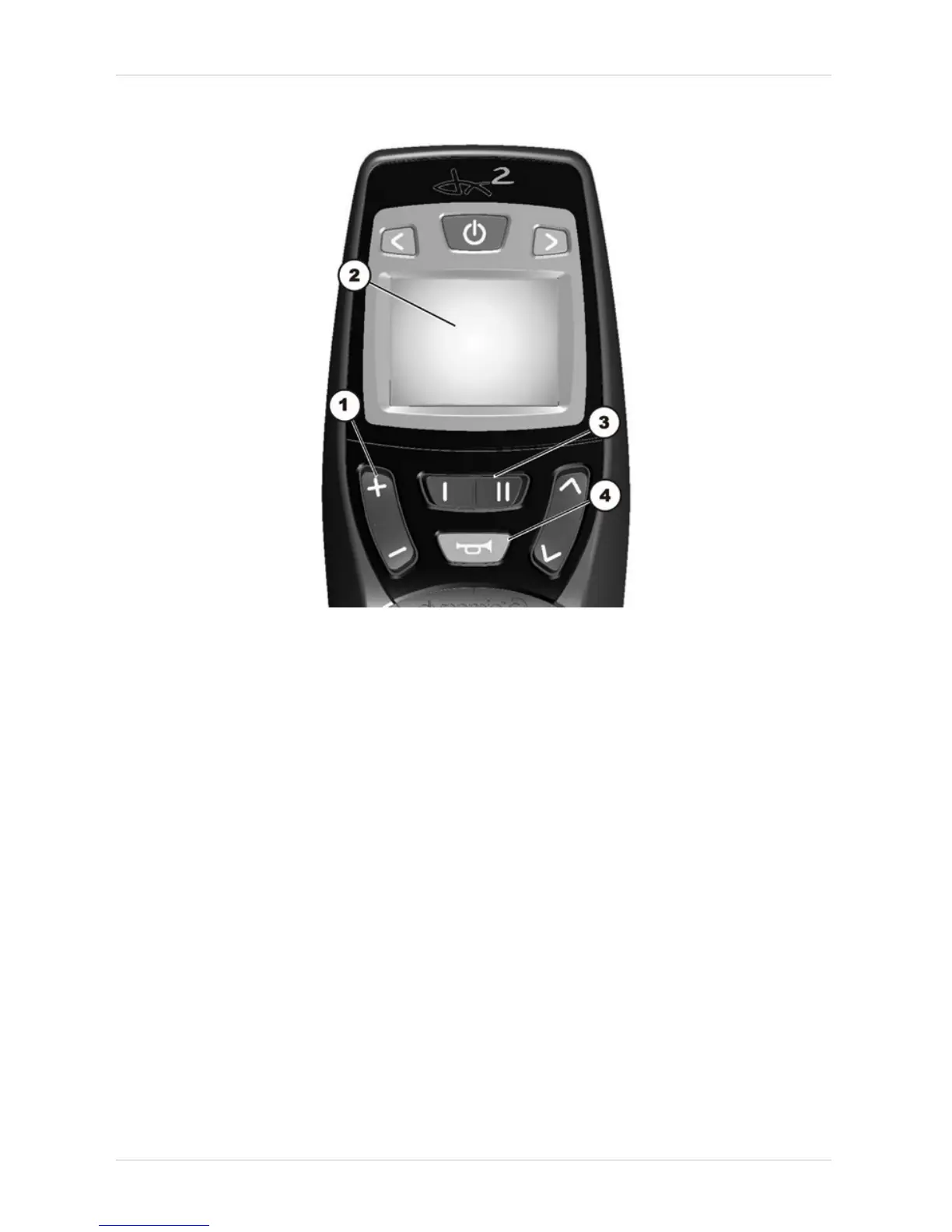
• Insert the plug into the remote or into the power module respectively.
• Switch the remote on.
The display (2) shows that you need to select a profile.
• Use the bottom rocker switch (3) to select where the required controller profile is saved.
I = remote
II = power module
The display shows which profile you have selected.
• Press the "Horn“ (4) and "+“ (1) buttons on the speed selection and hold them down for 3
seconds to confirm the selection.
The system will switch itself off and restart automatically. In the process, the selected profile is
saved in the remote and in the power module.






 To Next Page