40
Advanced 3D Control
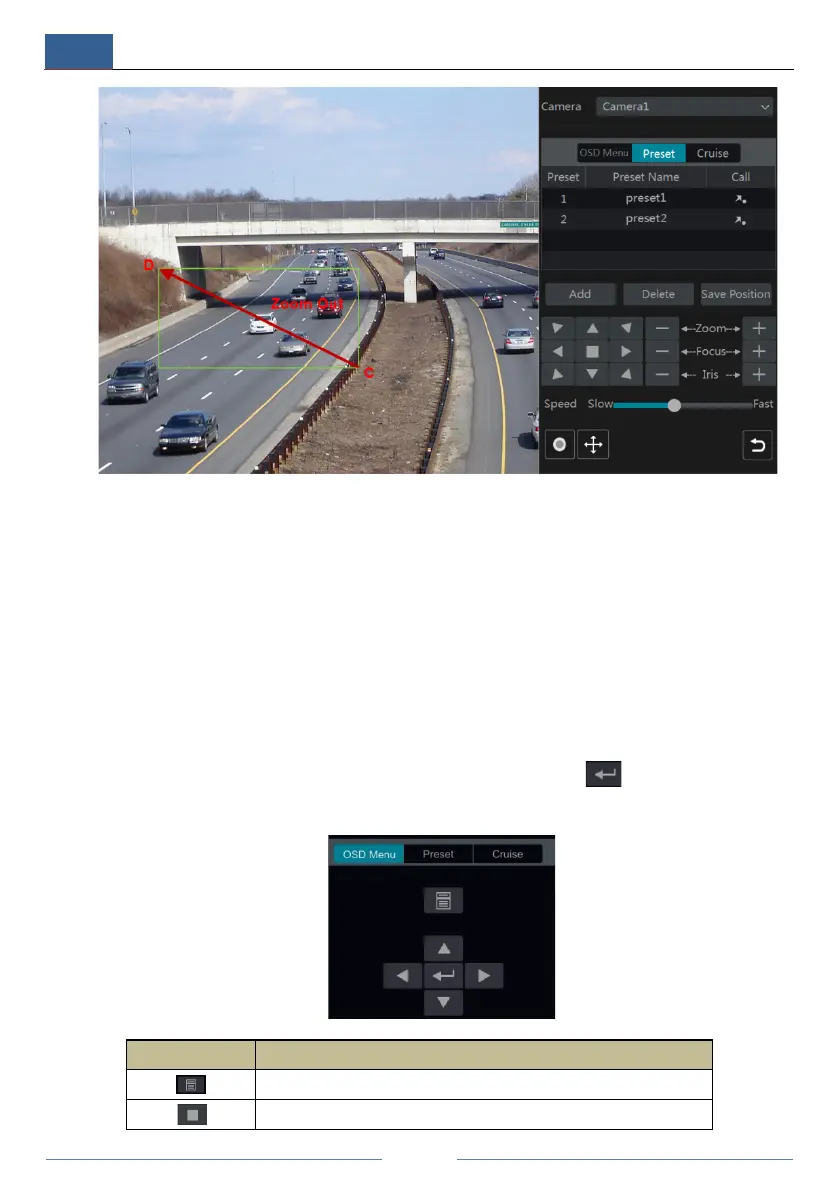
Double click the left button of the mouse on any area of the camera image and then the image
size will be doubled and centered on the clicked point.
Press and hold the left button of the mouse on any area of the camera image to zoom in the
image; press and hold the right button to zoom out the image.
Move the cursor of the mouse to the camera image and then slide the scroll wheel of the mouse
forward to zoom in the image, slide the scroll wheel of the mouse backward to zoom out the
image.
OSD Setting
Go to PTZ protocol setting interface and then set the protocol to COC before you call the OSD.
Click “OSD Menu” to go to camera OSD setting interface. Click to start OSD setting.
The meanings of the buttons are shown in the table below.
Button Meaning
Click it to call main menu or enter the sub menu or confirm the settings.
Click it to call main menu or enter the sub menu or confirm the settings.



 To Next Page