iPECS-MG
Hardware Description and Installation Manual Issue 1.1
20
4.4 Basic KSU Mounting
The KSU can be 19” rack or wall mounted.
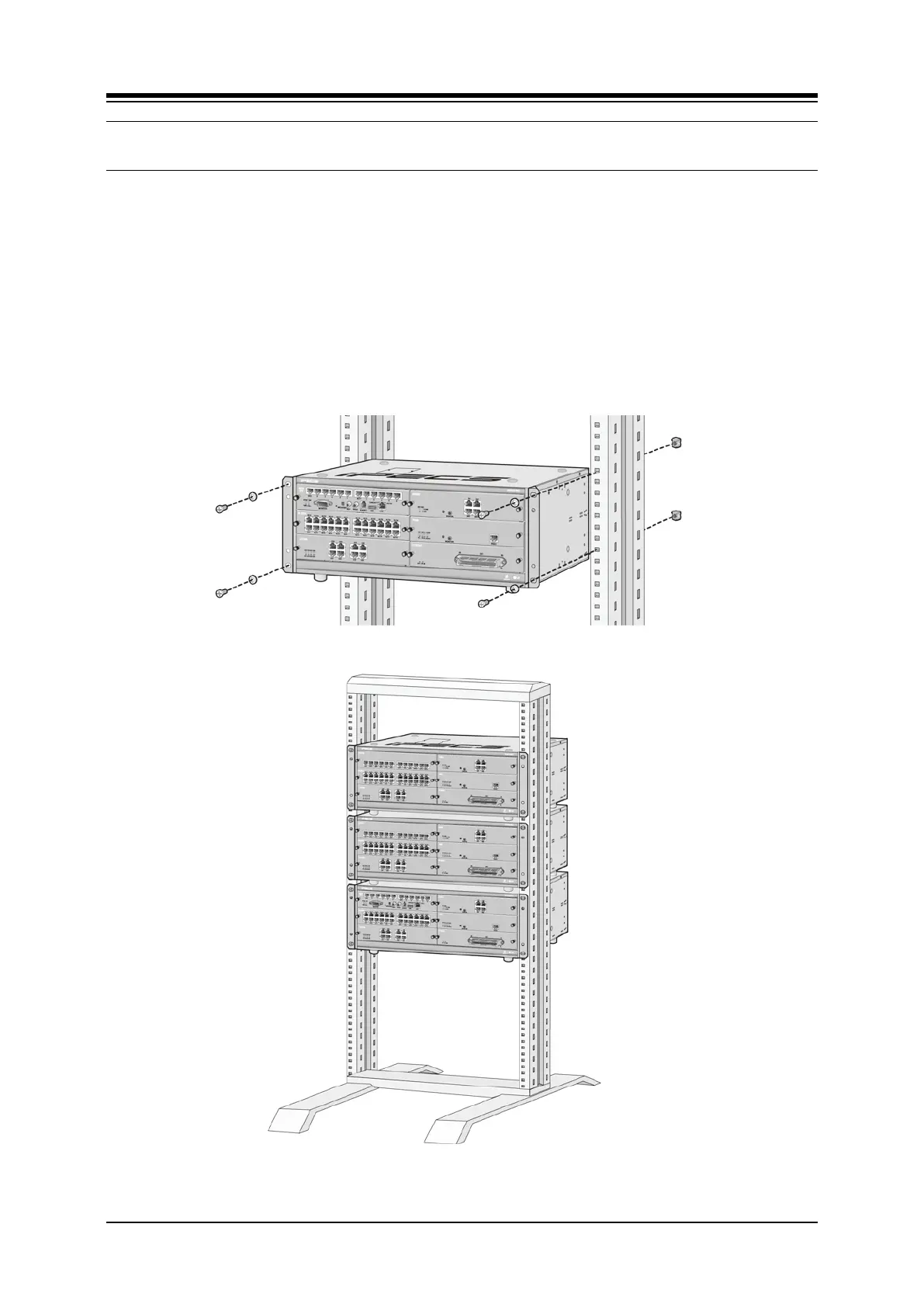
4.4.1 Rack Mounting
1. Install the Rack Mount brackets to each side of the KSU with the eight (8) screws
provided.
2. Insert screws with washers through the Rack Mount bracket flange on each side of
the cabinet.
3. As required, thread screws into nuts, or directly into threaded holes in the rack
4. Tighten the screws securely to complete the rack mounting. These screws are
supplied with the rack.
Figure 4.4.1-1 Rack Mounting



 To Next Page