iPECS-MG
Hardware Description and Installation Manual Issue 1.1
30
5. BOARD INSTALLATION
5.1 General Board Install Procedure
Prior to installing the Boards, the following should be considered:
CAUTION
Verify the electrical Power is turned OFF before installation of boards.
To protect the System from static electricity, do not directly touch the boards to
discharge static, touch a grounded object, or wear a grounding strap.
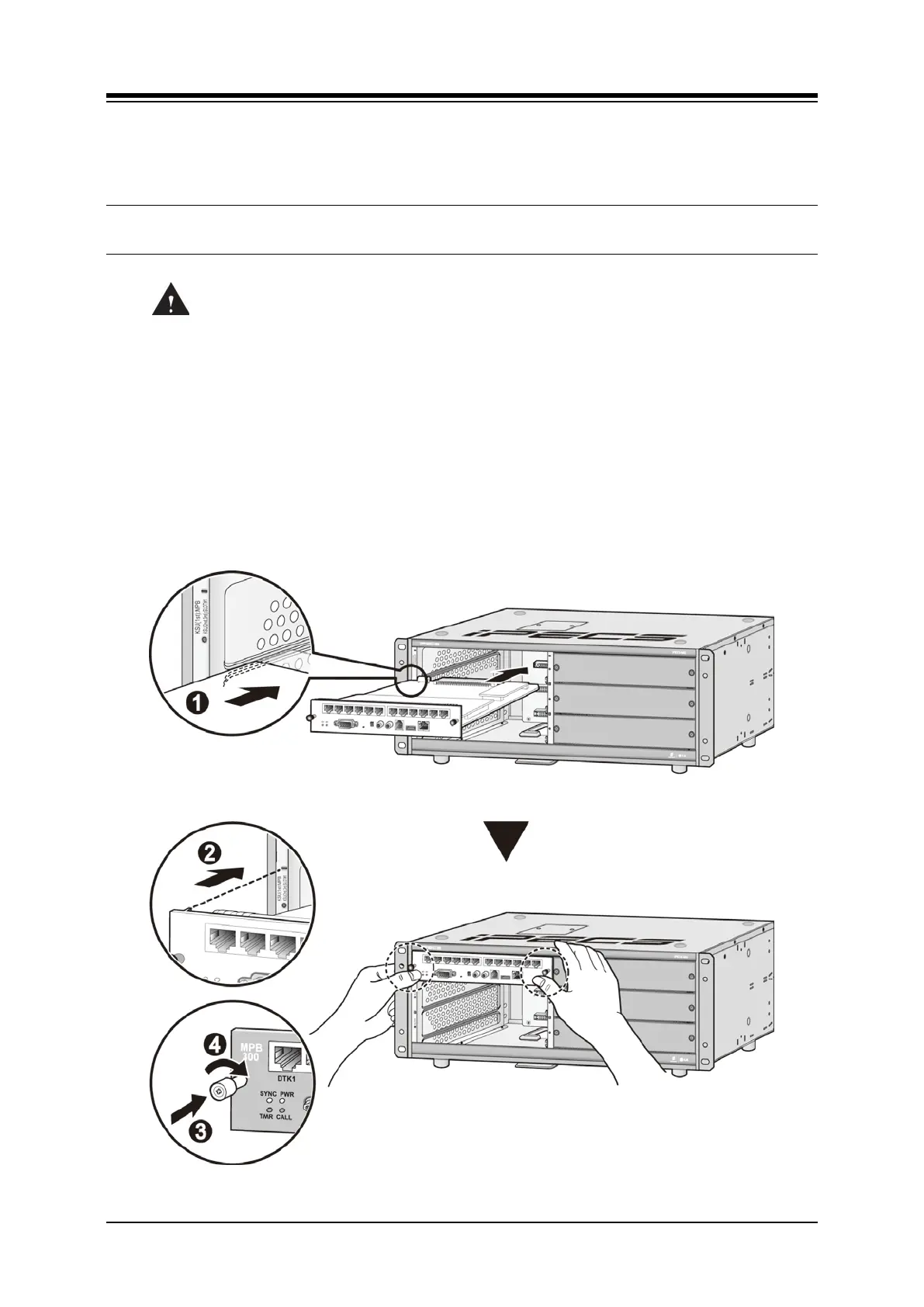
To install the Board,
1. If required, install any option modules on the board and set any switches.
2. Slide the board along the guide rails into the KSU until the Board is securely seated in
the backplane connector.
3. Press the thumbscrews in, and turn clockwise to affix the Board securely.
4. Wire the Board connectors as required.
Figure 5.1-1 Board Installation



 To Next Page