iPECS-MG
Hardware Description and Installation Manual Issue 1.1
55
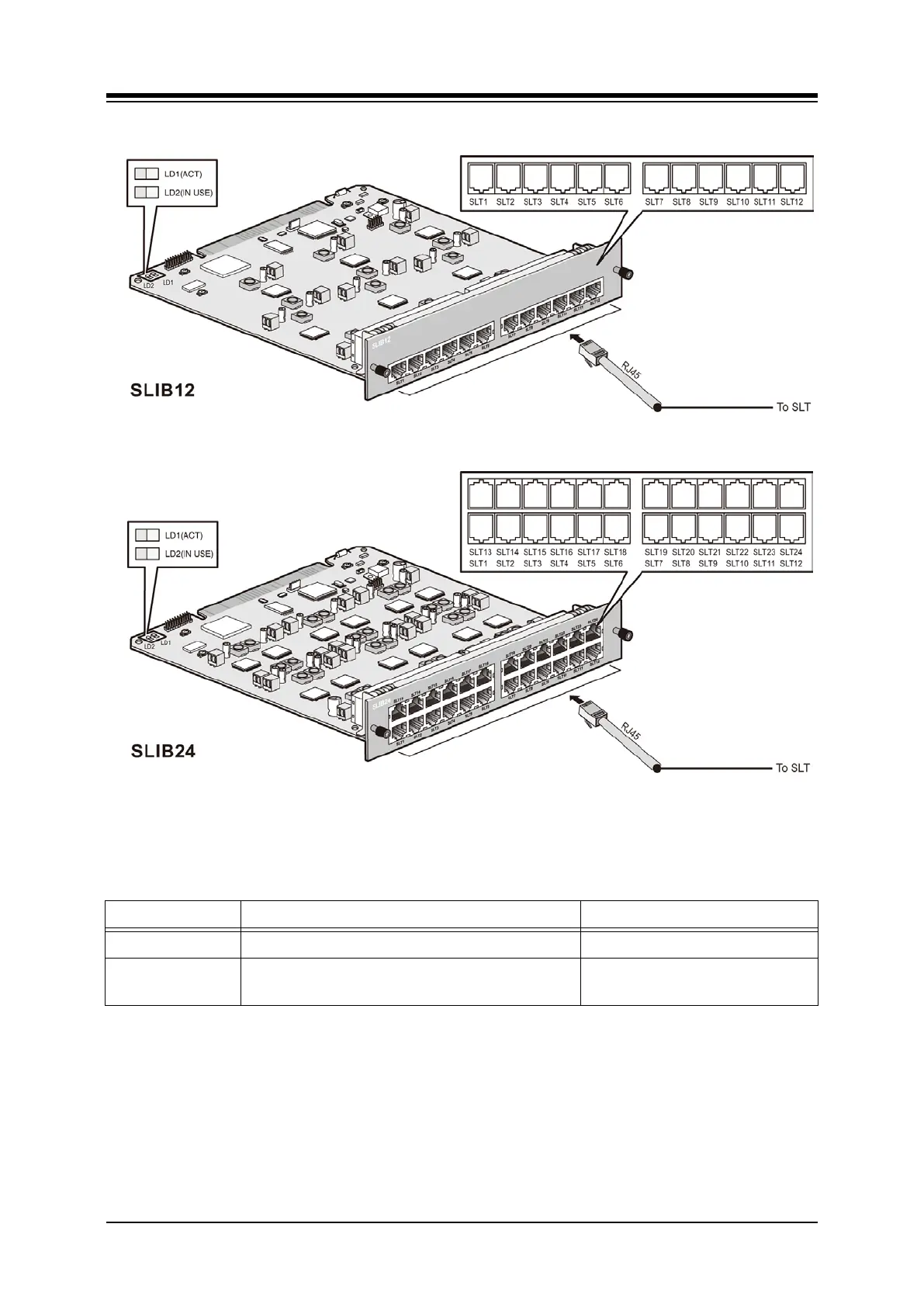
Figure 5.4.1-1 SLIB12/24
5.4.1.1 LED Functions
LED FUNCTION REMARK
LD1 ACT, Activation or Normal Operating Blink (Blue Color)
LD2 IN USE
ON: one or ports in use
OFF: All channels, Idle
5.4.1.2 SLIB Installation
The SLIB has no switches or connectors that are field useable. The SLIB can be installed in
any universal slot of any KSU; the 1st slot of the BKSU is for the MPB only. Note a maximum of
four (4) DTIB24/SLIB24s can be installed in a KSU.
Assure Power is OFF.
Slide the SLIB in the guide rails of the desired slot.
Tighten thumbscrews to hold the board firmly in place.



 To Next Page