iPECS-MG
Hardware Description and Installation Manual Issue 1.1
91
6.1.4 DSS/BLF Console Installation & Wiring
6.1.4.1 LDP-7048 DSS Install
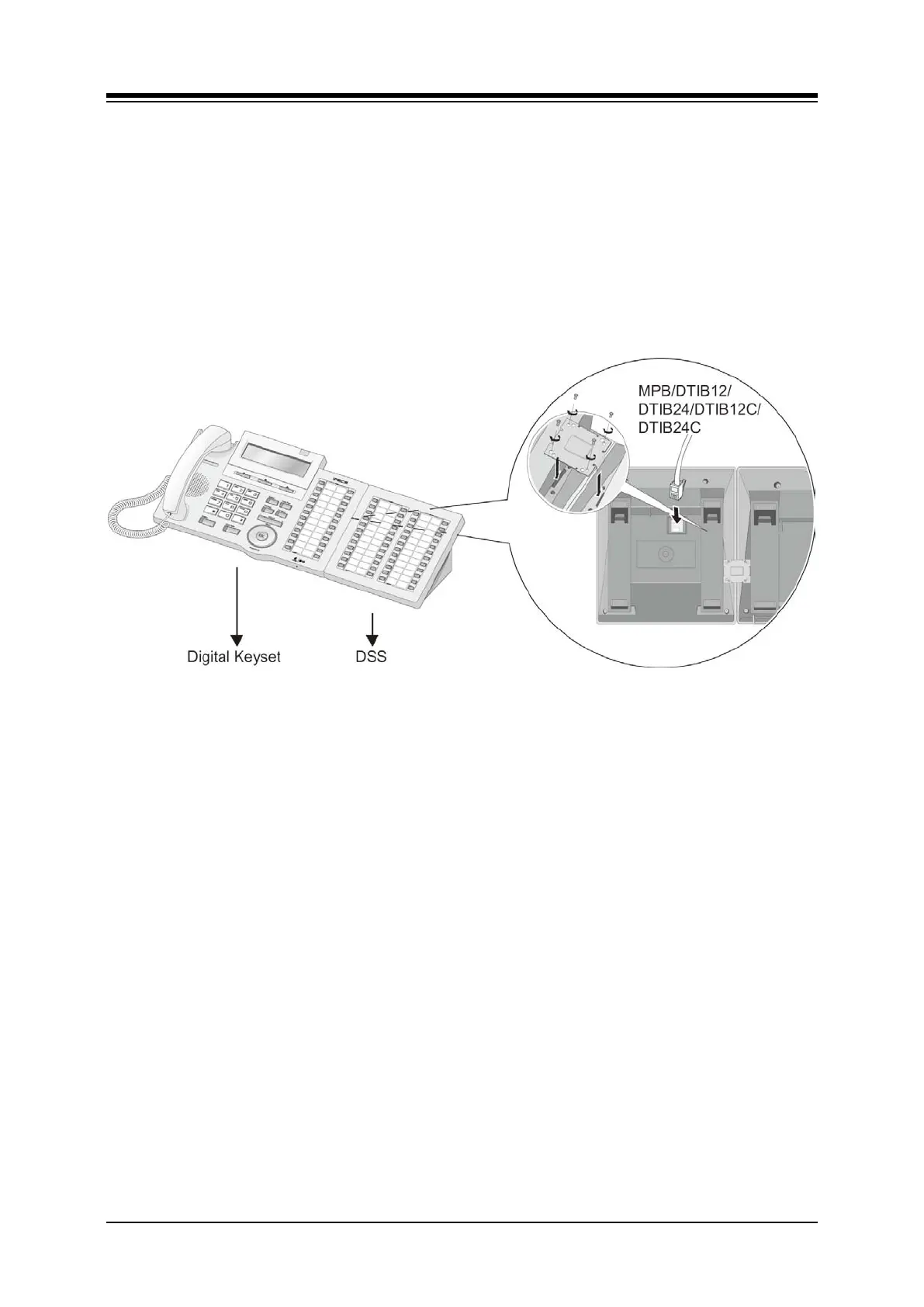
The digital LDP-7048 DSS/BLF Console is provided with a phone-mounting bracket, used to
fasten the Console to the phone securely. To attach the fastener,
turn the Console and phone upside down,
place the fastener in position,
insert and tighten screws. Caution, do not over-tighten as this may damage the
plastic phone housing.
Figure 6.1.4.1-1 LDP-7048 and LIP-7048 Console Install
6.1.4.2 LDP-7048 and LIP-7048 DSS Console Wiring
The LDP-7048 DSS Console is wired as a normal Digital Key Telephone to a separate port of a
DISU or DTIB, refer to section 6.1.2.1. The LIP-7048 DSS Console is wired as a normal LIP-
7000 series IP Phone, refer to section 6.1.2.3. The LIP-7048 DSS Console must be powered
by a POE compatible Ethernet switch port or the AC/DC adaptor-K for the LIP Phones.
6.1.4.3 LIP-8000 DSS Installation and Wiring
The LIP-8000 Series DSS/BLF Console is available in three (3) models 12 button w/paper
labels (LIP-8012DSS), 12-button w/LCD (LIP-8012LSS), and 48-button w/paper labels (LIP-
8048DSS). Up to four (4) consoles can be connected to an LIP-8000 & 8000E series phone
using the serial ribbon cable from the console. A maximum two (2) LCD DSS Consoles can be
supported and, when more than two consoles are connected, one must be the 48-button
Console. In all cases, the 48-button Console must be powered by the AC/DC Adaptor-K.



 To Next Page