iPECS-MG
Hardware Description and Installation Manual Issue 1.1
27
4.6.2 External Backup Battery Installation
In case of power failure, the external backup batteries automatically maintain uninterrupted
power for the iPECS-MG System. The external batteries must provide 24V DC; this is
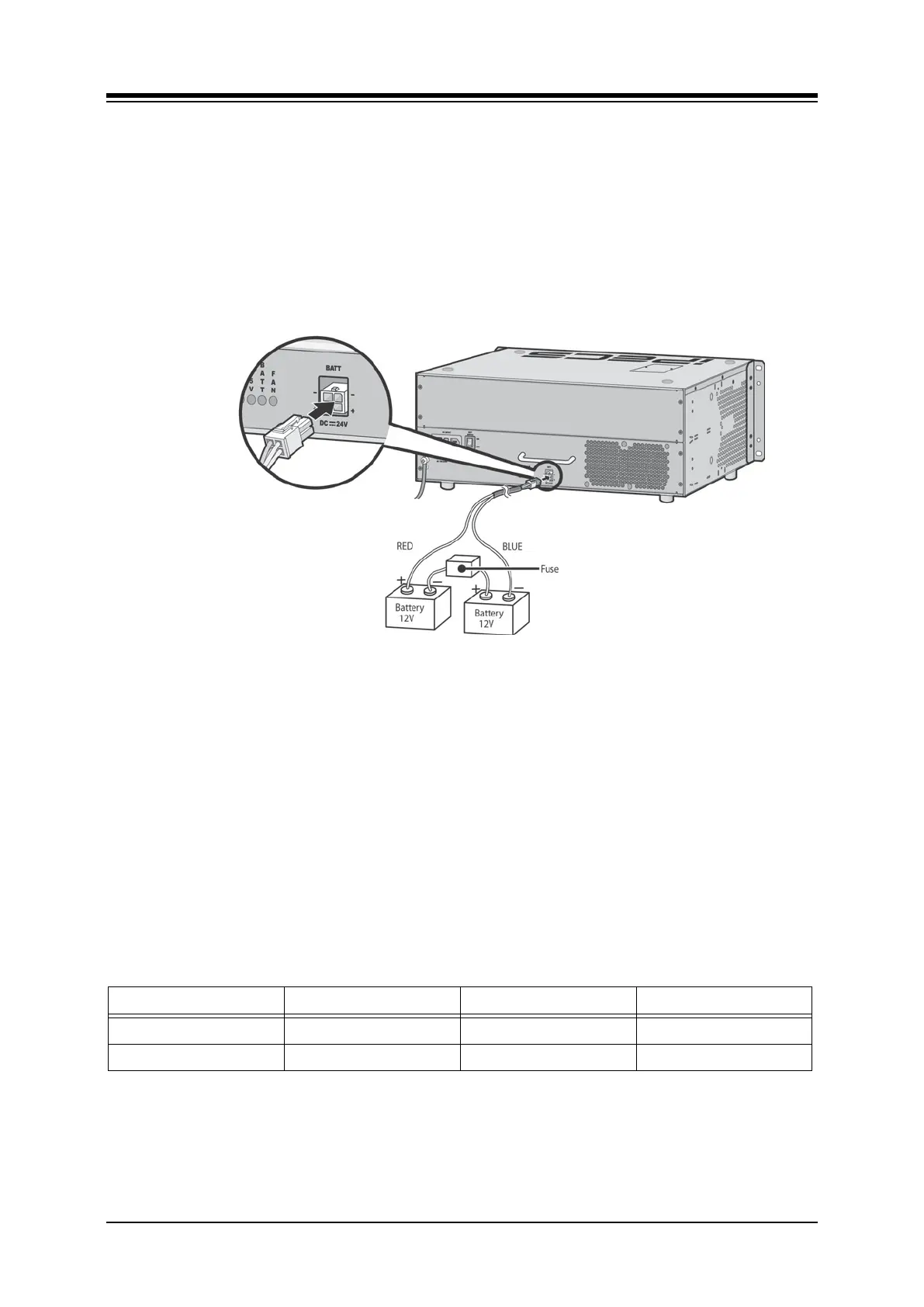
generally accomplished by connecting two 12V batteries in a series arrangement as shown:
connect the backup battery cable with 2 identical batteries. (12V DC)
insert a fuse between the batteries as shown.
connect the external back up battery cable to the battery connector of the PSU.
after connecting the external backup battery cable, turn on the battery switch.
Figure 4.6.2-1 External Backup Battery Installation
NOTE
the cable used to connect the battery is supplied with the KSU
Battery operation is controlled by the PSU. The PSU will provide charging current
to the batteries during normal AC power operation at a maximum of about 1 Amp.
PSU battery operation will be halted if the AC power is re-connected or if the
battery voltage is too low to maintain full-system operation.
The length of time that the System will operate on the batteries is dependent on
several elements including, battery charge, condition of the batteries, capacity of
the batteries, and the size of the system (number of station ports). The chart below
gives the approximate back-up times for several system sizes and different battery
capacities in ampere-hours.
Table 4.6.2-1 Battery Capacities
BATTERY CAPACITY DKT 24PORTS DKT 72 PORTS DKT 120 PORTS
20AH 6 hours 3 hours 1.5 hours
40AH 12 hours 6 hours 3 hours



 To Next Page