LIP-9071 iPKTS User Guide
92
12.2 Wi-Fi
Wi-Fi is a wireless networking technology that can provide internet access at distances of up to 30 meters,
depending on the Wi-Fi router and your surroundings. This device has no Wi-Fi Module. You must connect Wi-Fi
dongle to device's USB port to use Wi-Fi.
To use Wi-Fi, you connect to a wireless access point, or “hotspot.” some hotspots are open and you can simply
connect to them. Others implement security features that require other steps to set up, such as certificates or
other ways to ensure that only authorized users can connect.
Note
° The available Wi-Fi Module is ‘DWA-182’ made by D-Link and supports 802.11n.
12.2.1 Turn Wi-Fi on & connect to a Wi-Fi network
If you’re adding a Wi-Fi network when first setting up your device, Wi-Fi is turned on automatically.
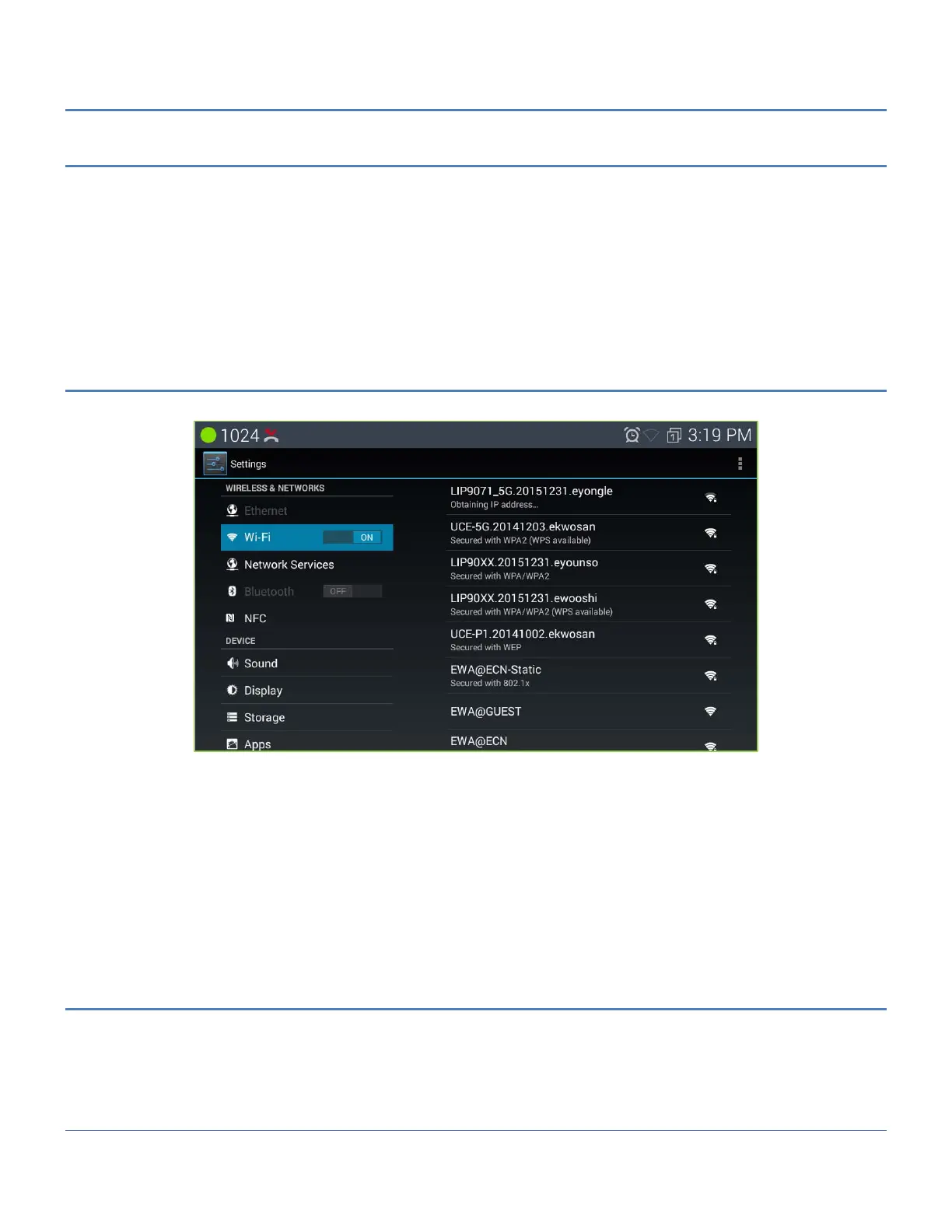
1. Touch Settings > Wireless & networks > Wi-Fi.
2. Slide the Wi-Fi switch to the on position.
3. The device scans for available Wi-Fi networks and displays the names of those it finds. Secured networks
are indicated with a Lock icon. If the device finds a network that you connected to previously, it connects to it.
4. Touch a network name to see more details or connect to it, and type a password if necessary.
Or, if your Wi-Fi router supports Wi-Fi Protected setup, touch the WPs icon on your tablet, and then touch
the same button on your router.
To modify a network’s settings, touch & hold the network name.
12.2.2 Add a Wi-Fi network
You can add a Wi-Fi network so that your device will remember it, along with any security credentials, and
connect to it automatically when it's in range. You must also add a Wi-Fi network if the network does not
broadcast its name (SSID), or to add a Wi-Fi network when you are out of range.



 To Next Page