LIP-9071 iPKTS User Guide
57
7.6 iPECS System Configuration
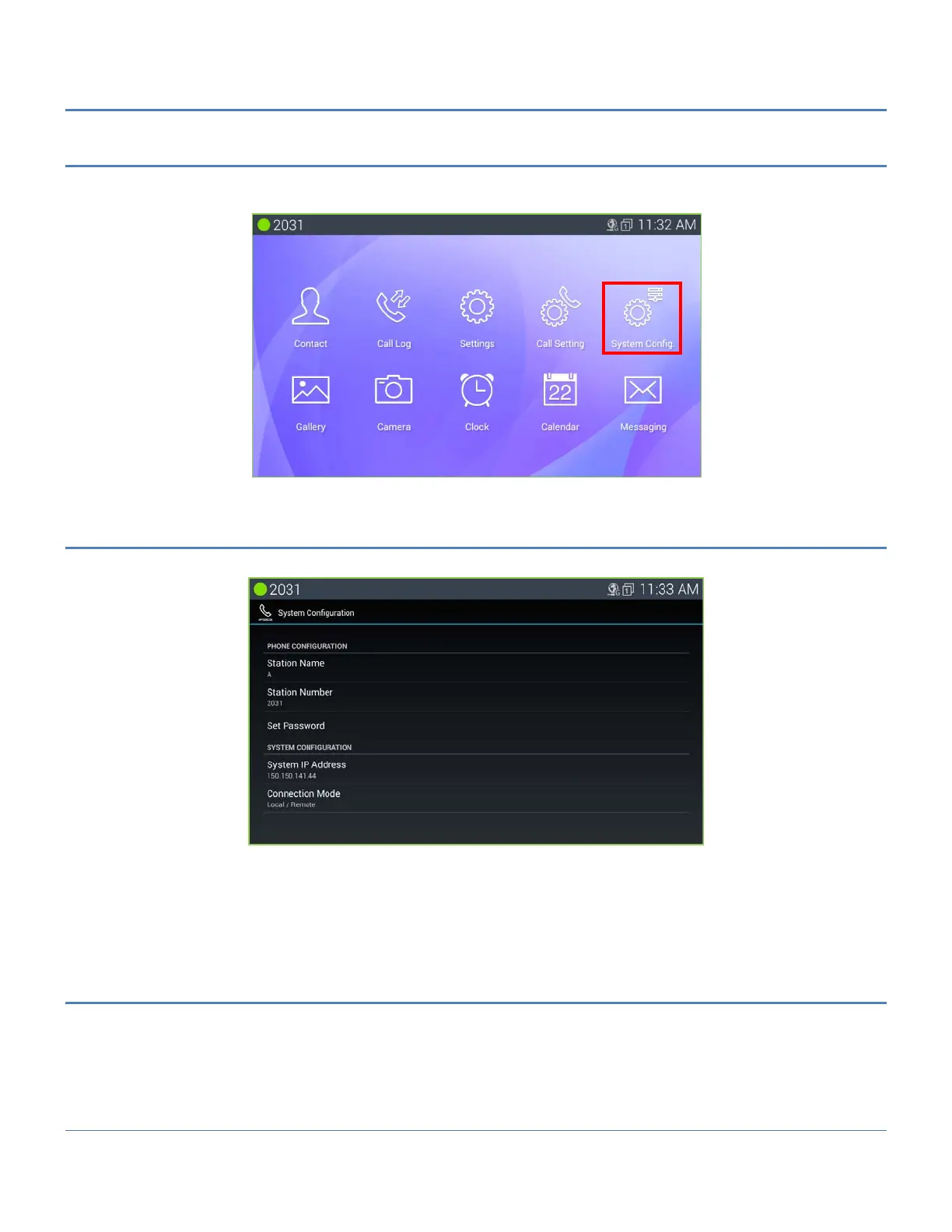
The System Configuration for iPECS Phone impacts Station name, number, password and system IP address. To
view the System Configuration menu, touch ‘System Confi.’.
7.6.1 Phone Configuration
The System Configuration menu allows input of the Phone and System configuration.
Station Name: set the display name for the station that is delivered to other internal parties during a call, 16
characters.
Station Number: select a desired Station number that will be requested by the phone during registration. If
available, iPECS will assign the Station with the requested number.
Set Password: set the phone password, 12 digits.
7.6.2 System Configuration
The System Configuration menu allows input of the IP address for iPECS CM system and the connection mode
(local, remote and local/remote).
To change the system IP address or the connection mode,
1. In the Call Setting screen, select System Configuration.
2. Select the desired item.
3. Enter the IP address or select the connection mode.



 To Next Page