LIP-9071 iPKTS User Guide
6
2.7 Optional AC/DC Adapter Connections
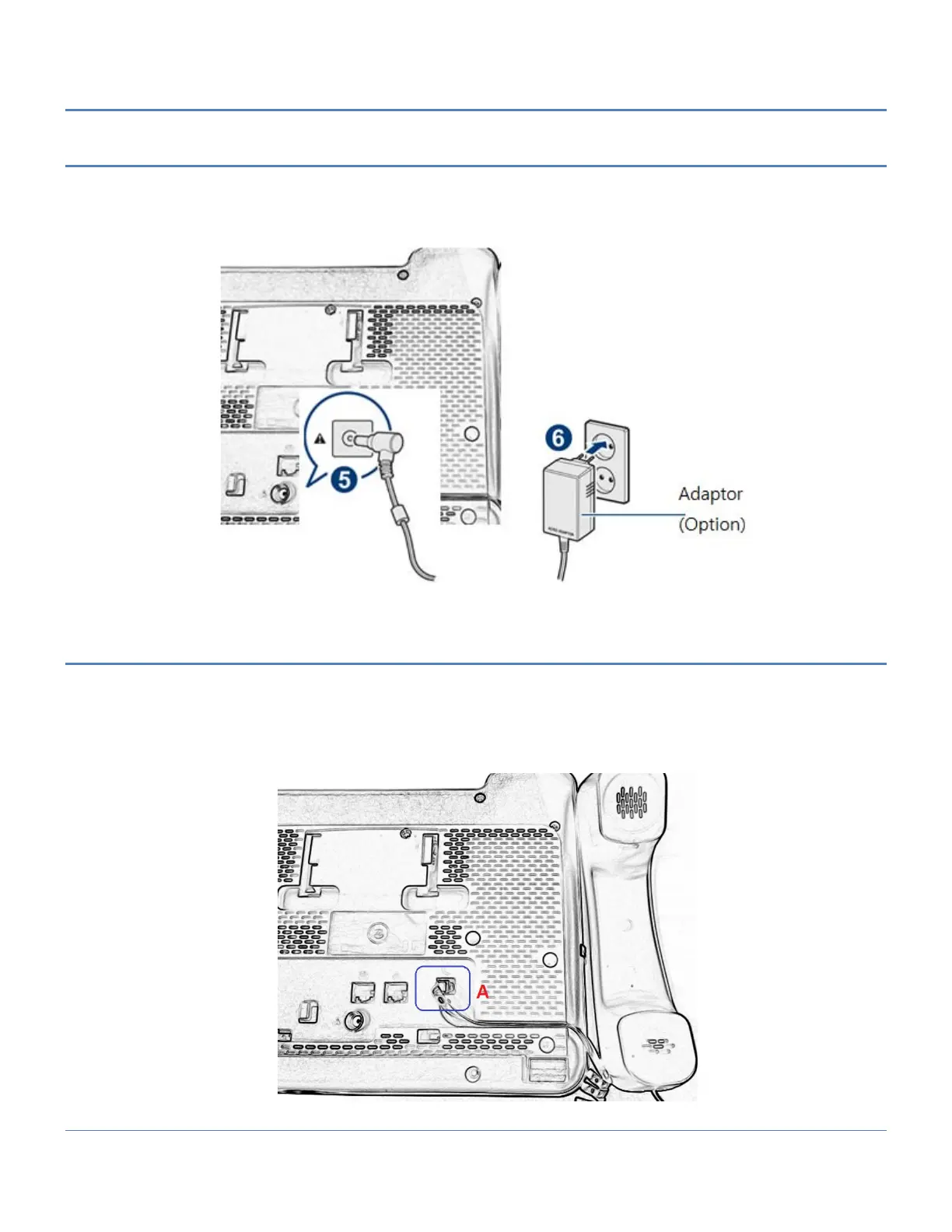
The optional AC/DC adapter is used when the network connection is not PoE compatible. In this case, the AC/DC
adapter converts the normal AC power input to the 48 VDC at 0.3 amps required by LIP-9071 phone. The adapter
is plugged into a standard AC wall outlet and the DC connector is inserted in the DC jack located on the bottom of
the phone.
2.8 Connect the Handset
The handset and headset connectors are located slightly to the right center on the bottom of the phone. The
handset coil cord RJ-9 is plugged into the upper RJ-9 jack of the phone (A) and handset.
After connecting the handset coil cord and the headset cord, firmly place the cords in the respective wiring channel
to protect the wiring.



 To Next Page