LIP-9071 iPKTS User Guide
134
14.3.6.5 Bandwidth management
Search result preloading
Allow browser to preloading high confidence search result in the background.
Web page preloading
Allow browser to preload linked web pages in the background.
Load images
Uncheck to omit images when Browser displays a webpage. This speeds webpage display, which can be useful if
you have a slow connection, but many websites make little sense with text alone.
14.3.6.6 Others
Quick menu style
Slide thumb from the left or right edge to open quick menu and hide app and URL bars.
14.4 Email
LIP-9071 provides built-in Email application for users to access personal or business Email account. User can use
this Email application to read and send email from services other than Gmail. Email includes a wizard that makes it
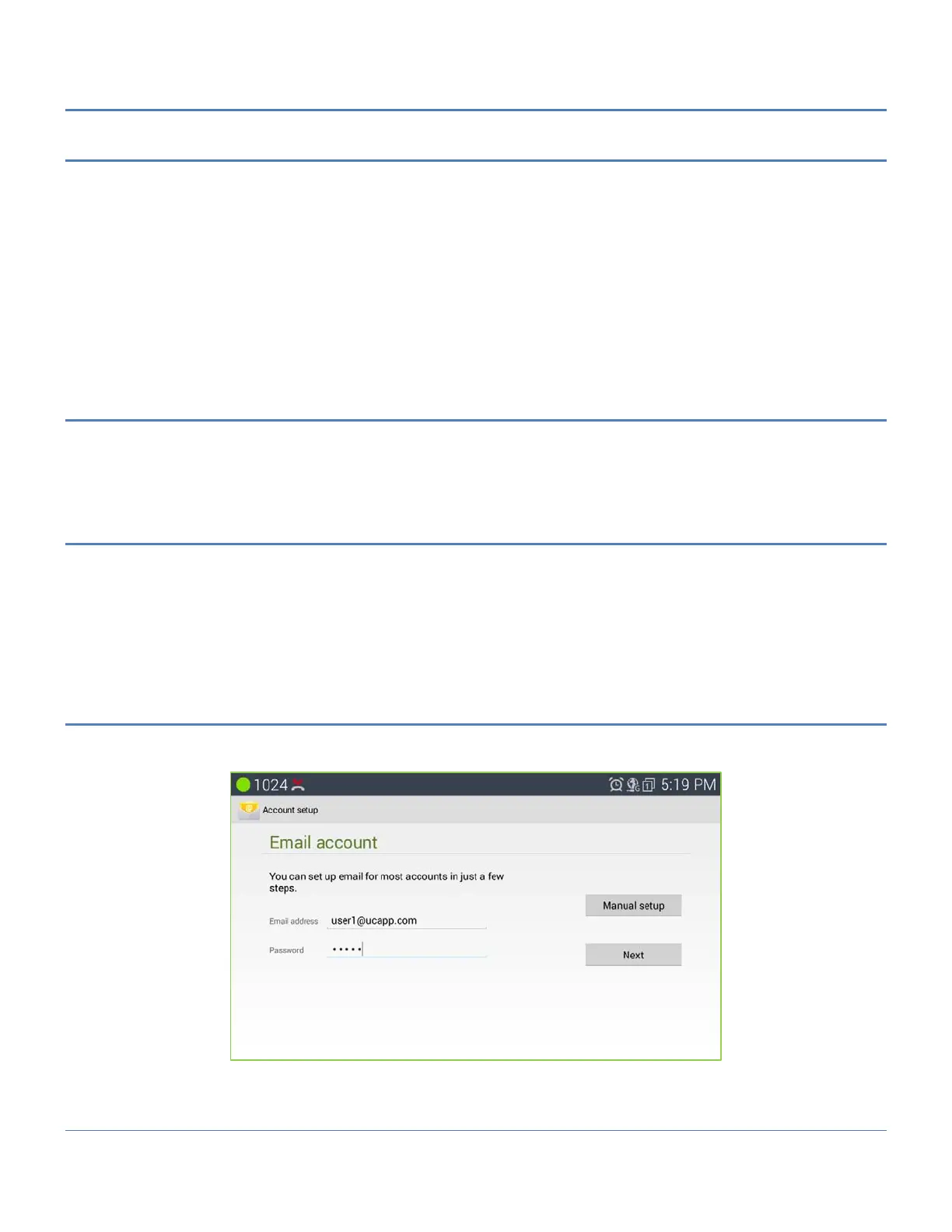
easy to configure it for several popular email service providers. Fully fill the below wizard form as your account
information.
Use the Email application to view individual email account inboxes or a combined inbox. The Email application
supports POP3, IMAP, and Exchange email accounts.
14.4.1 Sign in email
When launching the Email application for the first time, a wizard will be provided for users to set up the Email
account step by step.
1. Enter the Email address and Password.
2. Tap on "Next" for quick setup, or tap on "Manual setup" to manually configure more options.



 To Next Page