LIP-9071 iPKTS User Guide
81
3. Enter the receiving station number.
Note for a receiver that is a Contact, the QWERTY keyboard can be displayed by touching ‘ABC’ on the number pad,
and then enter the name. Matches are displayed for selection as characters are entered.
Repeat steps 2 and 3 for up to four (4) receivers.
Touch the ‘Type message’ entry box and enter the message. As characters are entered, the number of bytes shown
to the right of the box is reduced to provide an indication of the remaining characters allowed.
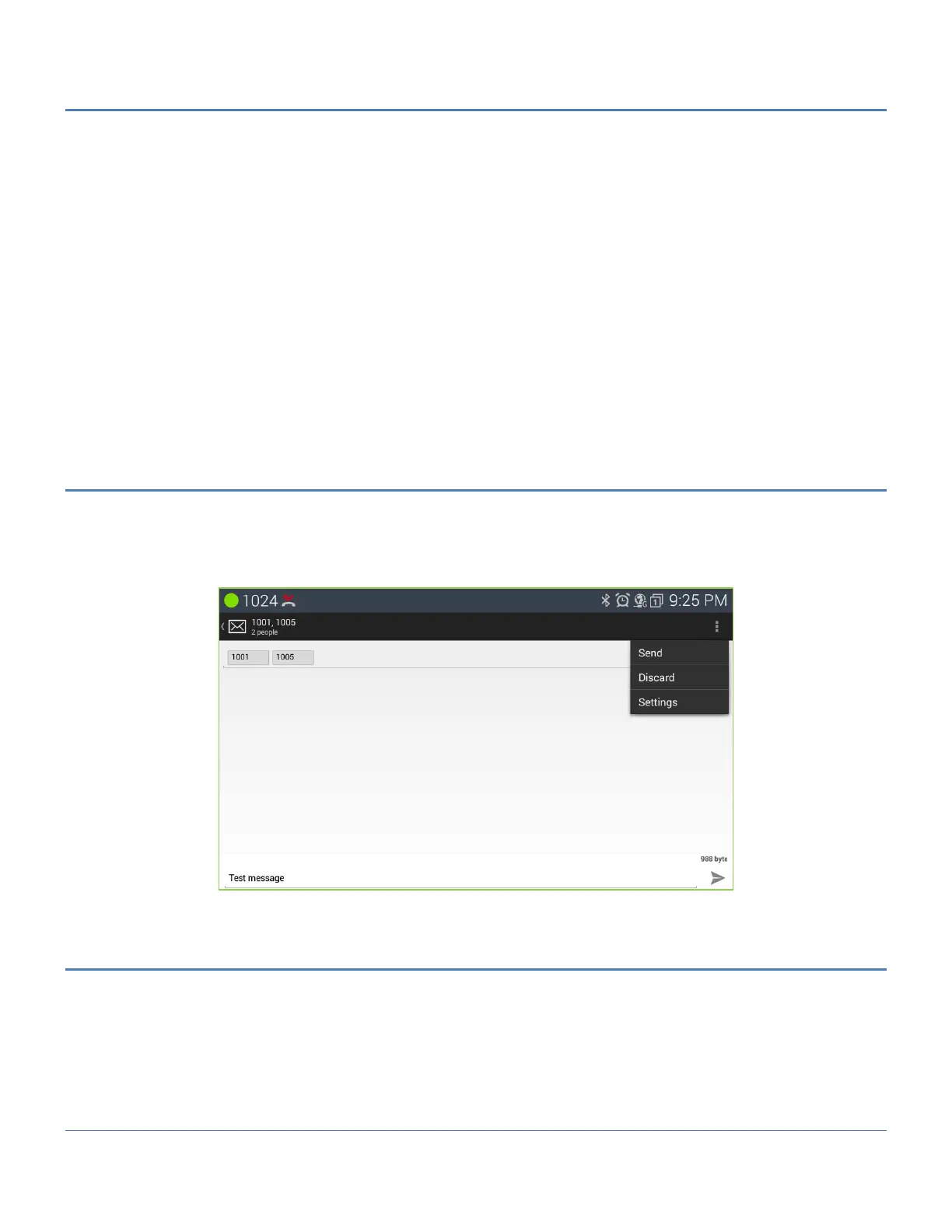
After complete message typing, touch Send by touching the Option menu in the upper right. The Messaging screen
displays with the new message added to the appropriate thread.
Prior to sending the message, the message can be edited, or smile faces can be added.
Note
To hide the keyboard, press the Back button.
10.2 Compose Screen Options Menu
The Compose screen has an Option menu with the following tools.
Send: send the message.
Discard: erase the message and return to the Messaging screen.
Settings: move to Message setting screen.
10.3 Receive a Message
When a new message arrives, the SMS icon appears in the Notifications bar along with the sender and part of the
message. To view the full contents of the message,
1. Drag down the Notifications bar to expose the Notification detail and select the SMS notification.
Or Select the SMS icon from a home screen or application list screen.
2. Touch the highlighted thread.



 To Next Page