LIP-9071 iPKTS User Guide
22
Busy Call Waiting: while the user is busy on a call, new DID and DISA calls can be delivered to the phone
or, when disabled, the call routes based on the busy call routing configured in iPECS system.
Answer Mode: set the Intercom Call Answer Mode as HF (Hands-free Answerback to Voice announced
calls), Privacy (lift the handset or press the Speakerphone button to answer a Voice announced call) or
Tone ring.
Headset/Speaker: configure the audio path when the speaker button is touched, route audio to the
headset or speakerphone.
Mobile Extension: send calls to a mobile phone associated with the station.
Voice CODEC Icon: while the user is on a call, it shows CODEC information as an icon
CO Codes Info: It shows current CO codes which come from iPECS system.
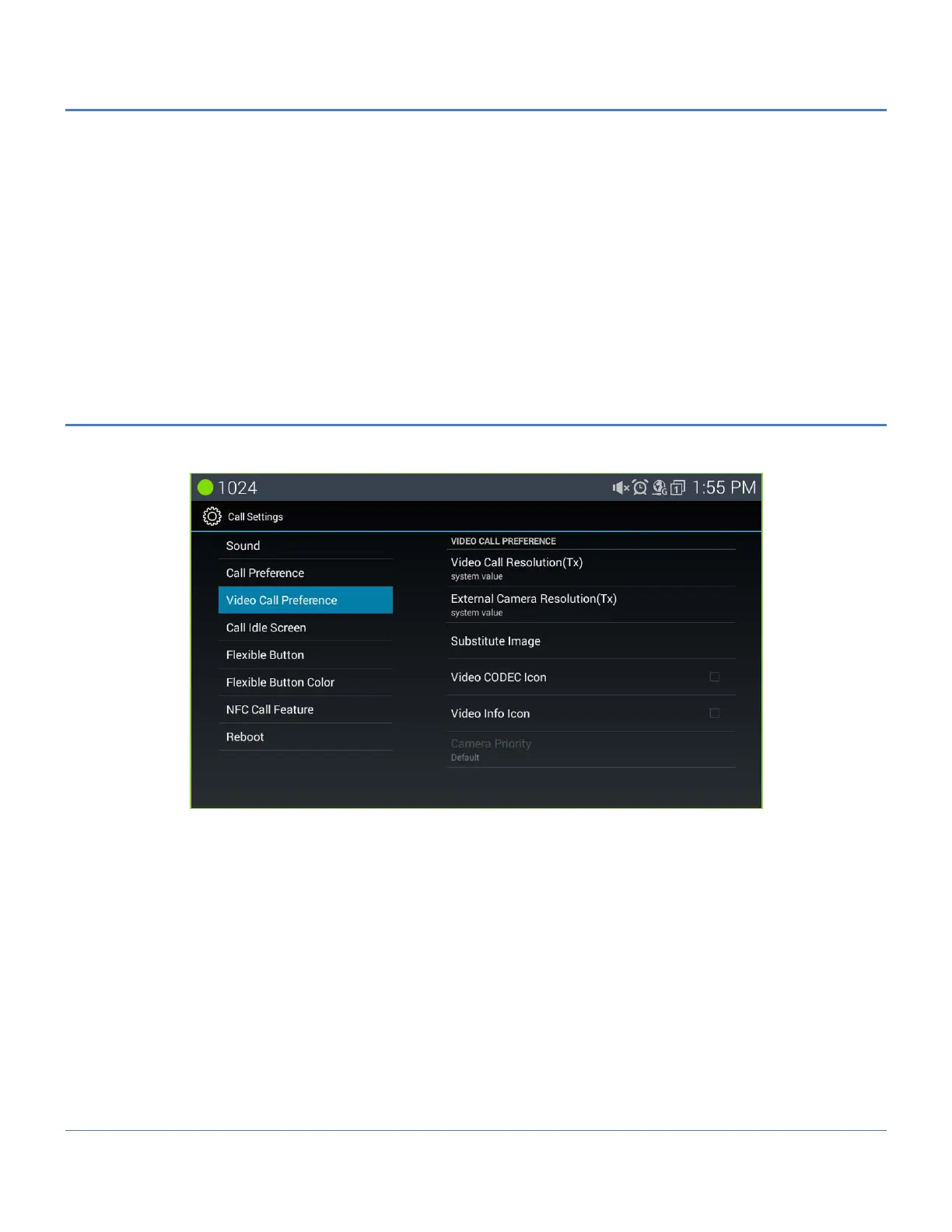
5.5.3 Video Call Preference
The user can manage characteristics of the video settings including the resolution, substitute image as well as the
Video CODEC icon and Video Info icon for the display.
Video Call Resolution (Tx): it sets the resolution of transmitting video as manually.
External Video Camera Resolution (Tx): it sets the external USB camera resolution when transmitting
video as manually.
Substitute Image: It sets an image which will be sent while user stops video for a moment.
Background Image Setting: User can change background image what user want to see.
Video CODEC Icon: while the user is on a video call, it shows Video CODEC information as an icon
Video info Icon: while the user is on a video call, it shows Video call information(resolution) as an icon
Camera Priority: User can select camera for video call one of built in camera or external USB camera if
available.



 To Next Page