LIP-9071 iPKTS User Guide
146
15.3.8 Network Settings
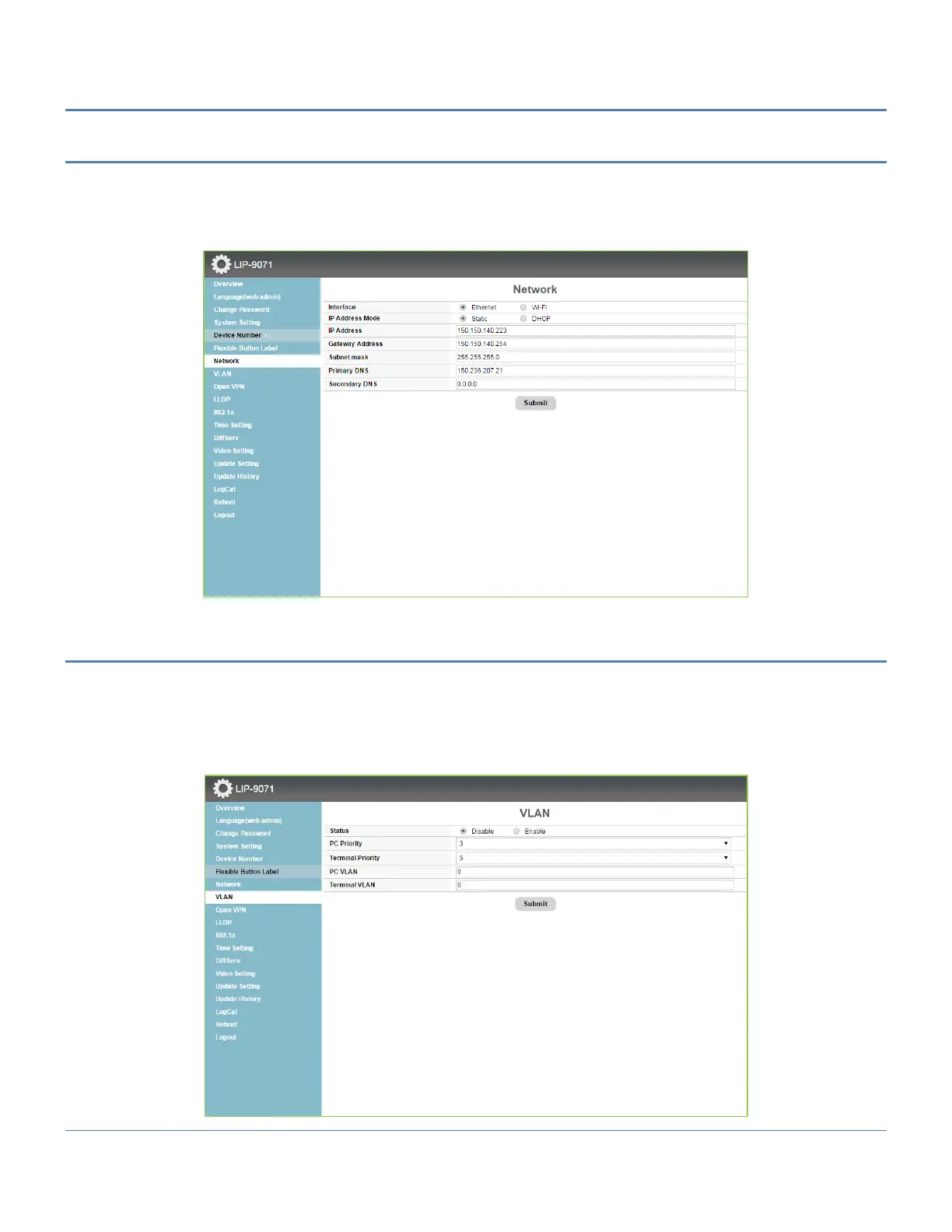
The Network Setting menu configures the address Mode, Static or Dynamic. If static addressing is employed, the
IP and Gateway address as well as the subnet mask must be defined. In addition a Primary and secondary DNS
(Directory Name Server) can be configured to support VPN installations.
For the wi-fi interface user can set the same parameter field of Ethernet.
15.3.9 VLAN Settings
The VLAN Setting menu configures the Id and password of Virtual LANs for both the LAN and PC port. Enable the
VLAN Status, enter a priority and id for both the LAN and PC port and save the changes.
The PC port should have a lower priority than the terminal; typically a PC priority of 3 and Terminal priority of 5
provide acceptable performance. Also, in general, the PC VLAN id will be 0, while the Terminal VLAN id will be a
number between 1 and 4094.



 To Next Page