LIP-9071 iPKTS User Guide
79
9.6.3 Share a Contact
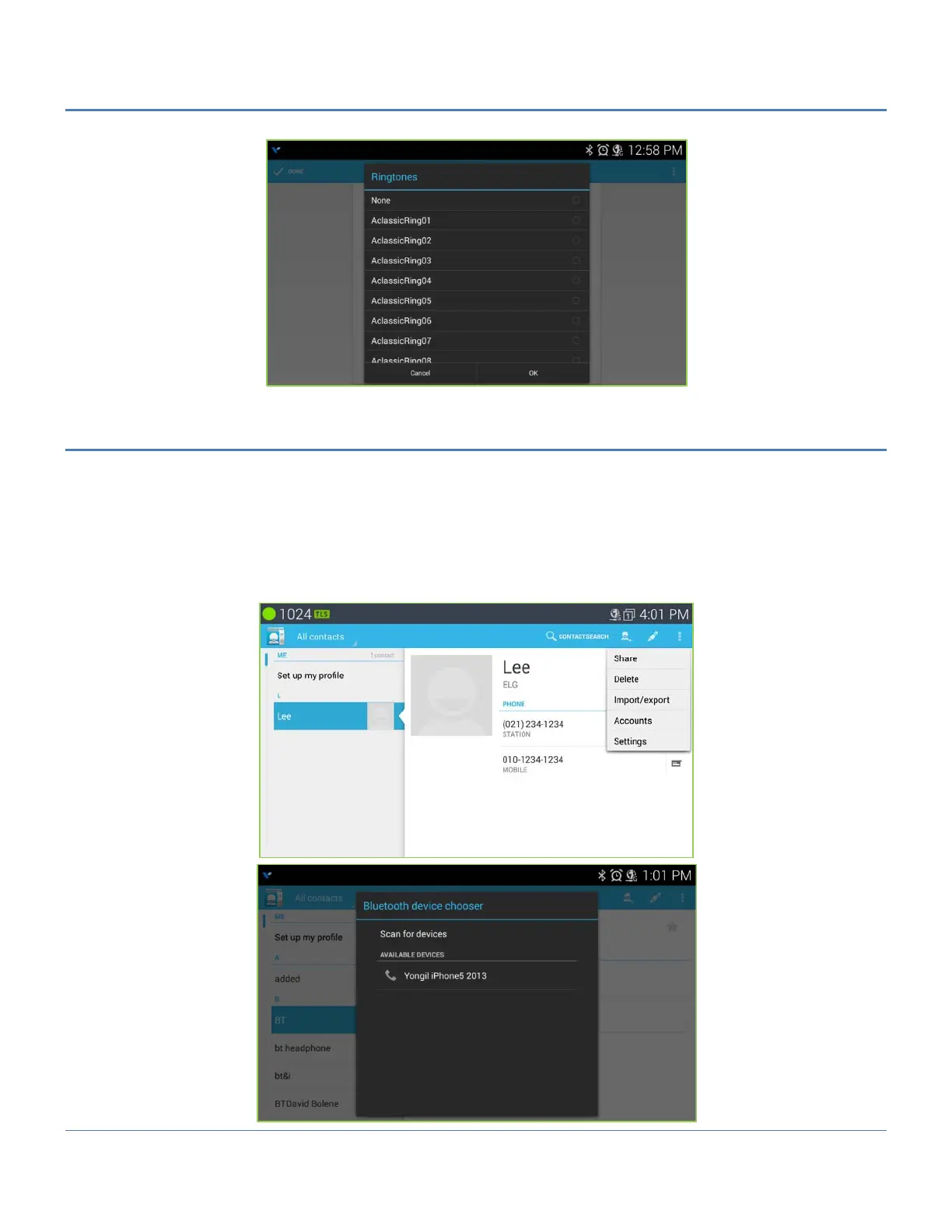
A Contact record can be shared with an external device employing Bluetooth. The record is sent as a Vcf file with
the contact’s first and last name as the file name (John Smith.vcf). To share a contact,
1. Open the Contacts list by touching the Contacts icon in the Apps Dock.
2. Touch the desired contact.
3. Touch the Option menu in the upper right.
4. In the menu, selecting ‘Share’ displays the Bluetooth device screen.
5. Select the Bluetooth device to receive the record, the record is sent.



 To Next Page