LIP-9071 iPKTS User Guide
78
9.6 Miscellaneous Contact Options
9.6.1 Contact’s Default Number
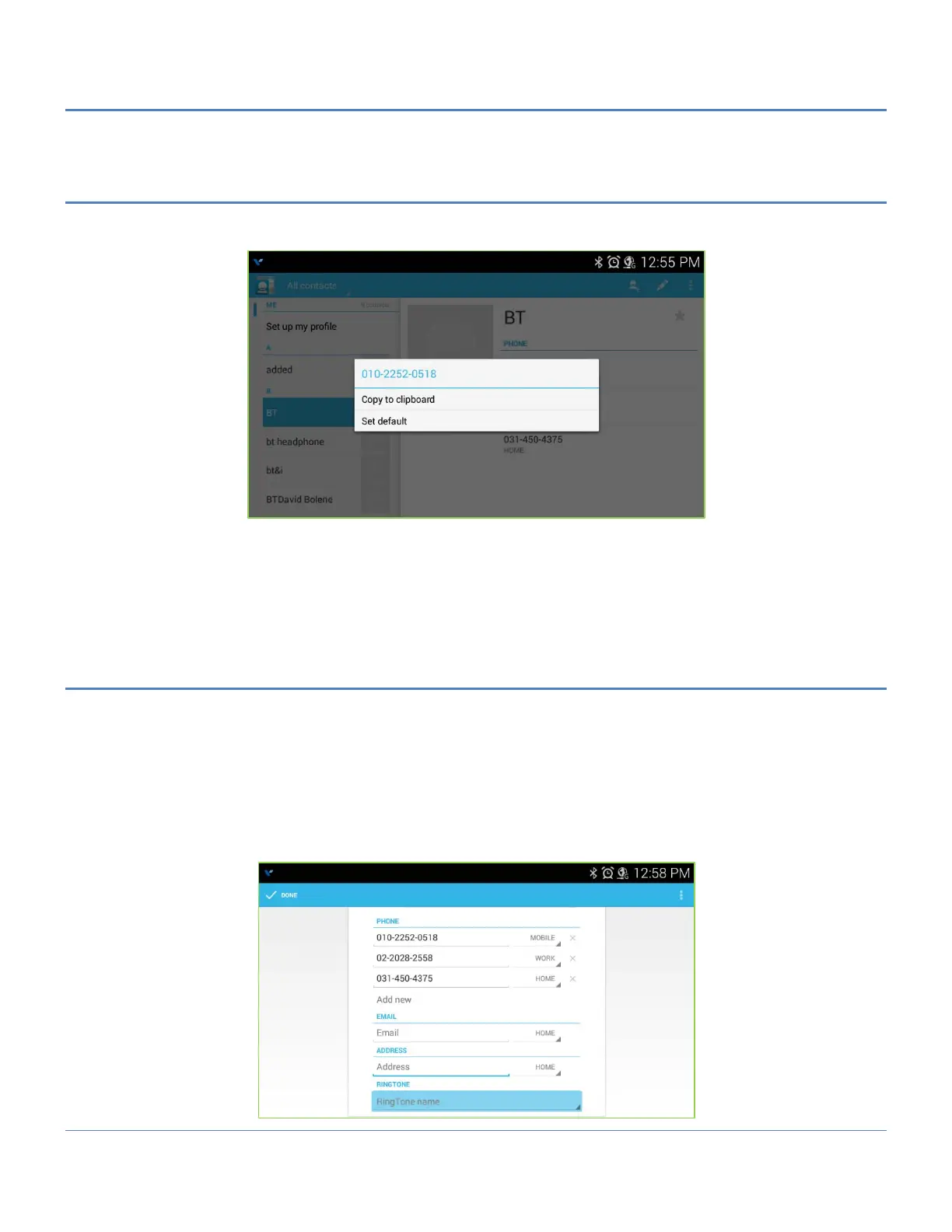
The Contact’s default number is used when the contact record is touched and held to place a call. The default
number, which can be changed, is marked with a check in the Contact’s detailed information.
To change the default number,
1. Open the Contacts or Favorites list.
2. Touch the name of a contact in the list to view the Contact’s details.
3. Touch & hold the phone number to use as the default number.
4. Touch ‘Make default number’ in the Context menu.
9.6.2 Contact Ringtone
The ringtone received when a call from the contact is received can be customized allowing the user to quickly
identify the calling party. To set the ringtone for a Contact,
1. Open the Contacts list by touching the Contacts icon in the Apps Dock.
2. Locate and touch the desired contact.
3. Touch the Edit icon.
4. Select RINGTONE.
5. From the scrollable list of ringtones that opens, select the desired ringtone, a sample of the ringtone plays.
6. Touch Apply.



 To Next Page